Estimated reading time: 5 minutes
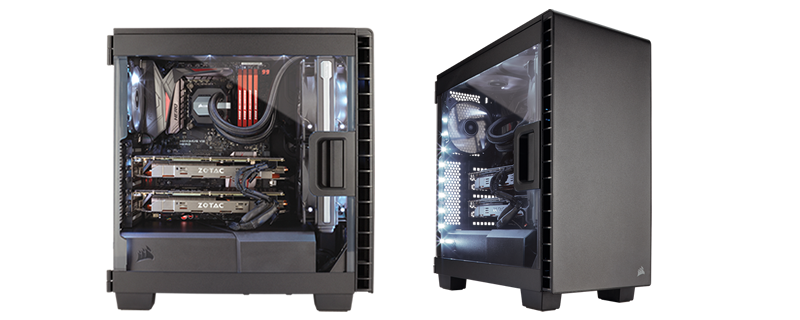
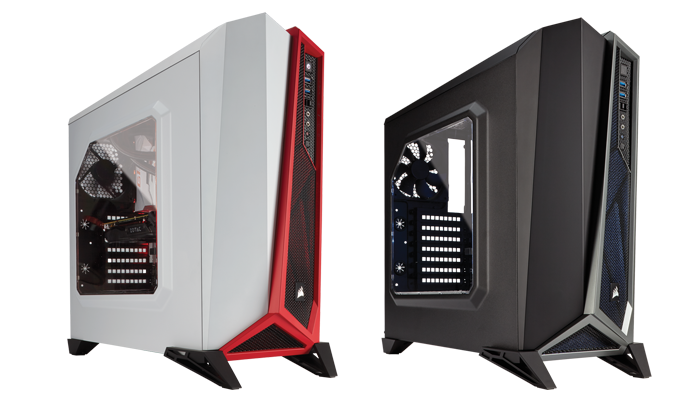
CORSAIR has just announced a new mid-tower case called the AIR 5400. On paper, it’s a pretty bold move. Instead of the usual dual-chamber setup that’s become standard in modern PC cases, CORSAIR’s trying something different — a triple-chamber layout that separates the CPU, GPU, and power supply into isolated zones.
It’s meant to reduce thermal interference between components and lower fan noise. That’s the theory at least. Whether it actually makes a difference in real-world builds is something we’ll be finding out soon.
A Third Chamber Just for the CPU
This isn’t the first time CORSAIR’s played with chambered designs. Back in 2013, the original AIR 540 helped popularize dual-chamber cases. The new AIR 5400 takes that idea one step further by adding a third chamber dedicated entirely to the CPU’s cooling system.
Most cases mount AIO liquid coolers at the top, which means the radiator ends up recycling warm air coming off the GPU. The AIR 5400 flips that around — the CPU’s AIO sits in a front-mounted chamber that pulls in cool air directly from outside and pushes the hot air out immediately through a vent.
In theory, that means the CPU can be cooled independently of the GPU, which should lead to better temperatures and quieter operation. It’s an interesting idea, and one that could set a trend if it works as intended.
Airflow Ducts and GPU Breathing Room

The main chamber has two airflow ducts — one at the bottom that actually feeds air into the GPU, and one at the top mainly for symmetry (though it can hold extra fans). The bottom duct has three reverse-rotor fans pre-installed, designed to counteract turbulence and send cool air directly upward to the graphics card.
There’s also enough room for large GPUs, up to 430mm long, which means you can throw in something like a 5090 or a 4090 and still have breathing space. It’s pretty clear CORSAIR’s paying special attention to GPU cooling this time around.
A Clean Look with Practical Access

The AIR 5400 has a clean, minimal aesthetic. The glass wraps around the sides and front, opening on hidden hinges that make it easy to work inside the case. It’s practical without being overdesigned.
If you’ve watched my Corsair 3500X build video on YouTube (link below), you’ll notice CORSAIR’s been refining this design language for a while — less clutter, smarter airflow, easier access. The 5400 feels like a natural evolution of that.
Smarter Cable Management
The third chamber houses the power supply, drives, and cable routing. CORSAIR’s new RapidRoute 2.0 system uses a pegboard layout with adjustable anchors that can rotate, extend, and lock into place. It gives you flexibility to route cables exactly how you want instead of relying on fixed cutouts.
The case also supports reverse-connector motherboards from ASUS, MSI, and Gigabyte, which means you can have a completely clean front side with no visible wiring. The nylon brush pass-throughs between chambers are a neat touch — they hide the cables while still letting you route them precisely.

For those curious about how CORSAIR’s cable management and ecosystem have evolved, I covered this in detail in my iCUE LINK video on YouTube.
Two Versions, One Concept
The AIR 5400 comes in two versions: one with regular ARGB fans, and another with CORSAIR’s iCUE LINK fans and hub. Both are available in black and white, and both pre-install the fans at the bottom to feed the GPU.
The iCUE LINK version is clearly aimed at people already invested in CORSAIR’s ecosystem — it simplifies cable routing and lets you control everything from one interface.
Builder-Friendly Details
There are a lot of small, thoughtful touches. Three USB-C ports on the top (two at 5Gb/s and one at 10Gb/s), a built-in GPU anti-sag arm, tool-less QuikTurn screws for faster fan installs, even a microfiber cloth included to keep the glass clean.
None of this is flashy, but it shows attention to the small things that matter when you’re actually building.
Price and Availability
The CORSAIR AIR 5400 is priced at ₹18,999 and will be available through CORSAIR’s website and retail partners by late Q4 2025. It comes with a two-year warranty.
Final Thoughts
This isn’t just another mid-tower refresh. The AIR 5400 is CORSAIR experimenting again — and that’s always interesting to see. The triple-chamber approach could end up being a smart response to how hot today’s GPUs and CPUs run, or it might just be an ambitious idea that works better on paper than in practice.
Either way, it’s worth paying attention to.
We’ll be testing and reviewing the AIR 5400 soon on both iLLGaming and The Sahil Effect YouTube channel. Expect a detailed look at thermals, noise levels, and how practical this triple-chamber layout actually is in a real build.
Stay tuned — this one has potential.