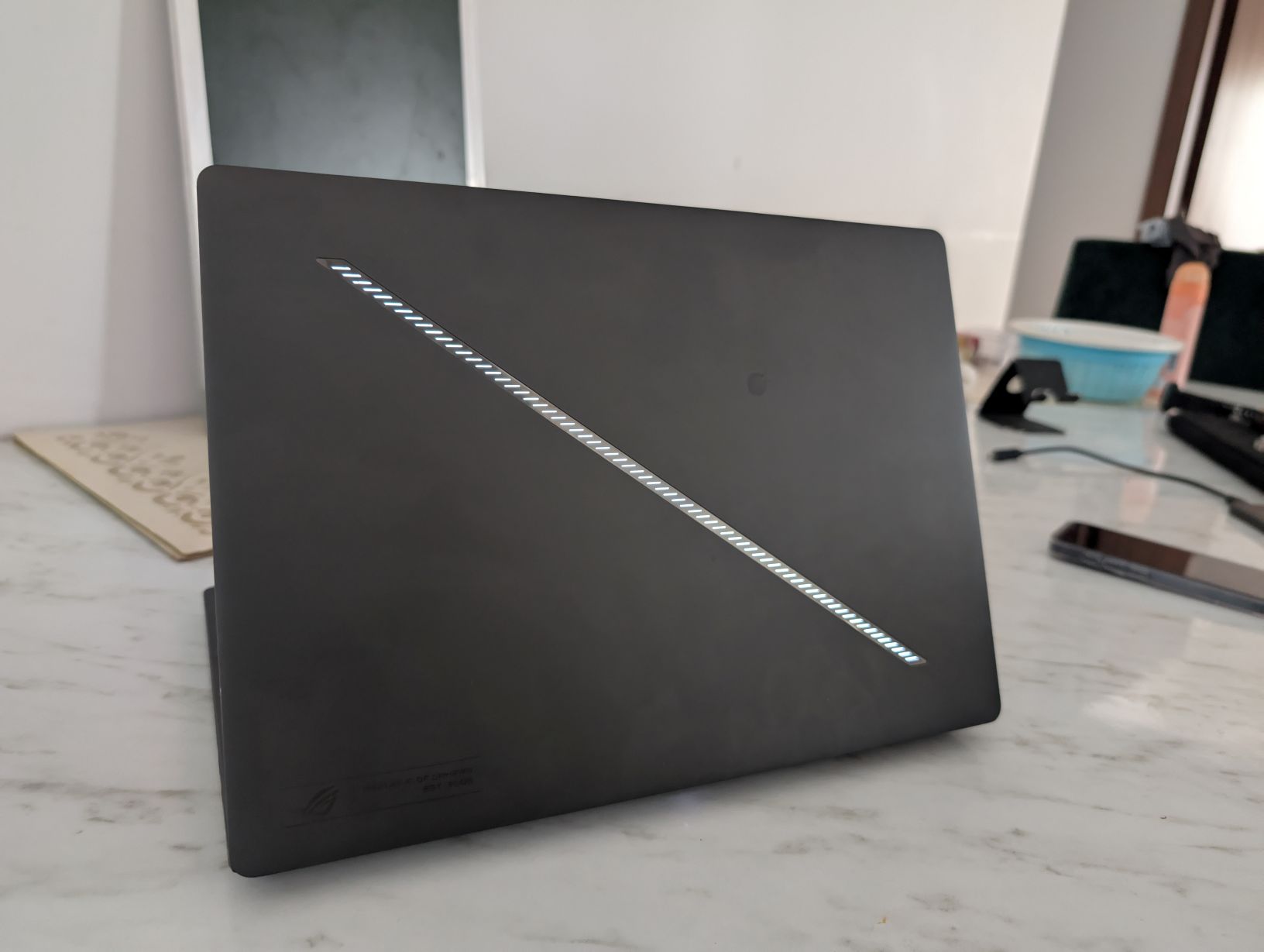
Verdict
If you want a laptop that looks futuristic, sounds brilliant, plays anything you throw at it, and still fits in your backpack—this is it. For pure gaming, there’s nothing this compact that competes. Ff you want the ultimate all-rounder in a portable body with unmatched audio-visual quality and surprisingly manageable thermals—the 2025 Zephyrus G14 is iLLGaming’s recommendation.

Pros
- The most powerful and portable 14-inch gaming laptop right now
- A masterclass in design and build quality
- Packed with the best speakers and OLED panel in the category
- Slightly loud and hot—but controlled well
- The “One True Ultrabook Gamer.”
Cons
- Best airflow achieved not on a flat surface, but with the laptop slightly lifted
- Price
The 2025 ROG Zephyrus G14 isn’t a reinvention. It didn’t need to be. What ASUS has done instead is refine what was already the gold standard for gaming ultrabooks—and in the process, it’s once again set the bar absurdly high for anyone else even attempting to make a premium, portable gaming machine.
Same Design, But Still Unmatched
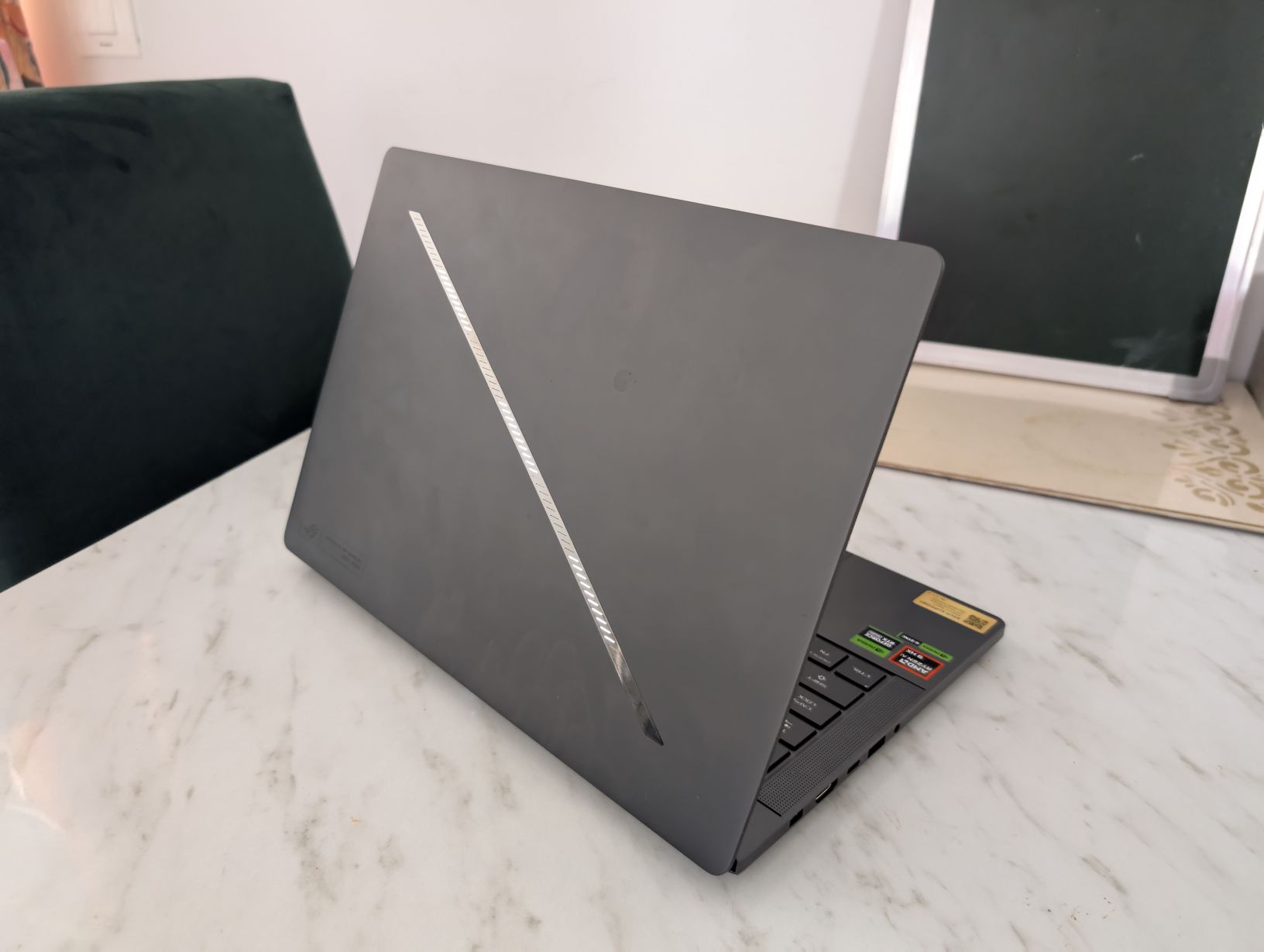
The design is unchanged from the 2024 version, and that’s no bad thing. This machine looks like it dropped straight out of Night City. It’s cyberpunk. It’s minimal. It’s expensive-looking. And crucially—it looks like nothing else. In a world where Windows laptops are often indistinguishable from each other or, worse, cheap MacBook knockoffs, the G14 manages to carve its own design language. That’s a rare and beautiful thing. The LED strip on its lid might have questionable functionality, but when it comes to looks they definitely fulfil their objective.
Video Review
Build Quality
Build quality is another win. The chassis is all-metal and has this near-soft-touch finish that feels premium every time your fingers brush it. It’s solid, dense, and extremely well put together. If you carry this into a meeting, heads will turn—and not just because you’re the only one with RGB. Its soft touch metal feels plush to the touch, and at the same time sturdy like a tank. The ROG Zephyrus G14 is fingerprint resistant, an issue that plagues a lot of dark coloured metal laptops. However, it has the tendency to attract dust particles due its soft-touch finish.
It passes the one finger lid open test with flying colours. In our test, the laptop didn’t budge one bit when opening the lid with one finger. Its rubber feet plant it to the surface with rock solid stability, so you don’t have to worry about the laptop shifting or slipping during intense gaming sessions.
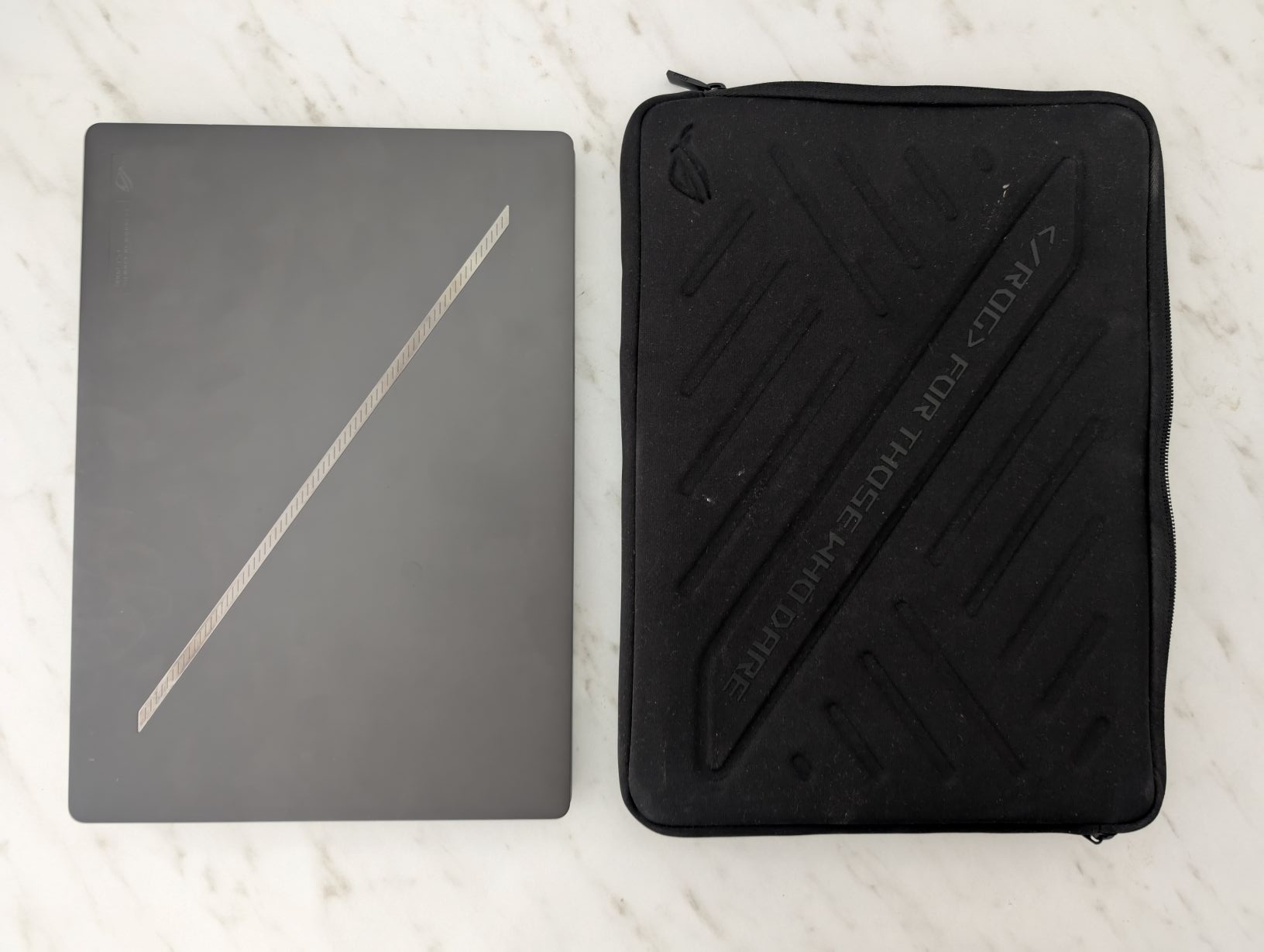
Considering this is a gaming ultraportable and that this laptop is bound to go places with its owner, you don’t have to worry about minor bumps and shocks, the Zephyrus G14 can absorb them and eat them up. On mild accidental collisions with other hard surfaces, sure, you might get a mild dent or two, but the integrity of the machine will stay intact. This laptop takes its build quality very seriously.
Weight Class: Unreal
At 1.5kg, this laptop is lighter than many ultrabooks that don’t even try to game. A MacBook Air is 1.25kg. A Lenovo Yoga Slim 7i is 1.3kg. But they can’t push AAA titles in Ultra with ray tracing. The Zephyrus G14 can. For a laptop packing an AMD Ryzen 9 AI HX 370 and GeForce RTX 5070 Ti, this weight is a minor miracle. This is what true portability in gaming should look like.
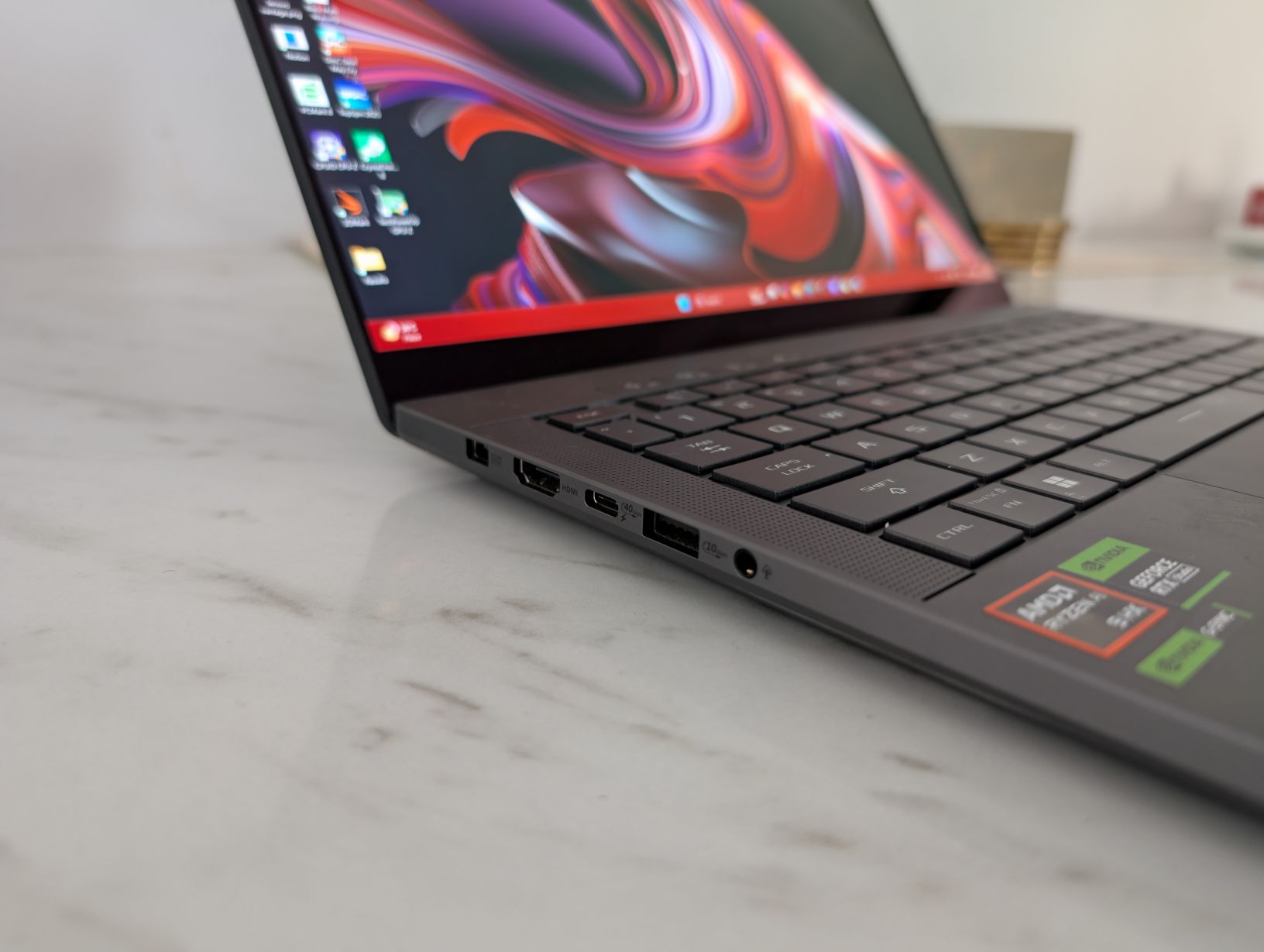
This laptop isn’t meant to sit on a desk and camp, since that would be a waste of money. You can build a much powerful desktop for ₹2,80,000. So the best use-case for the Zephyrus G14 is tottering it around, which is where it feels most at home.
Display: OLED Glory, Pixel Density Supremacy and Versatality
The 14-inch 3K OLED display (2880×1800) has one of the highest pixel densities on any gaming laptop at 243 PPI. That’s 28.5% sharper than the Zephyrus G16’s 16-inch 2560×1600 panel, which clocks in at 189 PPI. Even if you drop the resolution to 1440p for a performance boost, the G14 still maintains a sharper image than the G16 at its native resolution (194 PPI vs 189 PPI). Mind you, we are comparing it the Zephyrus G16 which is an enthusiast-grade machine. Comparing to other machines, this PPI would absolutely smoke them out of the park.
Display Pixel Density (PPI)
Superior pixel density for a sharper visual experience.
This gives the G14 tremendous flexibility. You can scale down resolution to chase higher FPS, and yet still get a crisper image than most 24-inch monitors at 1440p. ASUS didn’t just spec a beautiful panel—they spec’d a smart one. Sure, this has significantly increased the cost of the machine, but it adds a great deal of versatility. You can really play around with the resolution depending on the title you are playing. Bump it down for competitive games to achieve 120+ fps, and increase it for single player titles like Elden Ring, Black Myth: Wukong and Cyberpunk 2077.
And HDR? This OLED is a punch in the eyes—in the best way. Blacks are inky. Highlights are piercing. Cyberpunk 2077’s neon looks like it’s bleeding through your screen. It’s genuinely one of the best gaming laptop displays I have ever seen. HDR, coupled with the ray tracing performance of the RTX 5070Ti, and the true deep blacks of OLED technology, come together to produce stunning effects. When it works, which it does, the experience and immersion is on another level.
Keyboard and Trackpad
The Zephyrus G14’s inputs remain a benchmark for compact Windows gaming laptops, delivering a brilliant typing experience and an expansive glass touchpad.
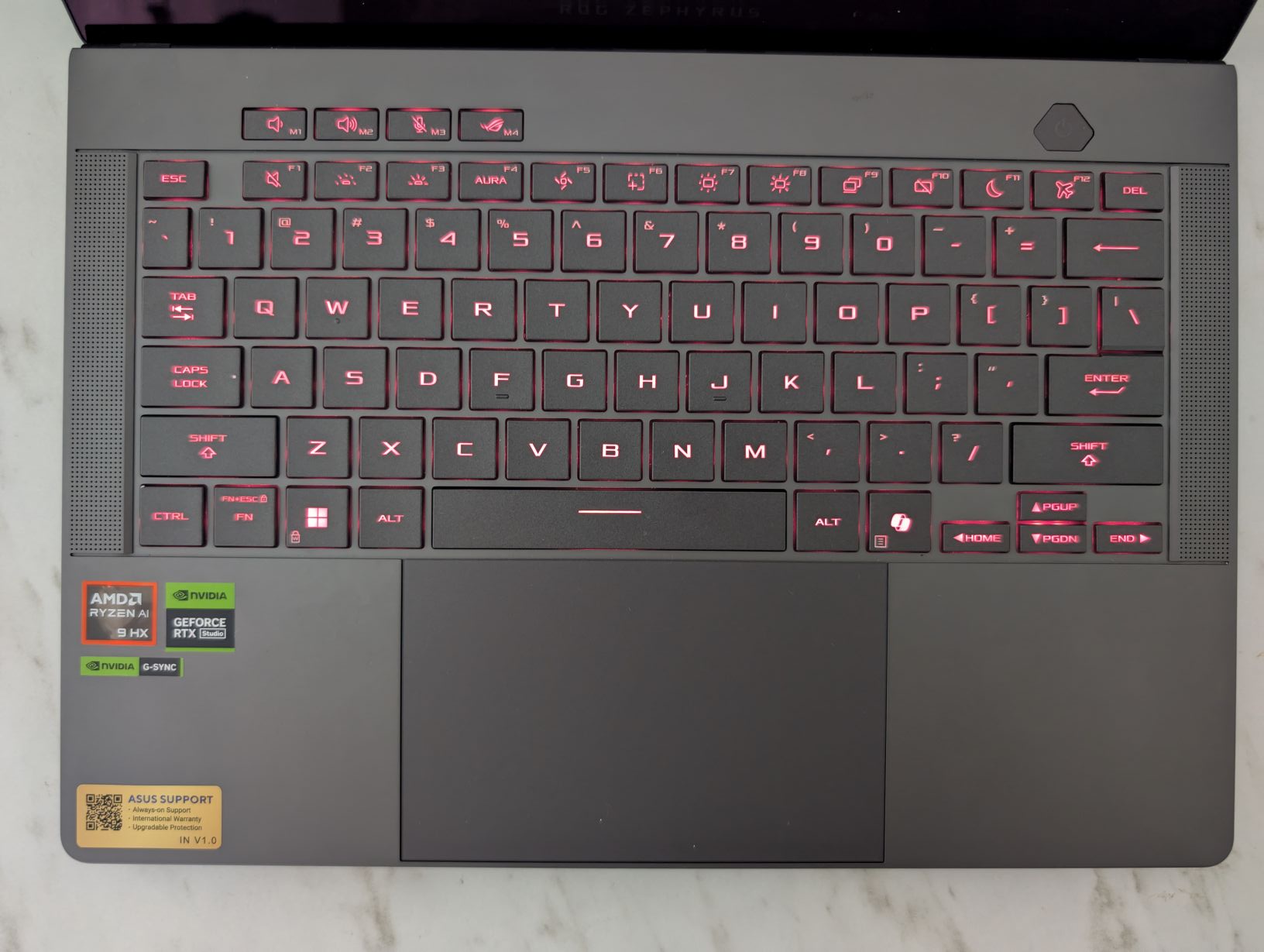
The keyboard layout is classic ASUS, but with larger, more rugged keycaps than previous G14s. The typing experience is stellar: crisp feedback, quiet actuations, and a comfortable feel that encourages long sessions. Its vibrant RGB backlighting illuminates uniformly, a single-zone affair that’s a minor concession for a machine focused on unadulterated performance and portability. And for those eyeing the lighter color options, our gray review unit undoubtedly offers superior key contrast, enhancing its already premium aesthetic.
The massive glass touchpad, perfectly centered, offers flawless tracking for taps, swipes, and gestures. Even the physical clicks feel remarkably smooth and precise. However, its generous size, extending close to the space bar and flush with the chassis edge, occasionally invites accidental inputs—especially when lounging with the laptop on your lap. It’s a small trade-off for the expansive, fluid workspace it provides. For biometrics, the G14 relies on seamless IR Windows Hello facial recognition, though a fingerprint sensor in the power button is notably absent.
Performance: It Eats Everything
The Ryzen 9 AI HX 370 is AMD’s top-of-the-line mobile CPU with 12 cores and 24 threads. It has strong single-core and multi-core numbers. The chip does really well with both productivity and gaming, and is rather efficient for the performance it offers. We did observe that game load times were slightly longer compared to Intel’s Core Ultra 9 285H which graces the Zephyrus G16. If your workflow includes AI, code compiling, or timeline-heavy video editing, the G16 with Intel might serve you better. Make no mistake, the G14 is no slouch, it still offers the bleeding edge in performance.
The **Ryzen 9 AI 370** is AMD’s cutting-edge Strix Point mobile processor, a hybrid marvel balancing potent Zen5 cores with efficient Zen5c architecture. This CPU, paired with the G14’s refined thermal module, consistently pulls 70-80W of sustained power in heavy CPU loads—a true testament to its engineering. Just a heads-up: some 2025 G14 models might come with the **AMD Ryzen 9 270** processor. Don’t be fooled; this is a less capable Hawk Point refresh, offering performance akin to the 2024 G14’s Ryzen 9 8945HS. Always double-check your specs!
On the graphics front, the 2025 G14 is armed with Nvidia’s formidable Blackwell GeForce RTX 5070Ti series chips. This is a Max-Q implementation, pushing up to 110W TGP with Dynamic Boost—a significant leap from the 2024 generation’s 90W 4070. You also get the MUX switch and GSync support for silky-smooth visuals, plus the flexibility of standard or Advanced Optimus.
Memory-wise, the G14 sports soldered LPDDR5x 8000MHz RAM, a notable speed bump over the 2024 models, with configurations up to 64GB. Storage is handled by a speedy SK Hynix drive in our unit, utilizing a standard M.2 2280 slot that can even support double-stacked 2/4TB SSDs for those who hoard games (like Sahil!). Getting inside involves removing a few Torx screws (remember, they’re different lengths!) and a prying tool, but the SSD and Wi-Fi module are thankfully user-replaceable.
Cinebench R23 Multi-Core Score
The G14’s CPU delivers strong multi-core performance.
The RTX 5070Ti proved its prowess in gaming in 3D Mark: TimeSpy. Pitted up against its 14-inch form factor competitors, you can see that it leaves all them behind.
3DMark Time Spy Score
Excellent GPU performance for its form factor.
We threw Cyberpunk 2077 and Black Myth: Wukong at this machine—the two most brutal PC games right now. Both on Ultra. Ray tracing and path tracing maxed. DLSS Quality. Frame Gen off. Resolution? Native 3K.
- Cyberpunk 2077: Even without Frame Gen, it was holding 27–30 FPS with RT Psycho settings, which is ridiculous. That’s desktop 4070-level performance in a 14-inch form factor. Turn on Frame Gen, and you’ll hit 60 FPS territory without needing to tweak anything else.
- Black Myth: Wukong: This game made our RTX 5080 desktop break a sweat. On the G14, it launched, compiled shaders, and ran at over 90 FPS with DLSS and full ray tracing on. After the latest BIOS update, the laptop didn’t thermal throttle, and performance stayed smooth.
Armoury Crate: Taming the Beast
ASUS’s Armoury Crate app provides robust power profiles: Silent, Performance, Turbo, and a customizable Manual mode. These modes dictate everything from CPU/GPU power delivery to fan RPMs, and ASUS has really tweaked them for this generation:
- Silent Mode: Designed for quiet productivity, it keeps the fans barely audible (sub 35 dBA) with the CPU settling around a highly efficient 35W. While the 0dB fan tech *should* kick in for idle tasks, the fans do tend to remain active, albeit whisper-quiet. No annoying coil whine here, though!
- Performance Mode: A sweet spot for balanced power, it keeps fans around 45 dBA. The CPU starts strong at 65W before settling into a power-limited 45W, with temperatures in the mid-70s °C. Interestingly, on Power Delivery (PD) charging, this mode shines, allowing the CPU to sustain 60W at just 40 dBA.
- Turbo Mode: This is where the G14 flexes its muscles, pushing the CPU to 80W sustained and the GPU to 100W TGP (or 110W with dynamic boost). Fan noise hits around 48-49 dBA—it’s loud, but in line with competitors and well-masked by the stellar speakers.
- Manual Mode: For the tinkerers, this lets you crank the CPU close to its 80W max sustained power, though it will push fan noise past 50 dBA.
Thermals and Acoustics
With a 12-core AMD Ryzen 9 AI HX 370 and a GeForce RTX 5070Ti, you can surely expect the Zephyrus G14 (2025) to run hot. And it does —but not uncontrollably so. For low workload processes like web browsing, spreadsheets etc., the CPU temperatures hover around 55-65°C, that acceptable. The power profile being used has a big impact on the temperatures and the acoustics. In Performance mode, the CPU generally runs around 5°C hotter than in Balanced mode. Same story for the acoustics.
It’s crucial to understand a key thermal nuance: the G14 performs best when it has room to breathe. Running demanding loads with the laptop flat on a desk will thermally throttle the CPU, limiting it to around 65W. Elevating the rear by a few centimeters (or using a stand) is highly recommended. This simple trick allows the Ryzen AI processor to maintain 72-75W of sustained power, still hitting the mid-90s Celsius, but at a higher overall performance ceiling. ASUS has indeed beefed up the cooling with a larger module for this generation, which is essential given the higher power limits. This machine truly embodies controlled chaos, pushing boundaries while keeping critical areas like the palm rest cool.
During shader compilation in Wukong, both CPU and GPU hit upwards of 90°C, and fan noise crossed 48 dB. That’s loud, yes, but not louder than its competitors. The thing to note here is that the speakers are so loud that even at 48 dB, you can hear all the sounds clearly, no headphones required.
Fanless operation remains a dream to be attained for Windows laptops though, we are rooting for this cause and we hope it is achieved soon.
Thermal Performance (°C) – Gaming Load
CPU and GPU temperatures under heavy gaming.
Acoustics (dB) – Gaming Load
Noise levels under gaming load, compared to rivals.
Audio: One of the Best Laptop Speaker Systems, Period
The G14’s audio is absurdly good for its size. These speakers don’t just have volume—they have bass, spatial clarity, and real stereo separation. You can genuinely game, watch a movie, or edit video without plugging in headphones. That’s rare even in 16-inch machines, let alone ultralight 14-inchers.
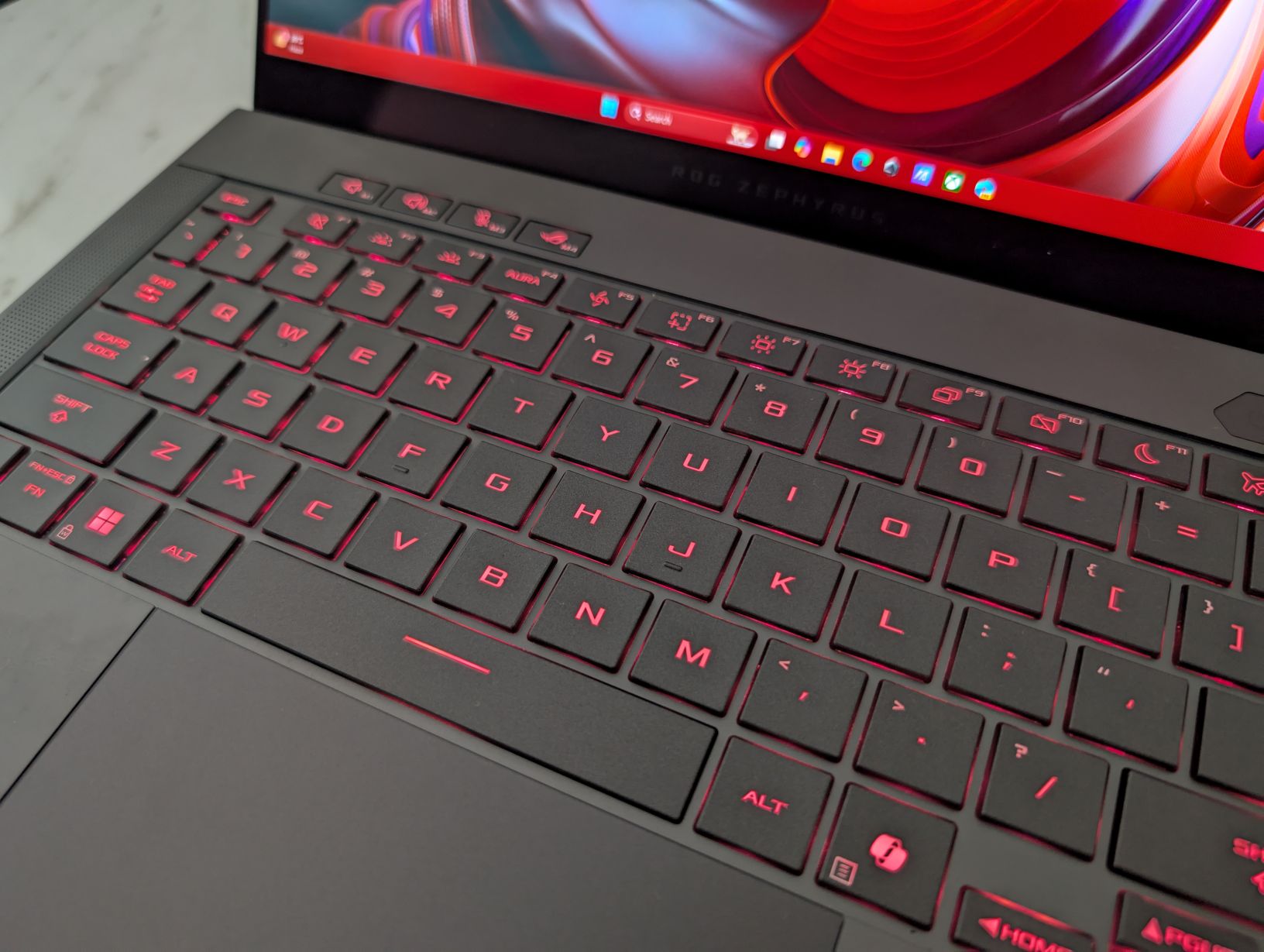
It’s immersive. It’s loud. It’s refined. We had two people watching Dune: Part Two on it and everyone was shocked it was coming from a laptop. To say that the speakers are good enough for casual listening would be seriously undermining the performance of the speakers. You can genuinely indulge in content, enjoy music, and Dolby surround effects in games through the speakers. Not many laptops can claim this. It truly breathtaking how speaker technology has moved forward, the ROG Zephyrus G14 is as good as a case study for that.
Battery Life: Decent for its class
Packed with a 73Wh battery—a standard but welcome capacity for a 14-inch machine—the 2025 Zephyrus G14 offers respectable, though not groundbreaking, endurance. We put our review unit through its paces with the screen set to a comfortable 120 nits and Windows 11’s Best Battery Efficiency profile engaged:
- Idle (Silent Mode, WiFi ON): Around 5-6 hours of unplugged freedom.
- Text Editing (Google Drive, Silent Mode, WiFi ON): Expect a solid 4-5 hours for productivity.
- 1080p YouTube Streaming (Edge, Silent Mode, WiFi ON): Around 5-6 hours for casual video consumption.
- 4K HDR Netflix Streaming (Edge, Silent Mode, WiFi ON): Similar to YouTube, about 4-5 hours for a premium cinematic experience.
- Web Browsing (Edge, Silent Mode, WiFi ON): Also in the 4-5 hour range for general web surfing.
- Gaming (Witcher 3, Performance Mode, no FPS limit): Just shy of 1 hour of intense, untethered gaming.
It seems the Zephyrus G14 2025 model maintains its daily use runtimes but has a higher power draw for media playback. The laptop comes with a robust 180W proprietary charger. ASUS has previously cited challenges with achieving consistent, high-wattage power over USB-C, which explains the traditional brick. While USB-C charging up to 100W is supported (and now conveniently on both sides of the laptop), performance is understandably limited in this mode – it’s best suited for light tasks and general multitasking, not hardcore gaming. Remember, not all third-party USB-C chargers will hit that 100W mark consistently, so sticking with a high-quality ROG PD charger is your best bet.
Verdict: It’s the Best 14-Inch Gaming Laptop. Period.
Our verdict? If you want a laptop that looks futuristic, sounds brilliant, plays anything you throw at it, and still fits in your backpack—this is it. For pure gaming, there’s nothing this compact that competes.
If productivity is a big part of your life, look at the G16 Intel model. But if you want the ultimate all-rounder in a portable body with unmatched audio-visual quality and surprisingly manageable thermals—the 2025 Zephyrus G14 is iLLGaming’s recommendation.
TL;DR
The 2025 ROG Zephyrus G14 is:
- The most powerful and portable 14-inch gaming laptop right now
- A masterclass in design and build quality
- Packed with the best speakers and OLED panel in the category
- Slightly loud and hot—but controlled well
- The “One True Ultrabook Gamer.”
Buy it if:
- You want a no-compromise portable gaming laptop
- You value display and sound quality
- You care about thermals, weight, and long-term versatility
Don’t buy it if:
- You need a pure productivity machine
- ₹2.8 lakhs is out of budget