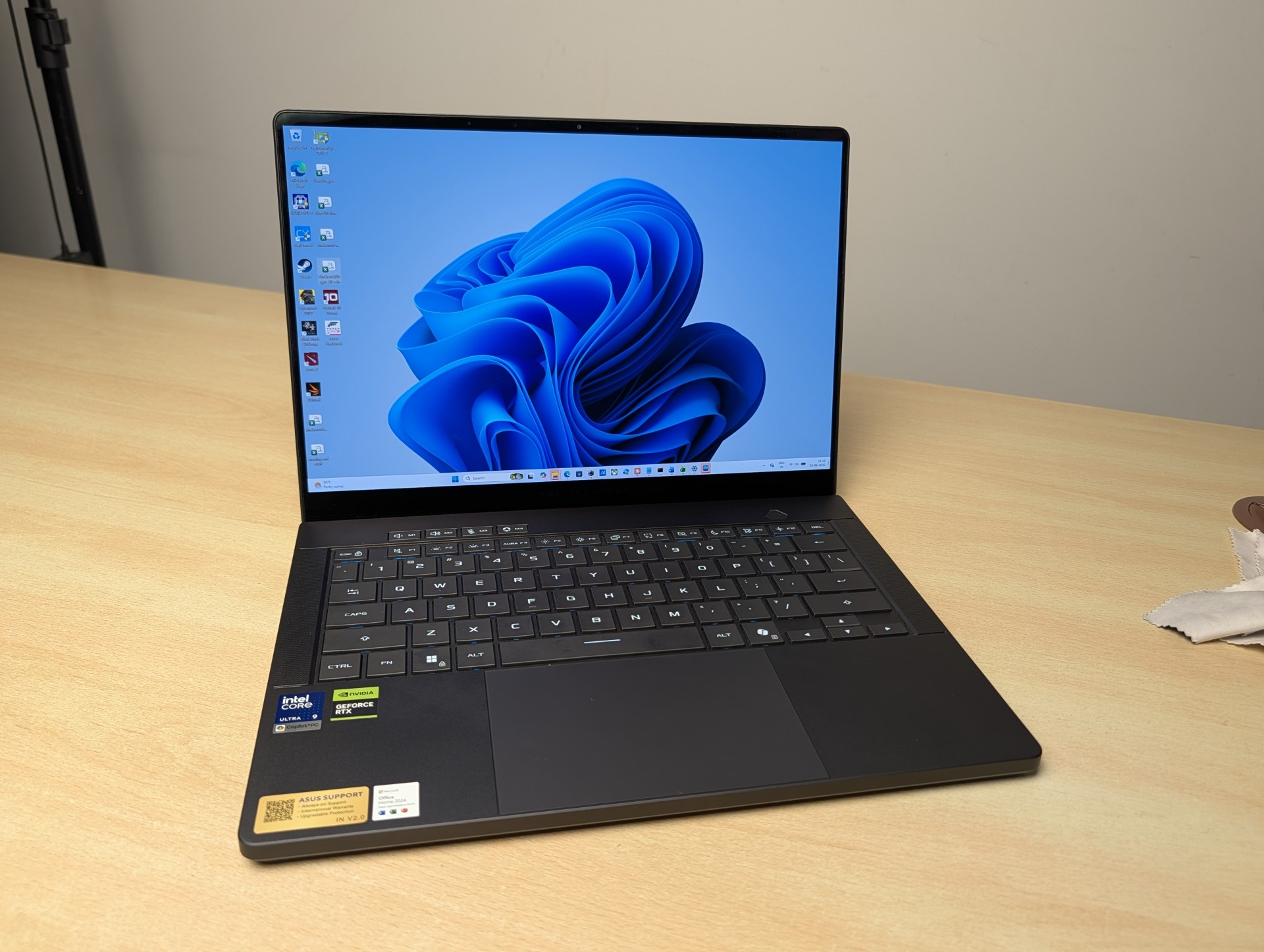
The 2026 Zephyrus G14 is one of the most portable 14 inch gaming laptop you can buy, and the move to Intel Panther Lake brings real gains in battery life and efficiency. But the unit reviewed here pairs that gorgeous chassis with only an RTX 5070 and 8GB of VRAM, asks roughly 3.7 lakh for the privilege, and runs surprisingly warm even when idle. Sustained performance is superb though, experiencing no thermal throttling whatsoever. Hard to recommend at full price. Wait for the discount.
|
What we liked
|
What we did not
|
For years the Zephyrus G14 has been the one laptop that enthusiasts point to when they want power and portability without compromise. It is the machine that proved a 14 inch chassis could game properly. For 2026 ASUS has split the line in two. The AMD version, the GA403, is now the affordable option. The Intel version reviewed here, the GU405, is the premium one, built around Intel’s new Panther Lake silicon.
On paper this is the most complete G14 yet. In practice, the specific configuration matters enormously, and the unit in hand makes some choices that are hard to love at this price. Let us get into it.
Specifications
| Component | ASUS ROG Zephyrus G14 (2026) GU405AP |
| Processor | Intel Core Ultra 9 386H (Panther Lake), 16 cores / 16 threads, 4 P-cores up to 4.9 GHz, 8 E-cores, 4 LP E-cores, 18MB cache |
| NPU | Intel AI Boost NPU, up to 50 TOPS (FP8 capable), Copilot+ certified |
| Graphics | NVIDIA GeForce RTX 5070 Laptop GPU, 8GB GDDR7, up to 115W (Manual mode, with Dynamic Boost) |
| Memory | 32GB LPDDR5X-8533, soldered, dual channel (not upgradable) |
| Storage | 1TB PCIe 4.0 NVMe M.2 SSD, single user-replaceable M.2 2280 slot |
| Display | 14 inch 3K (2880 x 1800) ROG Nebula HDR OLED, 16:10, 120Hz, 0.2ms, 100% DCI-P3, 1100 nits peak, VESA DisplayHDR TrueBlack 1000, Pantone Validated, anti-reflection, G-Sync compatible |
| Audio | Six speakers: 4 dual-side woofers with Smart Amp, 2 tweeters, Dolby Atmos |
| Battery | 73Wh, 250W AC adapter, USB-C Power Delivery up to 100W, 0 to 50% in about 30 minutes |
| Connectivity | Wi-Fi 7 (Intel), Bluetooth 6.0 |
| Ports | 1x Thunderbolt 4 (40Gbps, DisplayPort + PD), 1x USB-C 3.2 Gen 2 (10Gbps, DisplayPort + PD + G-Sync), 2x USB-A 3.2 Gen 2 (10Gbps), HDMI 2.1 FRL, full-size SD card reader (UHS-II, 312 MB/s), 3.5mm combo |
| Cooling | ROG Intelligent Cooling: tri-fan design, liquid metal on CPU, dual exhaust heatsink, 137 copper fins, 0dB Ambient Cooling |
| Build | CNC aluminium chassis, 35-zone Slash Lighting lid, 31.1 x 22.0 x 1.59 to 1.63 cm, 1.5 kg |
| OS | Windows 11 Home |
| Price (India) | Around Rs. 3,70,000 |
Design and Build
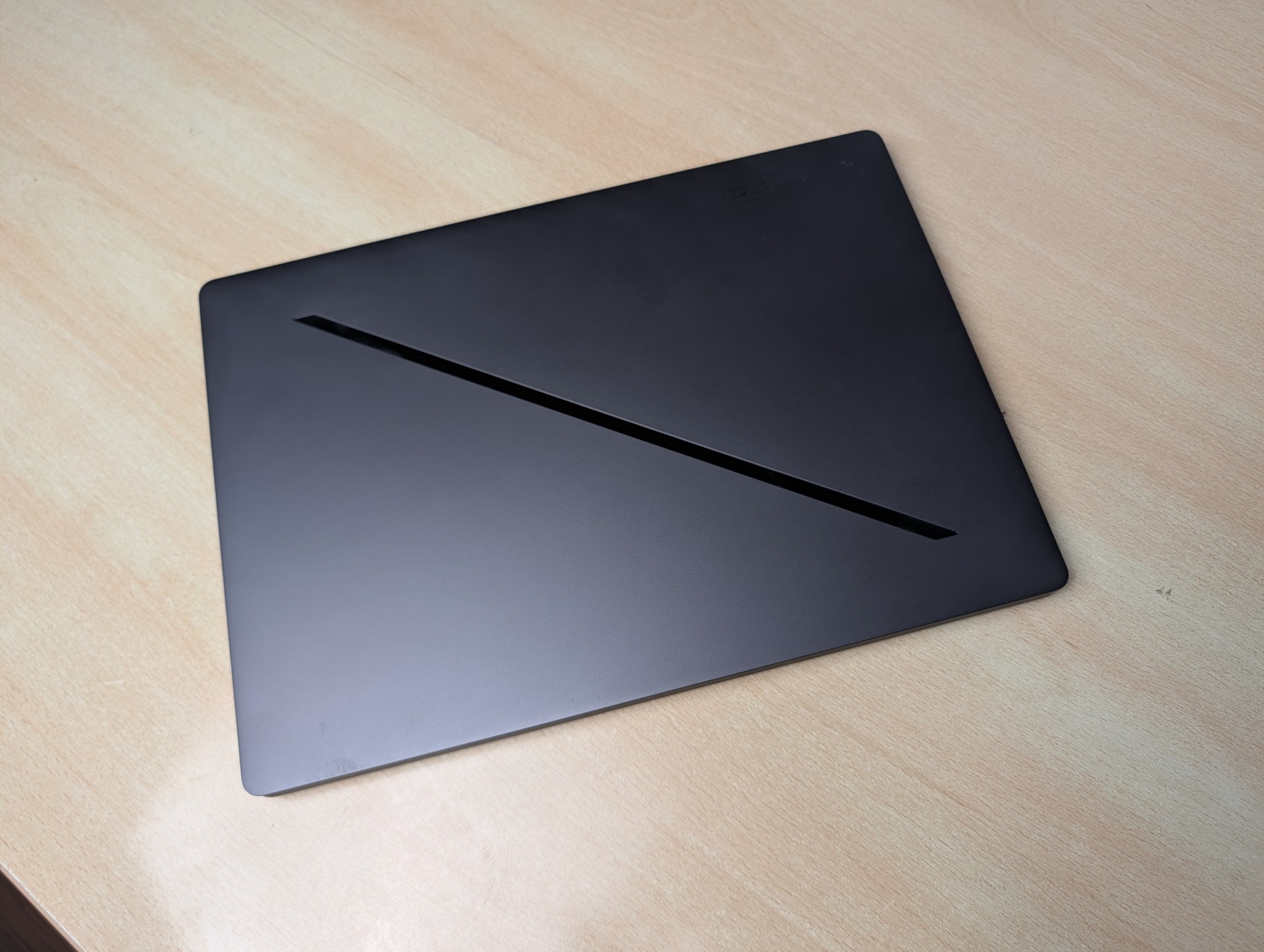
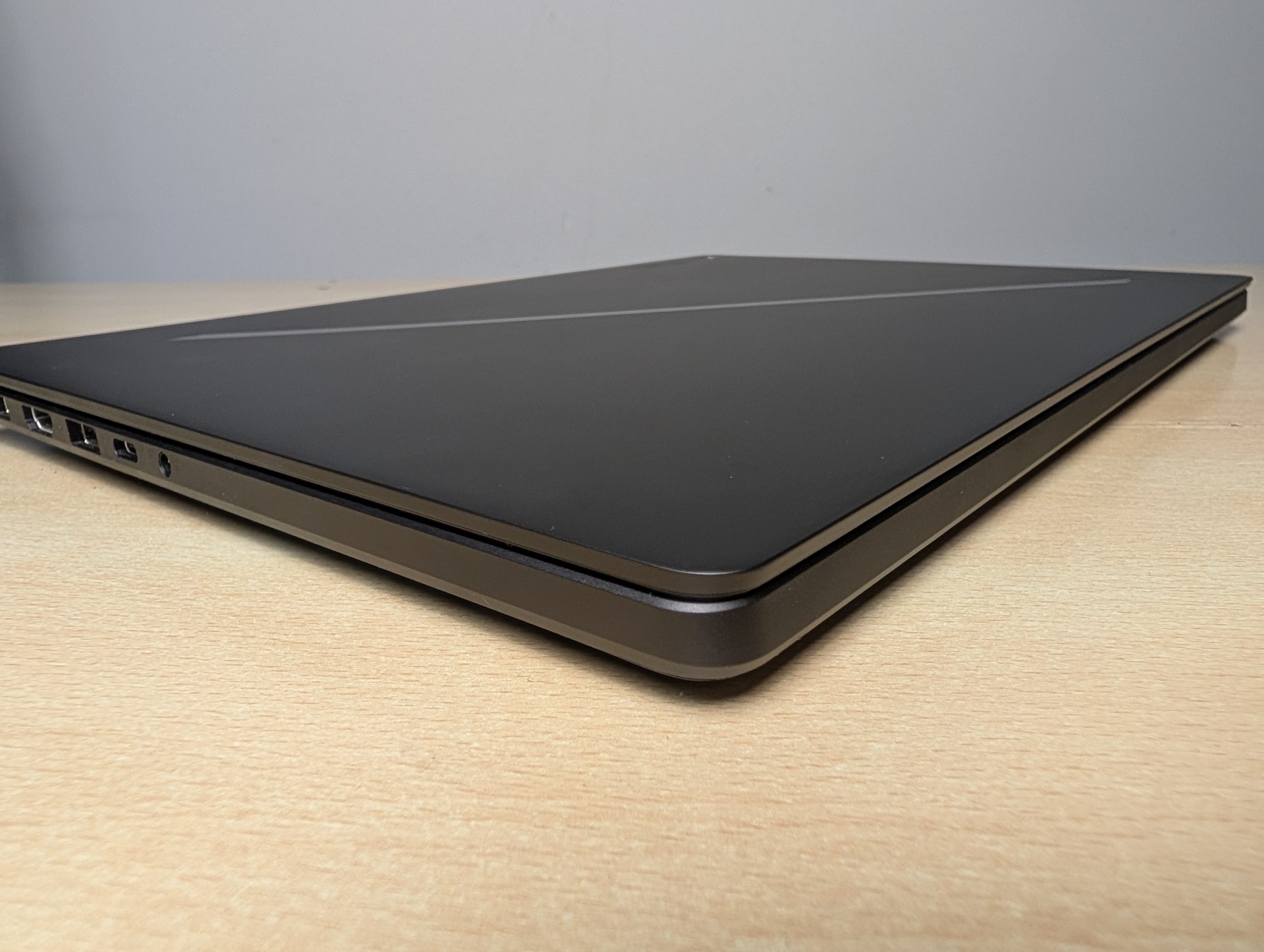
This is where the G14 earns most of its goodwill. It is a pleasure to hold. The tapering along the edges is the detail that does it. The chassis narrows toward the front in a way that makes the laptop feel thinner than it is and gives your hands something natural to grip. Picking it up, carrying it from room to room, opening it on a couch, it all feels comfortable and secure in a way that most gaming laptops simply do not. The all metal CNC body has the rigidity you expect at this price, with minimal flex in the lid and deck.
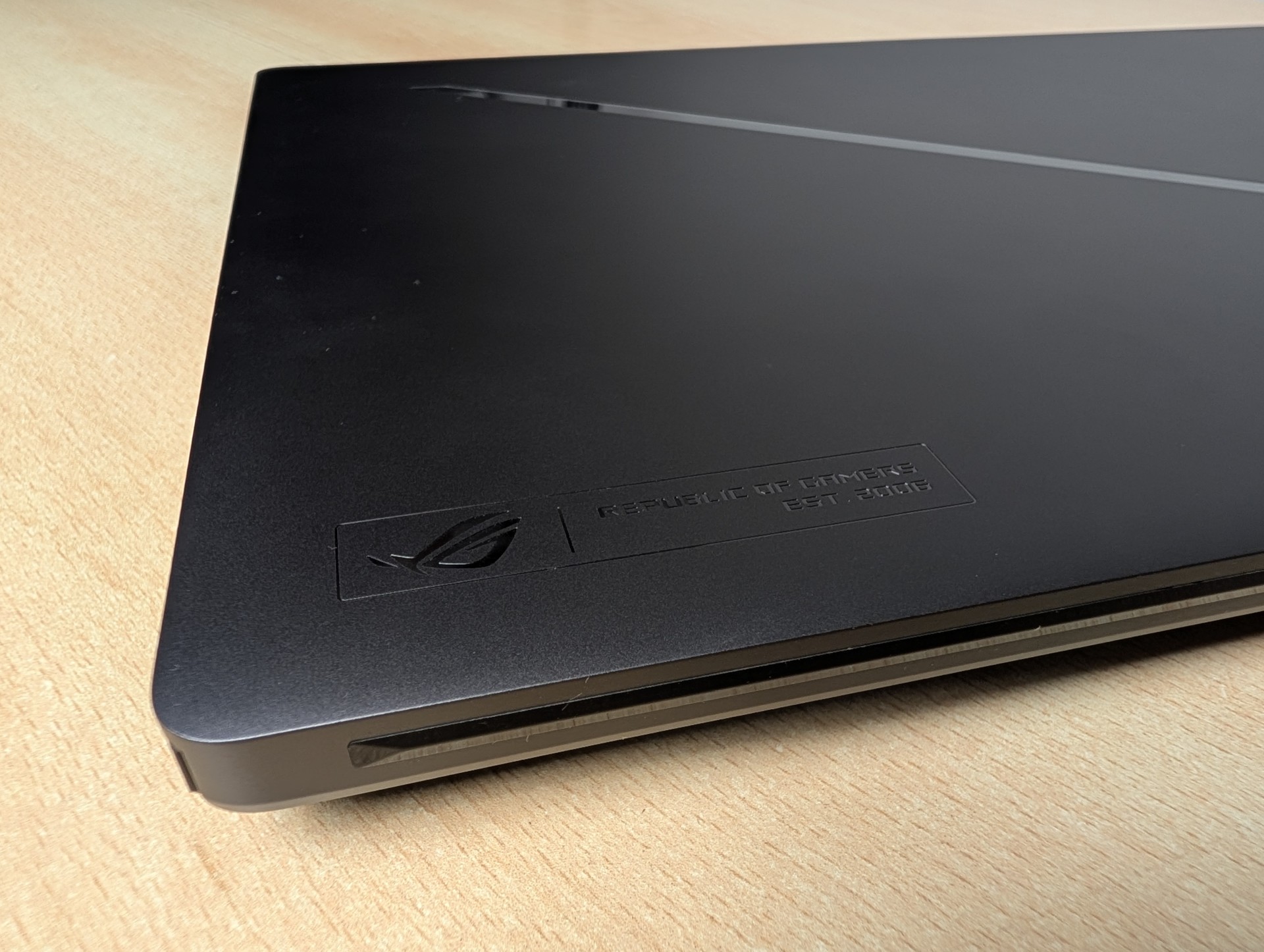
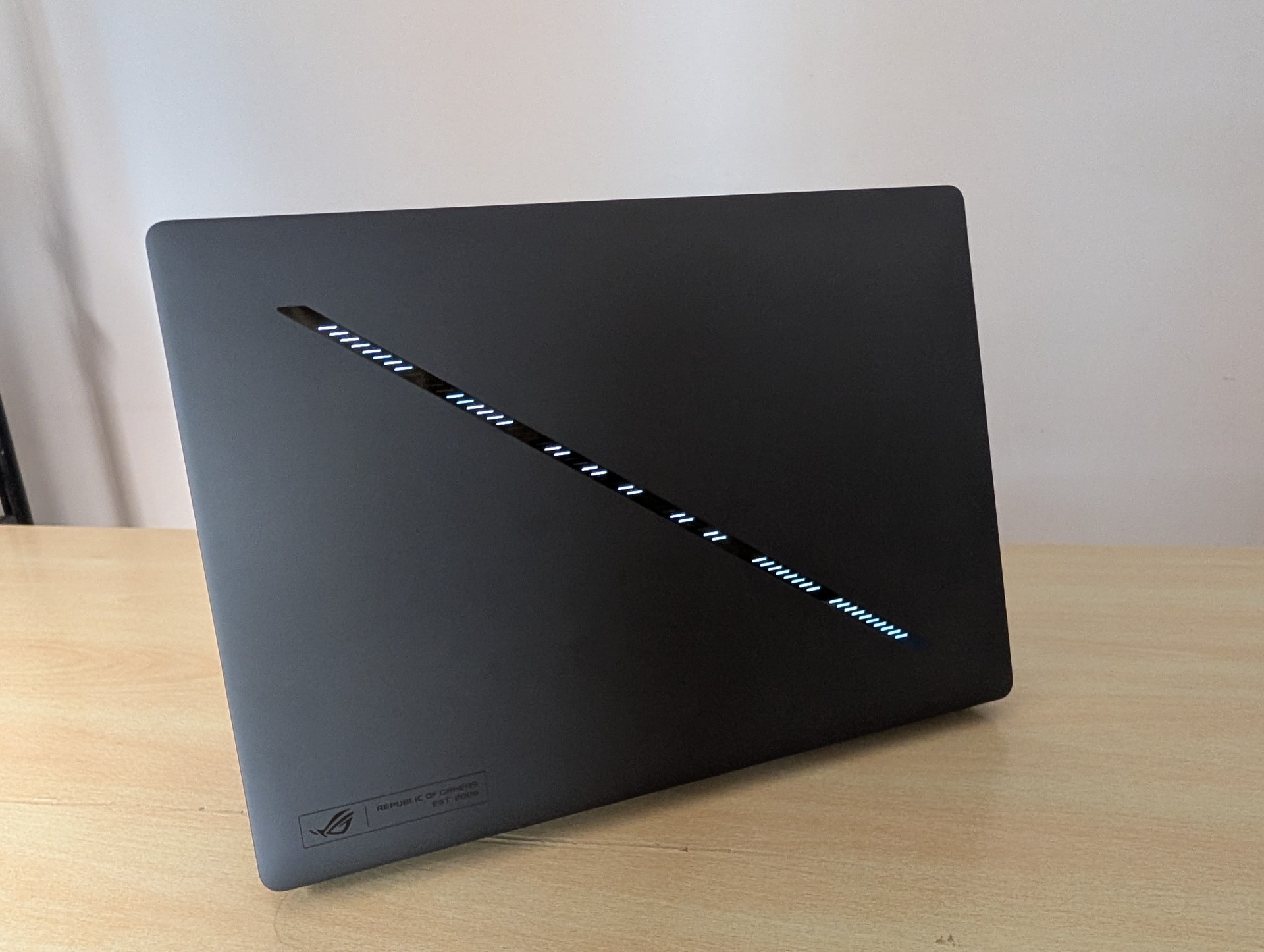
ASUS keeps the two familiar colourways, and the build tolerances are excellent. The one piece of theatre, the 35-zone Slash Lighting array on the lid, is the only thing here that feels like a solution looking for a problem. It is a fun gimmick in a store display. In daily use it is useless. You never see it while you work, and the novelty of the dot matrix animations wears off in a day. Nobody is buying a G14 for the lid lights, and nobody should. A quick search in Reddit reveals that most user disable this feature the moment they get the laptop.
The hinge opens with one finger and holds steady. Serviceability is limited but fair for the class: a single user-replaceable M.2 2280 slot lives inside, while the LPDDR5X memory is soldered to the board with no option to upgrade. Buy the RAM you need on day one, because 32GB is all this unit will ever have.
Display
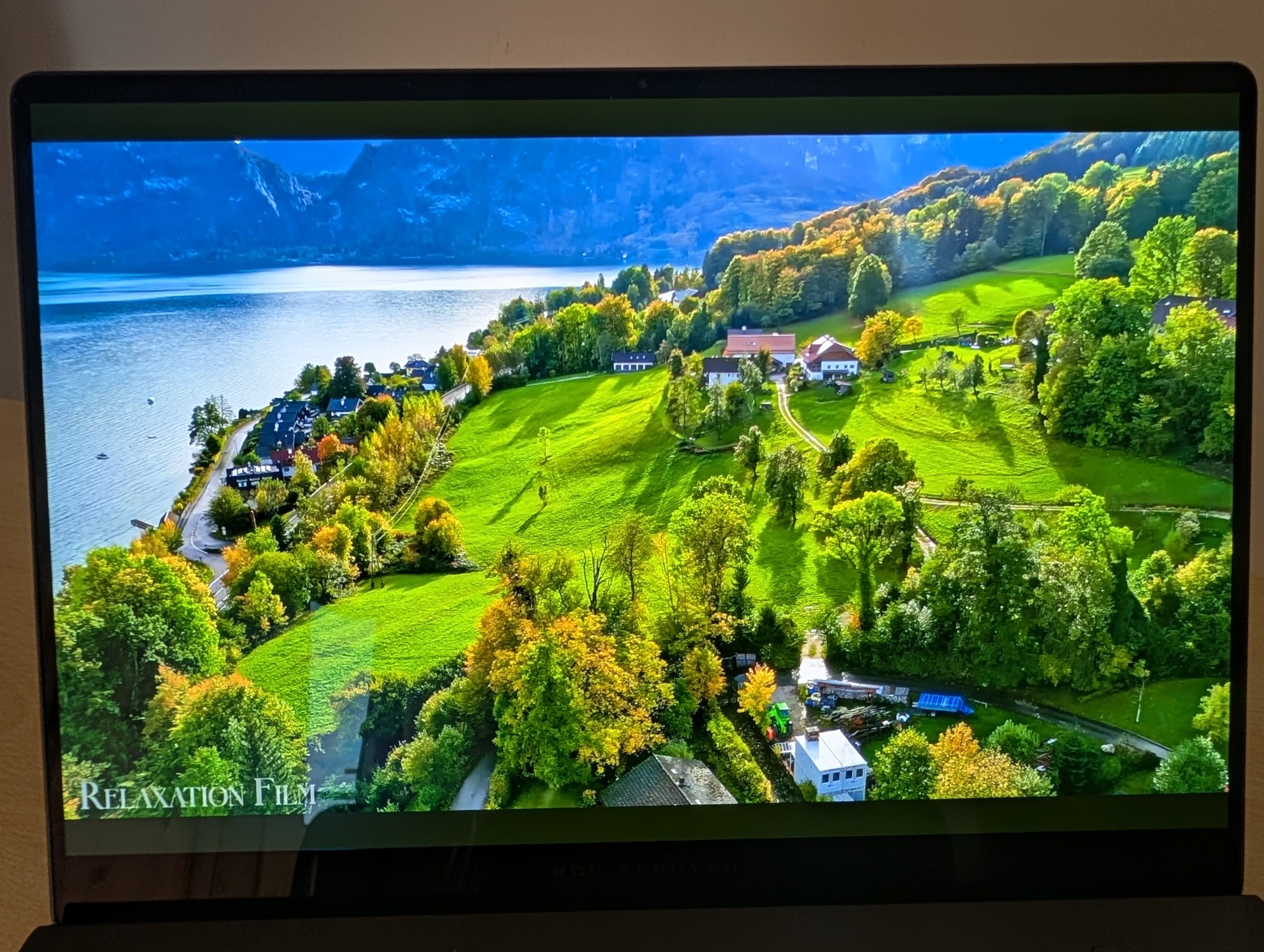
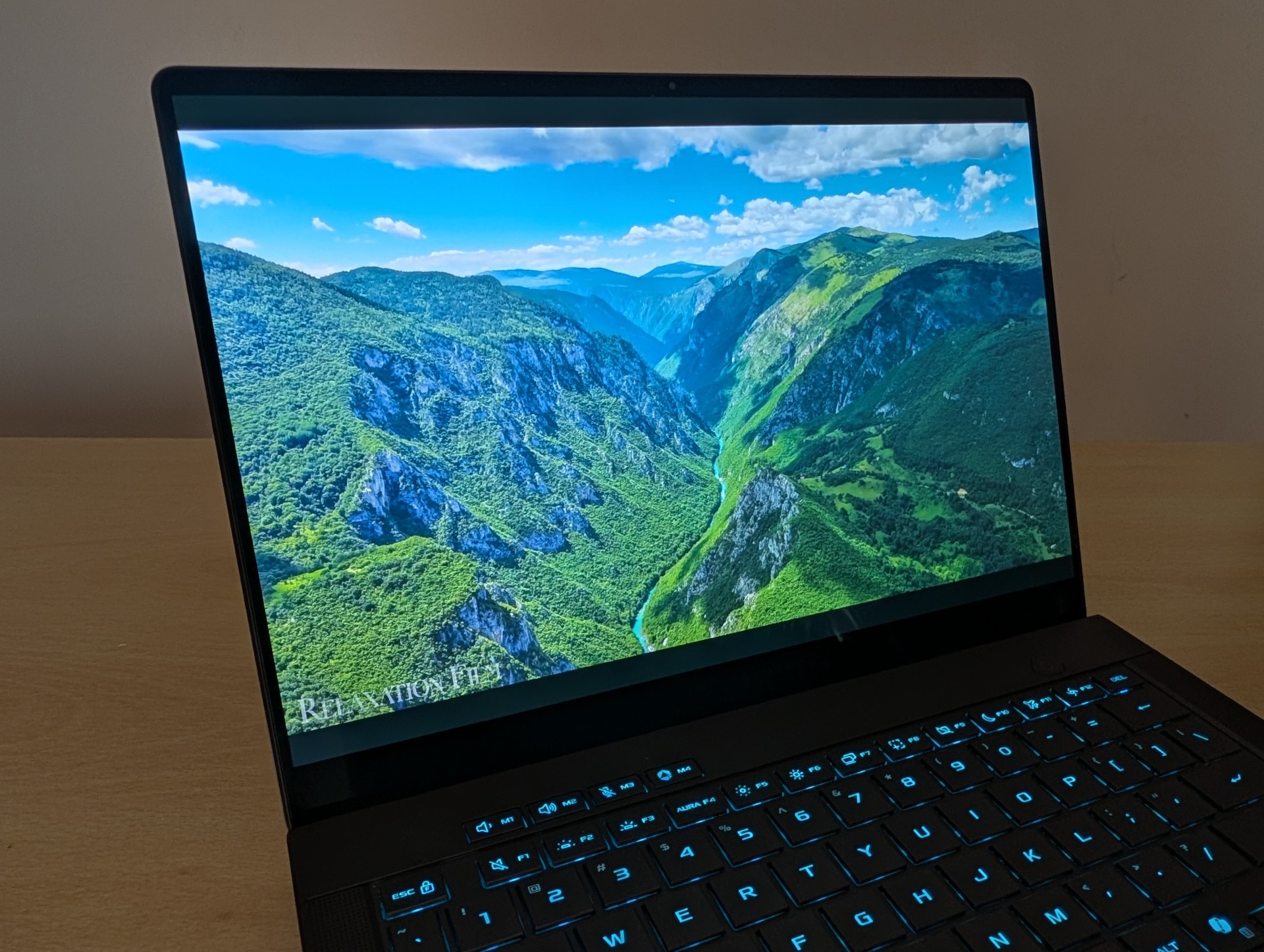
The 14 inch 3K OLED is, as you would expect from a modern OLED panel, excellent. Blacks are perfect, colours are vivid, and the 2880 x 1800 resolution on a 14 inch panel works out to roughly 243 pixels per inch, which means text and UI are razor sharp. The 120Hz refresh rate keeps motion smooth for both the desktop and games, and the 16:10 aspect ratio gives you useful vertical space for work.
This year’s upgrade is brightness. The Nebula HDR panel pushes to a rated 1100 nits peak, with a new anti-reflection coating that genuinely helps in bright rooms. It carries VESA DisplayHDR TrueBlack 1000 certification and covers 100% of DCI-P3, with a rated Delta E below 1, which on paper makes it suitable for colour critical work. If you plan to edit photos or grade video on it, it is good enough to trust for web delivery, though serious print work still benefits from a hardware calibration pass.
The usual OLED caveats apply. Watch for Automatic Brightness Limiting on full white screens, and lean on the OLED Care pixel shifting settings in Armoury Crate for long term burn-in protection. But honestly, for the way most people will use this, the display is a highlight and a clear step up over last year.
Speakers and Webcam
The speakers are the surprise of the package. ASUS fits a six speaker array into this slim 14 inch body, four dual-side woofers driven by Smart Amp technology paired with two dedicated tweeters and Dolby Atmos tuning, and the result is genuinely impressive. There is real detail across the range and, more remarkably for a laptop this size, real depth to the bass. They get loud too, properly loud, without falling apart at the top of the volume range.
The best part is how they hold up under load. Even with the system fans spinning during a gaming session, the speakers cut through and keep their composure. You can actually game with the built-in audio and enjoy it, which is rare. For watching content, listening to music, or playing without a headset, this is one of the best sounding laptops in its class.
The webcam is a 1080p sensor with infrared support, so Windows Hello face login works and is a genuine daily convenience. It is a clear step above the 720p cameras still common in this class. Still, it is far behind a premium webcam, like in a MacBook Pro. Low light performance is pre-2020 era. Again, totally unacceptable on a laptop of this price. This webcam reminds me of cheap webcams, period.

Keyboard and Touchpad
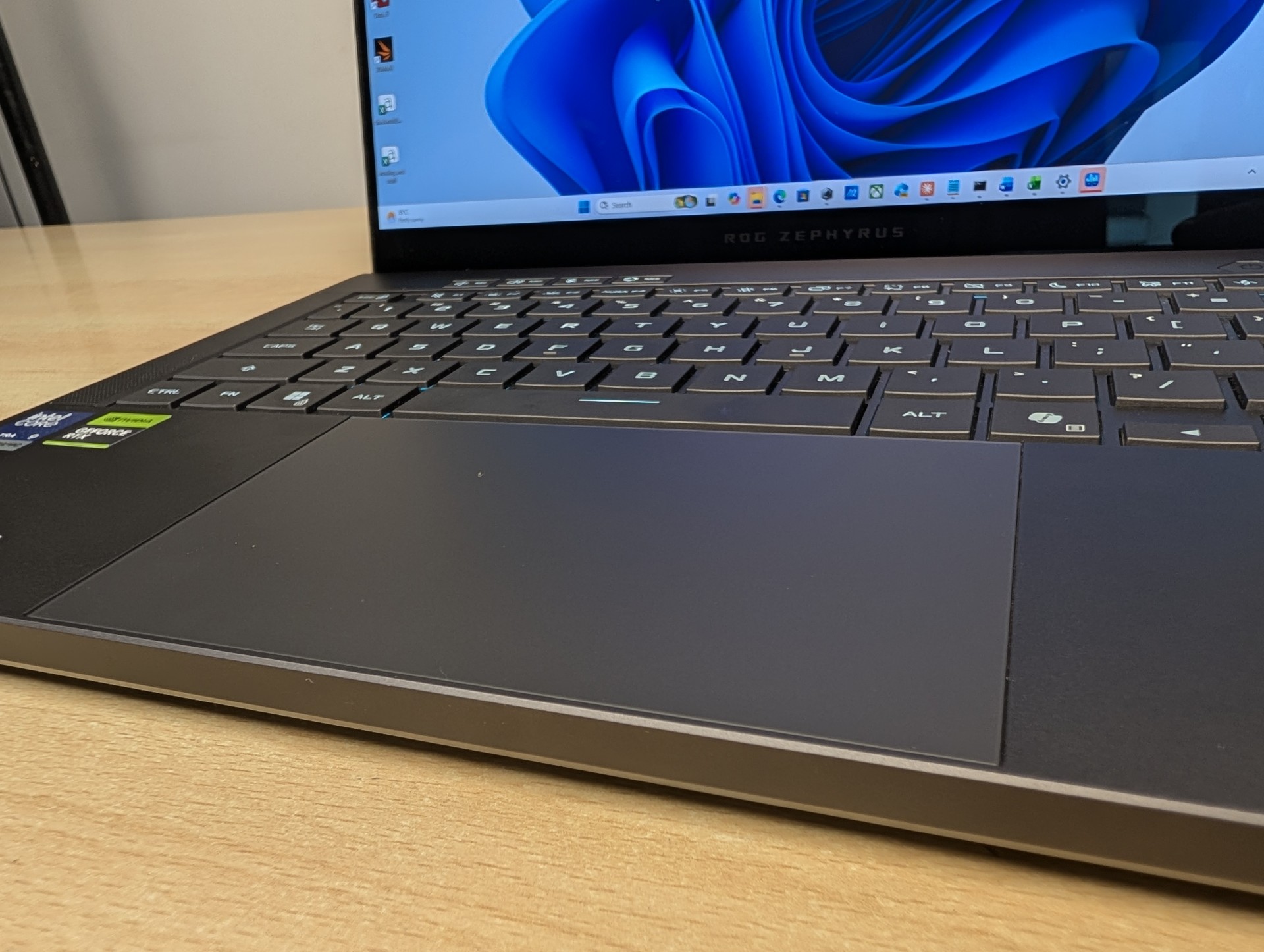
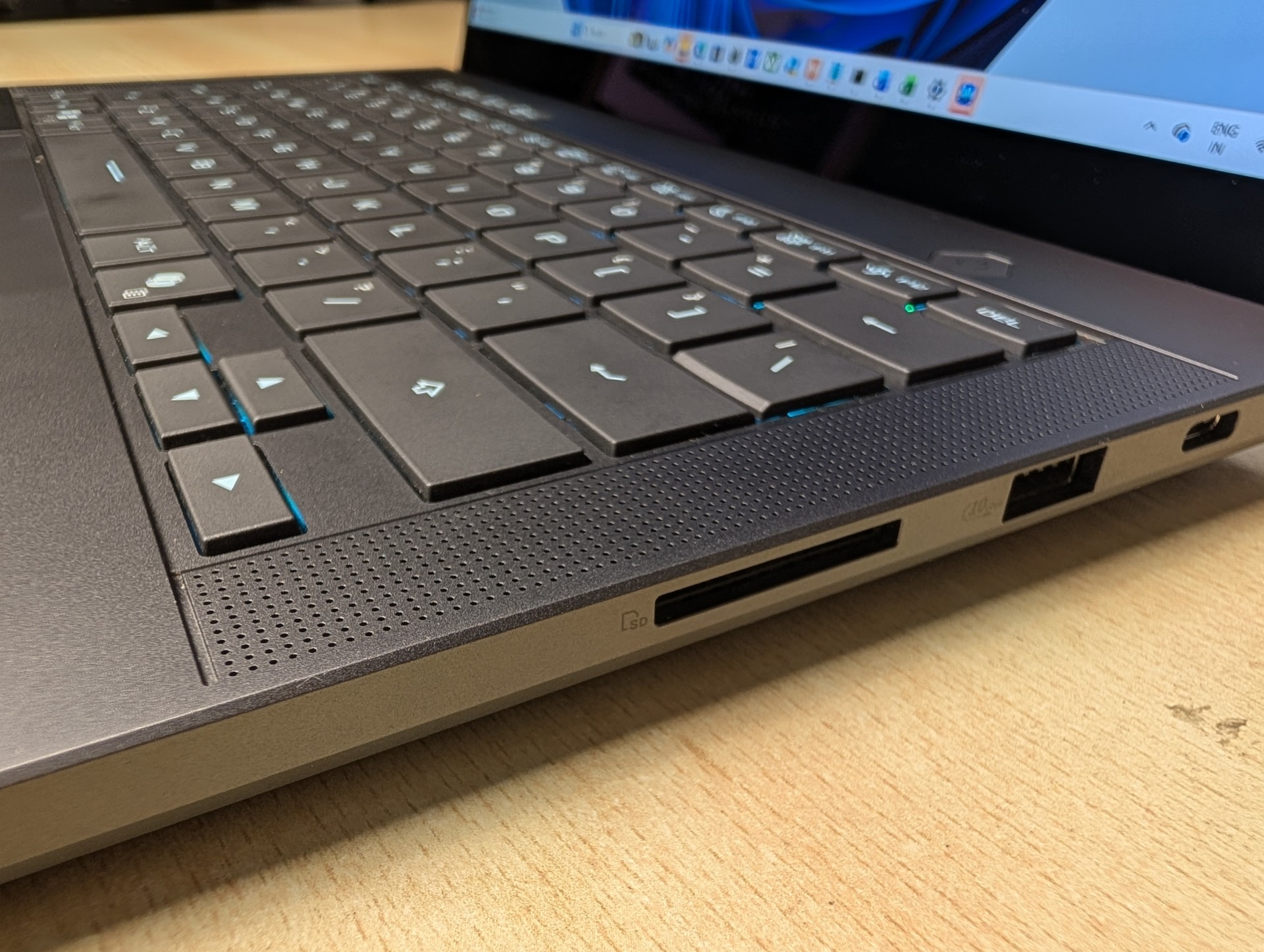
The keyboard is fine. Not great, fine. The thing you notice first is the actuation force. The keys push back harder than they should, so you end up applying more pressure than feels natural, and over a long writing session that adds up. The upside is accuracy. The layout is sensible and the keys register every press cleanly, so you will not be fighting typos. But typing on this is a functional experience rather than a joyful one. There is no spring in it, no satisfying rhythm. It does the job and no more.
The backlight, on the other hand, is done well. Visibility is good in a dark room, the legends are easy to read, and light leak around the keycaps is kept to a minimum, which is the sort of restraint you appreciate when you actually use a laptop at night rather than photograph it.
And then there is the touchpad, which is the real enemy of this machine. It feels like it was lifted out of a far cheaper laptop. The surface is unpleasantly firm, and the physical click is tight and stiff to the point of being annoying. Every tap and click is a small reminder that something here was cut. On a laptop that nails the chassis, the audio and the screen, sitting your hands on a touchpad this poor every single day is genuinely frustrating. If you buy this machine, budget for a good wireless mouse, because you will want one.
Ports and Connectivity
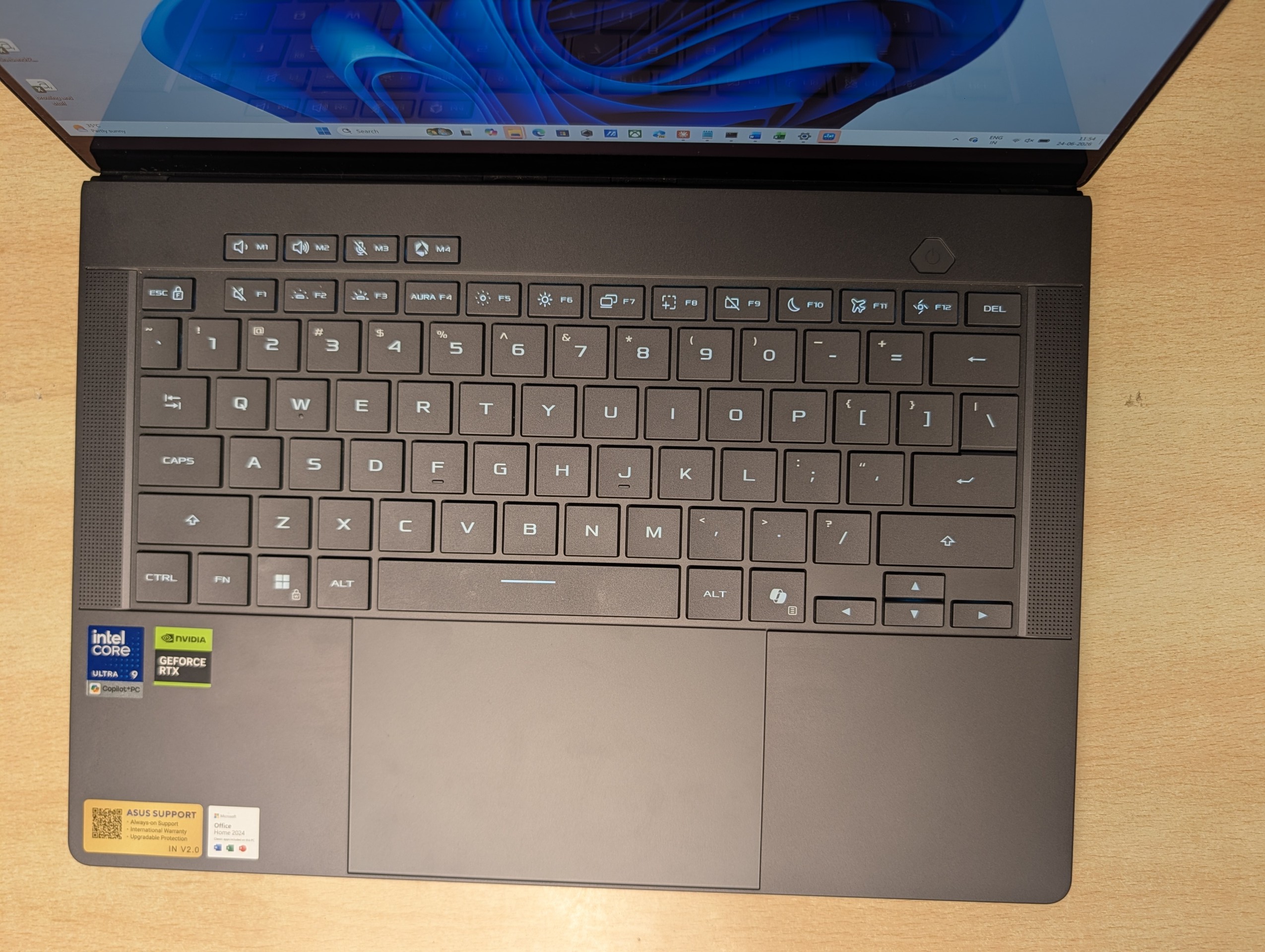
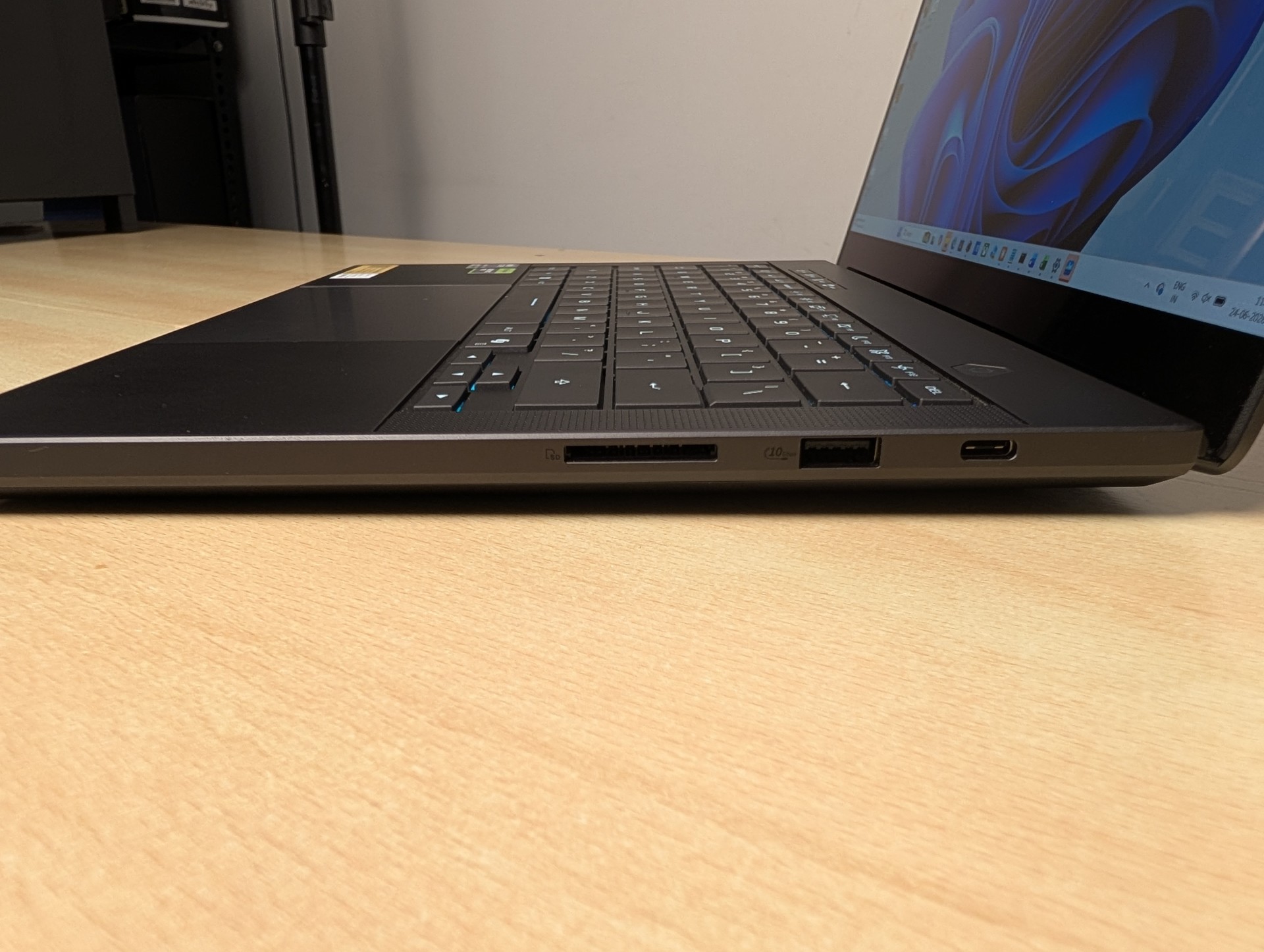
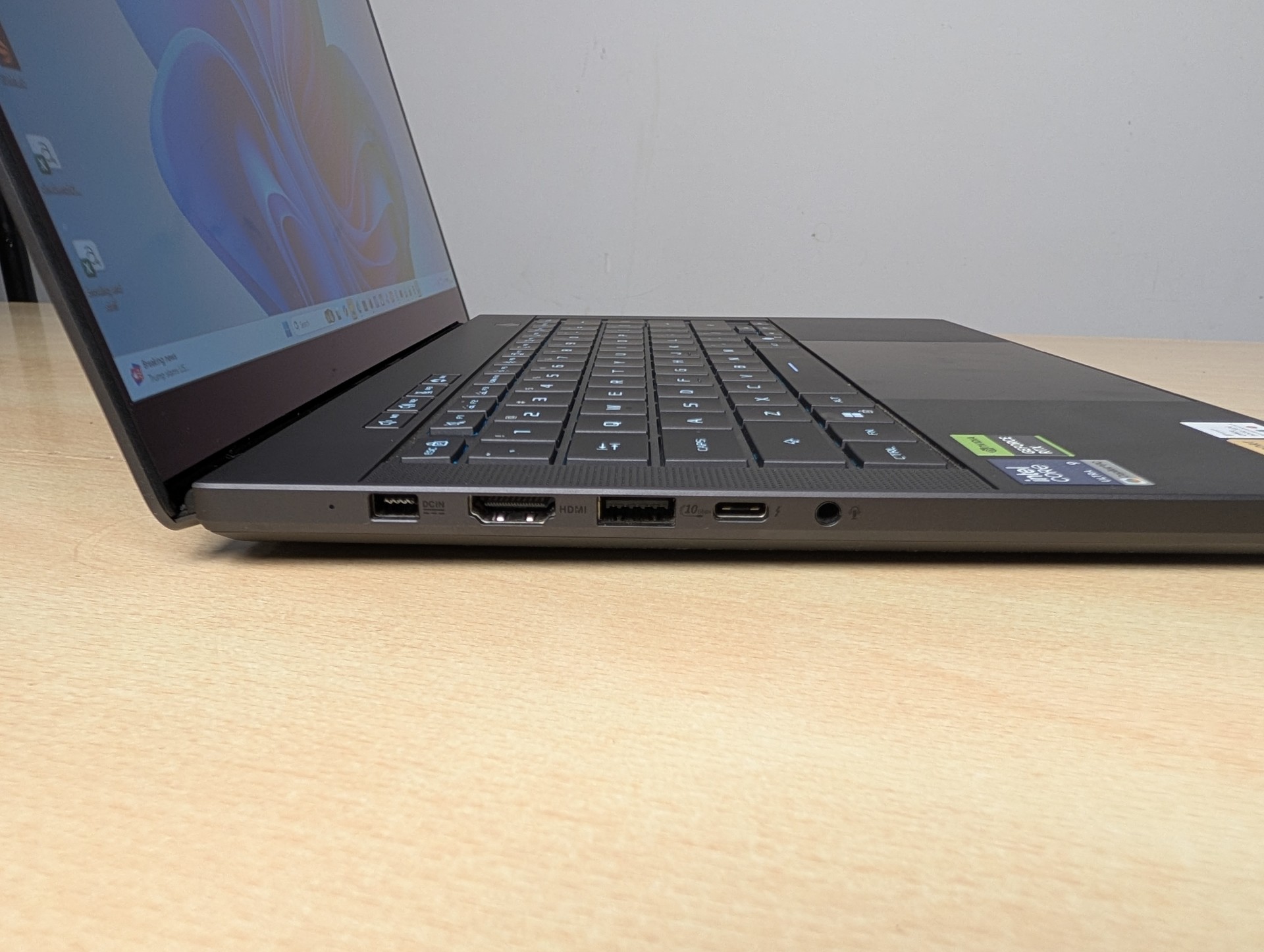
Connectivity is a strong point. There is a Thunderbolt 4 port on one side, good for 40Gbps data, an external display, and charging, and a second USB-C on the other side running at 10Gbps that also handles DisplayPort and Power Delivery. Because both USB-C ports accept Power Delivery, you can charge from either side with a compatible USB-C brick and leave the 250W proprietary adapter at home on lighter days. Rounding things out are two USB-A ports, full size HDMI 2.1, a 3.5mm combo jack, and a full size SD card reader rated for UHS-II speeds, which creators will appreciate. One small note from handling the card slot: the card sits slightly proud rather than clicking fully flush, so it is not somewhere you would leave a card permanently.
Wireless duties are handled by a Wi-Fi 7 Intel module, which has been stable and quick in use. This is a meaningful upgrade for anyone doing large transfers or online gaming on a congested network.
CPU Performance
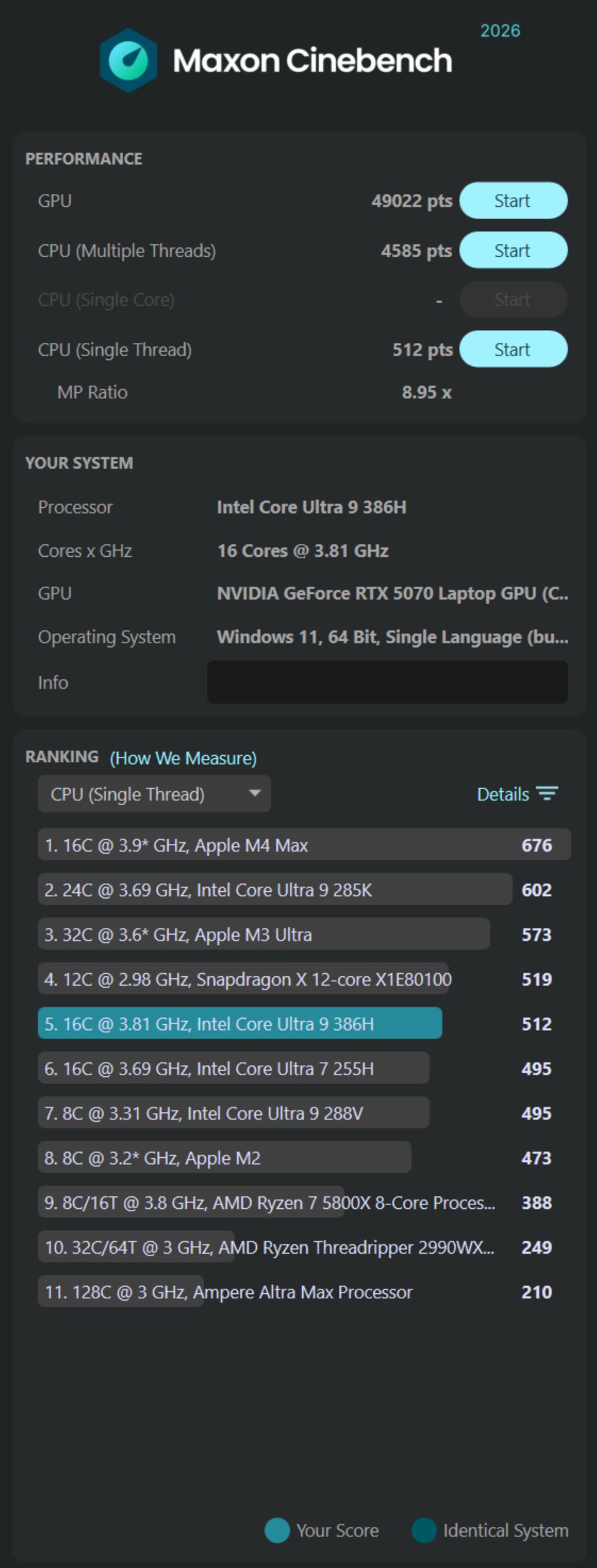
This is the first Zephyrus G14 to run on Intel’s Panther Lake platform, and the Core Ultra 9 386H brings 16 cores split across performance, efficiency, and low power efficiency clusters. The headline is not raw multi-core dominance, it is the balance of solid performance with much improved efficiency, which is exactly what a thin and light like this needs. Expect single-core gains over the previous AMD generation, with multi-core landing roughly on par. Where Panther Lake really pays off is everywhere outside benchmarks: cooler, quieter, longer lasting everyday use.
| Benchmark | Result |
| Cinebench 2026 Single Core | 512 (sustained 514) |
| Cinebench 2026 Multi Core (single run) | 4585 |
| Cinebench 2026 Multi Core (30 min sustained) | 4996 (+9%) zero throttle |
| Geekbench 6 Single / Multi | 2795 / 17112 |
| Geekbench 6 OpenCL (RTX 5070) | 137026 |
| Geekbench 6 Single / Multi | 2795 / 17112 |
| PCMark 10 | 9075 |

GPU and Gaming Performance
Here is the configuration’s biggest catch. This unit ships with the RTX 5070 Laptop GPU, and crucially, only 8GB of GDDR7 memory. The 5070 itself is a capable chip for a 14 inch machine, and at the panel’s native 3K it leans hard on DLSS 4.5 and Multi Frame Generation to deliver smooth framerates, which it does well in most titles. But 8GB of VRAM in 2026, on a laptop that costs this much and drives a 3K display, is the part that stings. It is enough for today at sensible settings, but it leaves little headroom for the future, and it is the single spec that undercuts the machine’s premium positioning.
The good news is that generation over generation, gaming is up. Against the previous G14, expect double digit percentage gains at 1080p and a smaller but real uplift at 1440p in demanding titles, with DLSS and ray tracing both improved. For a laptop this thin, the playable performance on offer is still impressive.
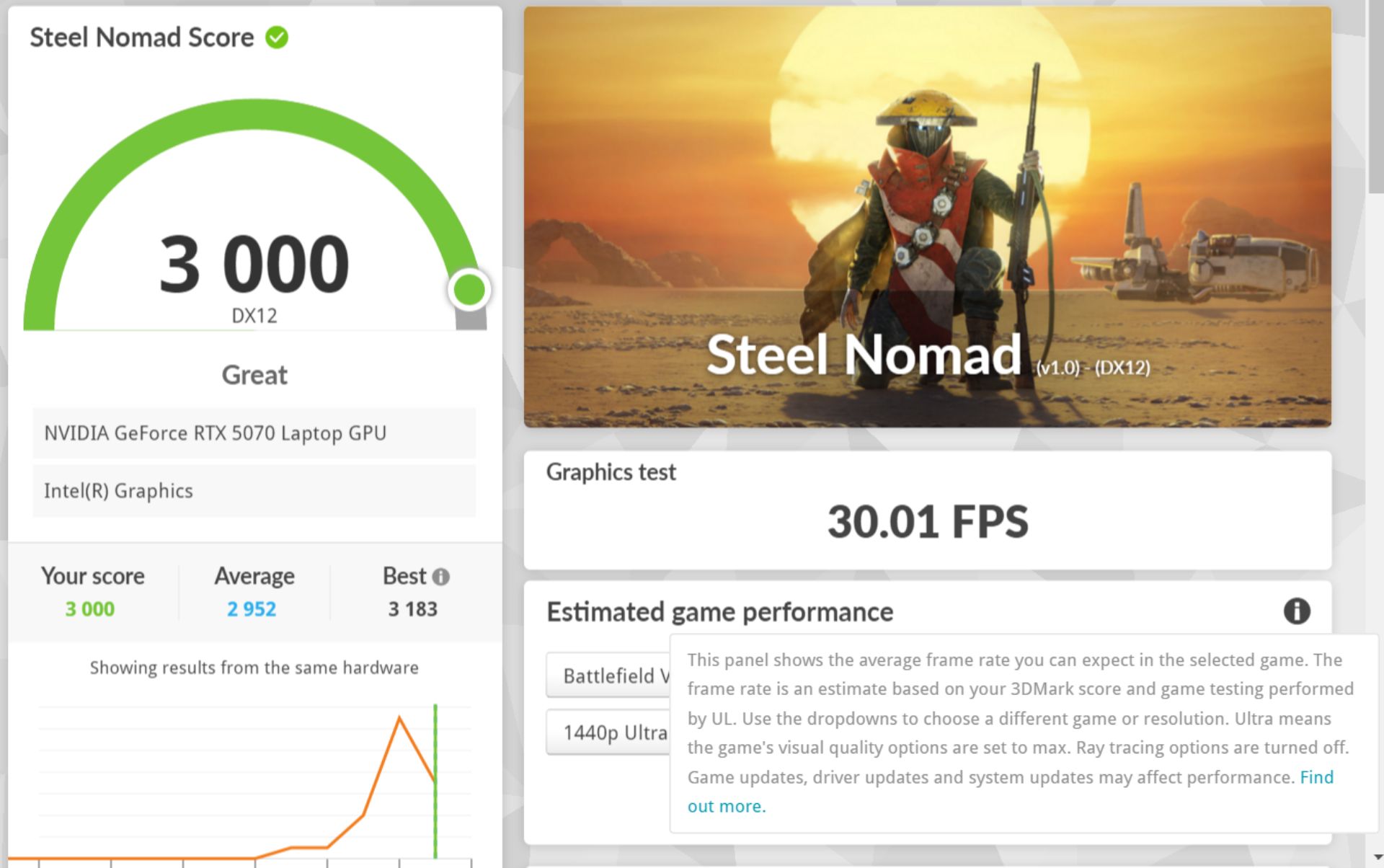
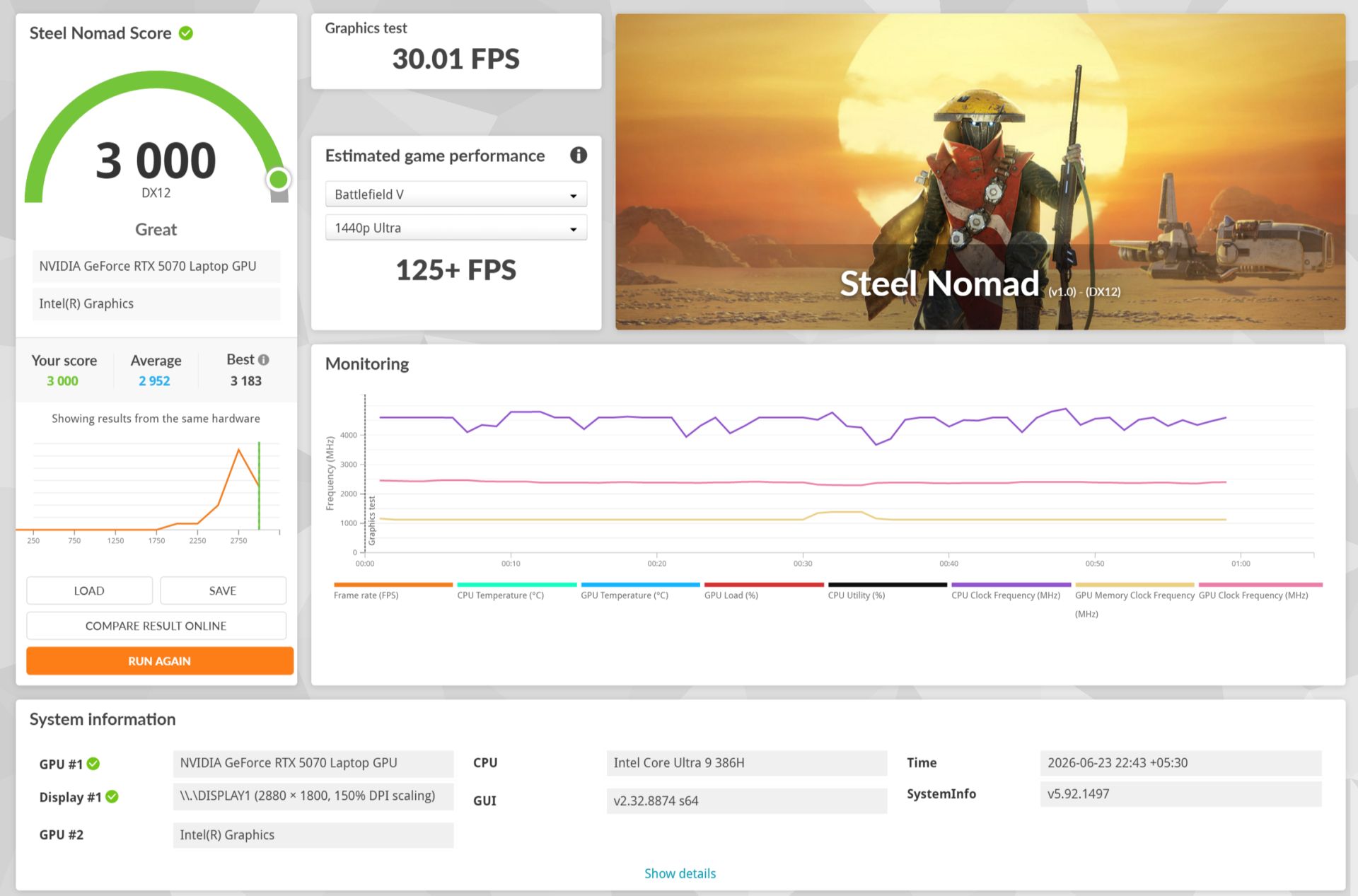
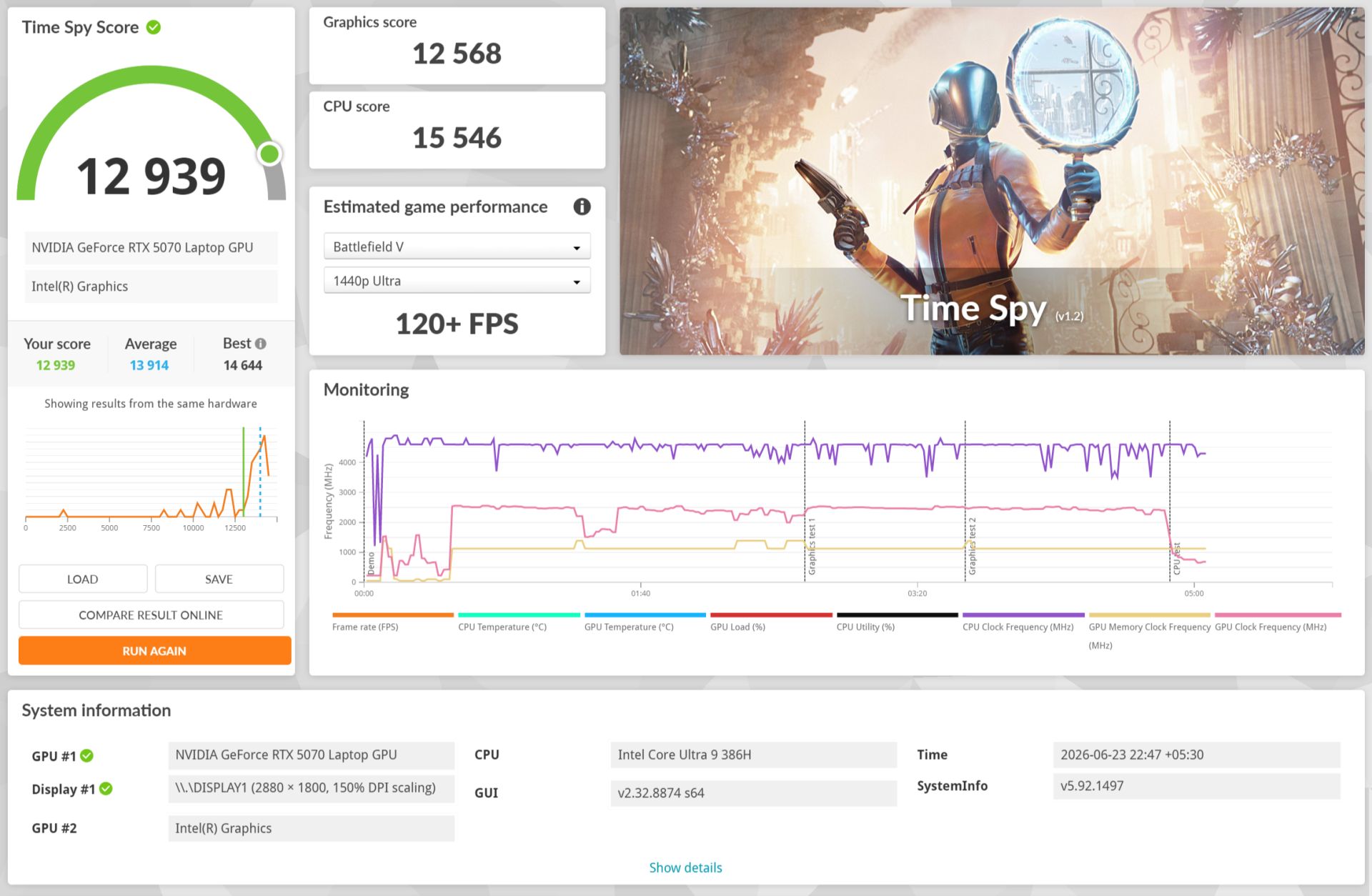
| 3DMark | Score | Notes |
| Time Spy (GPU) | 12939 | Rasterization |
| Steel Nomad | 3000 | Modern raster |
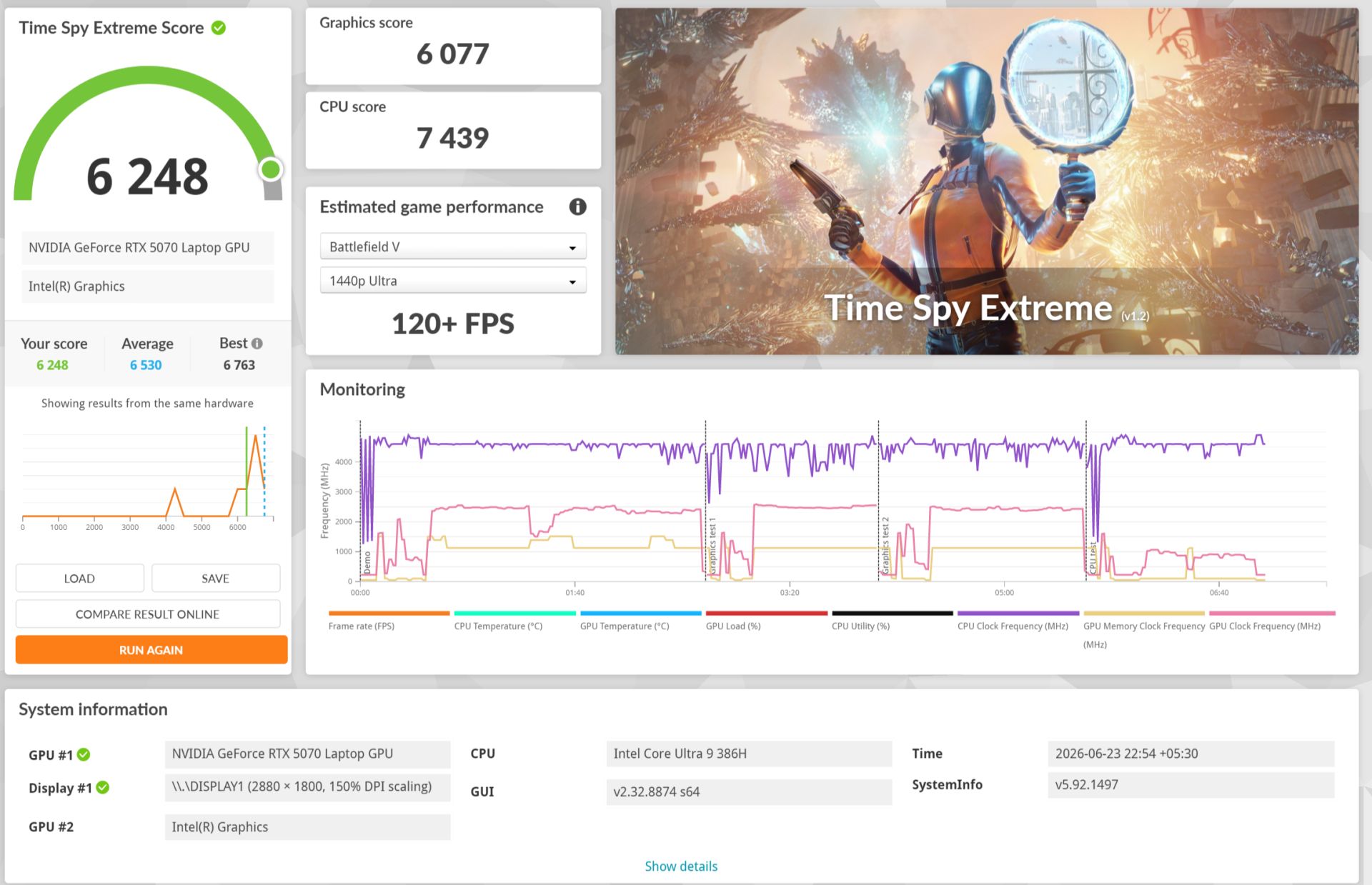
| Time Spy Extreme | 6248 | 4K rasterization |
AI Performance
Panther Lake brings a 50 TOPS NPU that clears the bar for Copilot+ features, and between the NPU, the CPU, and the RTX 5070’s Tensor cores, the G14 has three separate paths for AI work. We tested each, because a single AI number tells a buyer almost nothing. What matters is what actually ran the workload, and how fast it really is for the things people do locally.
| Test | Result |
| Geekbench AI, GPU (DirectML, Quantized) | [ ] |
| Geekbench AI, NPU (OpenVINO, Quantized) | 55845 |
| Geekbench AI, CPU (ONNX, Quantized) | [ ] |
| Ollama, Llama 3.2 8B (tokens/sec) | [ ] |
| Stable Diffusion SDXL (images/min, 512×512) | [ ] |
Thermals and Noise
This is the part that bothered me most in daily use, and it has nothing to do with gaming. ASUS makes a lot of noise about cooling on this machine, the liquid metal, the tri-fan layout, the promise of stable performance without thermal throttling, and it is front and centre in the marketing. So it is worth being clear about what the laptop actually does at rest. Even during ordinary work, browsing, writing, the kind of thing that keeps the CPU under 5% load on the balanced profile, the laptop stays warm. The CPU was sitting around 55 degrees doing almost nothing. On a thin and light in 2026, that should not be happening. For comparison, a MacBook Pro of recent vintage stays cool and calm under the exact same light load. The G14 instead runs warm to the touch when it has no real reason to, and that constant background heat takes some of the shine off an otherwise refined machine.
Under actual load the cooling does its job. The Tri-fan design with its dual exhaust heatsink keeps the silicon in check during gaming, and the keyboard deck stays comfortable except for the centre under sustained stress. There are the familiar four modes in Armoury Crate. Silent is genuinely quiet and can even stop the fans entirely at light load, while Turbo opens the taps and gets loud, as every G14 always has.
| Measurement | Result |
| CPU temp, idle / light browsing (Balanced) | ~55 C (confirmed, 386H runs warm at near-zero load) |
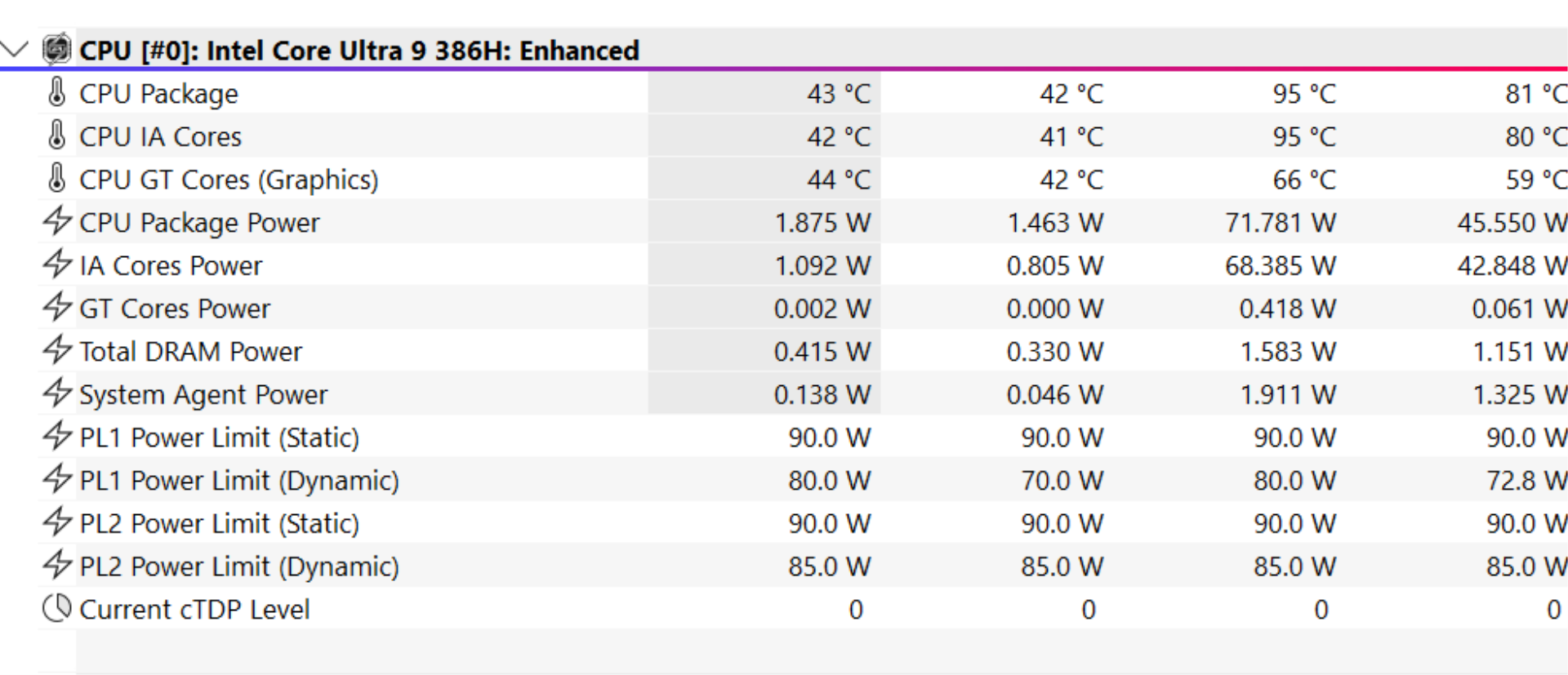
| CPU temp, sustained load (Turbo) | 95 C peak / 81 C average (45.5W sustained, 71.8W peak) |
| Fan noise, Silent mode | under 35 dBA |
| Fan noise, Turbo load | 64 dB |
Battery Life
The 73Wh battery, paired with Panther Lake’s efficiency, is where the 2026 model pulls clearly ahead of its predecessor. For light productivity, browsing, and video, you can expect a genuinely useful all day result, which is a first for a G14. Gaming away from the wall still drains fast, as it does on every gaming laptop, so plan to be plugged in for that. The big practical win is charging: USB-C Power Delivery up to 100W means you can top up from a standard USB-C brick or power bank, and a quick 30 minute charge gets you back to roughly half.
| Battery Test (150 nits) | Result |
| YouTube streaming 1080p (Wi-Fi on, ~50% brightness) | ~3h 50m (Balanced mode) |
Price, Value, and the Last-Gen Question
At roughly 3.7 lakh, the G14 enters territory where it has to feel flawless, and it does not quite get there. You are paying a heavy premium for the chassis, the display, and the portability, all of which are excellent. But the configuration asks you to swallow only an RTX 5070 with 8GB of VRAM, a touchpad that belongs on a budget laptop, a webcam straight from the 2010s, and a machine that runs warm at idle. At this price, those compromises are harder to forgive than they would be on something cheaper.
ASUS will almost certainly discount this model. They always do. And when the price comes down by a meaningful margin, the calculus changes completely. The things that are great about this laptop, the build, the screen, the speakers, the efficiency, do not get worse with time. Bought on a discount, this becomes a much easier recommendation. Bought at full sticker, it is a tough sell.
There is also the previous generation to weigh. Last year’s G14 paired top tier AMD silicon with GPU options that climbed higher than this unit’s 5070, and those 2025 models are now sitting on real discounts. The 2026 Intel machine wins clearly on battery life, on display brightness, and on day to day efficiency, and it edges ahead in most gaming. But a discounted last-gen unit with a beefier GPU can still be the smarter buy for someone who cares more about raw performance per rupee than about battery and finish. It is worth checking both before you commit.
| G14 2026 (this unit) | G14 2025 (prev gen) | |
| CPU | Core Ultra 9 386H | Ryzen AI 9 HX 370 |
| GPU options | up to RTX 5080 (this unit: RTX 5070 8GB) | up to RTX 5080 |
| Battery life | clearly better | shorter |
| Display peak | 1100 nits | dimmer |
| Price now | 3.7 lakh | 2.8 lakh |
Verdict
The 2026 Zephyrus G14 is, in most of the ways that count for a daily companion, a triumph. It is beautiful, it is a joy to carry, the OLED is superb, the speakers punch far above the chassis, and the Panther Lake platform finally gives the G14 the battery life it always deserved. ASUS has made the best feeling 14 inch gaming laptop on the market.
But it is not flawless, and at 3.7 lakh it needs to be. The touchpad is a real, daily irritation. The 8GB of VRAM on the RTX 5070 unit limits the headroom you would want from a machine this expensive. And the idle warmth is a small but persistent reminder that the thermal story is not fully solved. None of these are dealbreakers on their own. Together, at full price, they are enough to say wait. Watch for the discount that is surely coming, check what the previous generation is selling for, and then this lovely machine becomes a great deal rather than an expensive want.
iLLScore
| Category | Score /10 |
| Design and Build | 9 |
| Display | 9 |
| Keyboard and Touchpad | 6 |
| Audio | 8.5 |
| Gaming Performance | 8 |
| Creator and AI Performance | 7.5 |
| Thermals and Noise | 7.5 |
| Battery Life | 7 |
| Value for Money | 6 |
| OVERALL | [ 7.6 ] |
Buy if you want the most portable, best built, best sounding 14 inch gaming laptop and you can catch it on a discount.
Skip if you need maximum GPU power per rupee, or you live on the touchpad and cannot carry a mouse.
Wait if you love it at full price. The discount is coming, and a discounted previous-gen unit is worth a look first.
Reviewed by Saahil Arora for iLLGaming. Performance figures from our own testing on the retail review unit. The unit was provided by ASUS on loaner basis. No form of payment was accepted for this review.