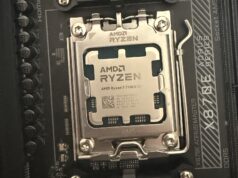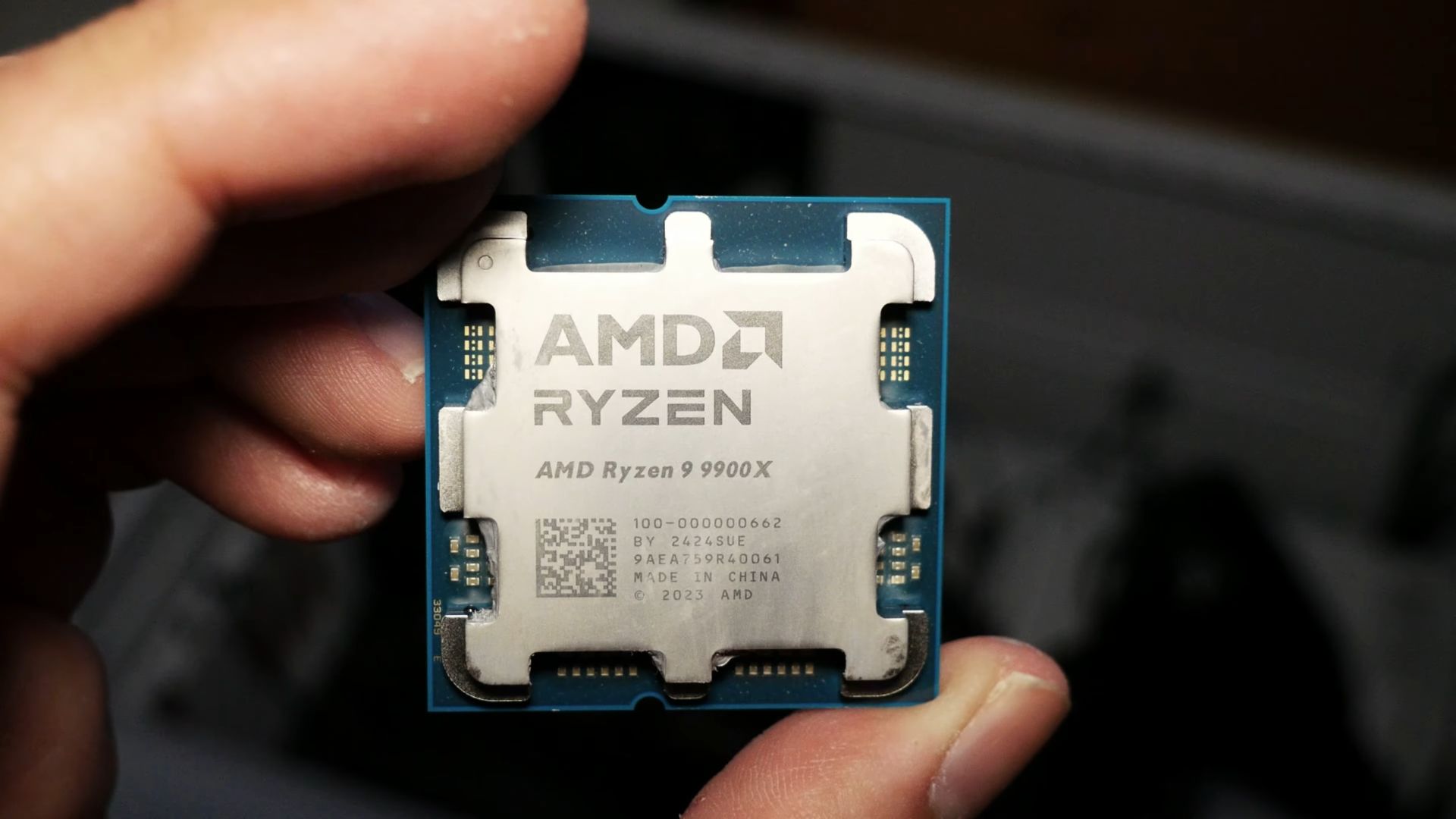
The AMD Ryzen 9 9900X is one of those CPUs that sits right at the intersection of ambition and practicality. It doesn’t have the over-the-top 16 cores of the flagship 9950X, but it also isn’t aiming for the budget-conscious crowd. Instead, it positions itself as a 12-core, 24-thread powerhouse designed for serious gamers, creators, and professionals who want a machine that can handle everything thrown at it—without going completely overboard.
I’ve spent enough time with Ryzen systems to know that AMD has a knack for hitting the sweet spot in value/performance, and the 9900X is exactly that kind of chip. Let’s break it down and see what makes this CPU worth considering, how it compares across workloads, and which motherboard platforms pair best with it.
Ryzen 9 9900X at a Glance
- Architecture: Zen 5 (Granite Ridge)
- Cores / Threads: 12C / 24T
- Base Clock: ~4.4 GHz
- Boost Clock: ~5.6 GHz (single-core)
- TDP / PPT: 120W TDP (Power Package ~162W)
- Cache: 64MB L3 + 12MB L2
- Socket: AM5
- Integrated GPU: RDNA 2 iGPU (basic, for display out / troubleshooting)
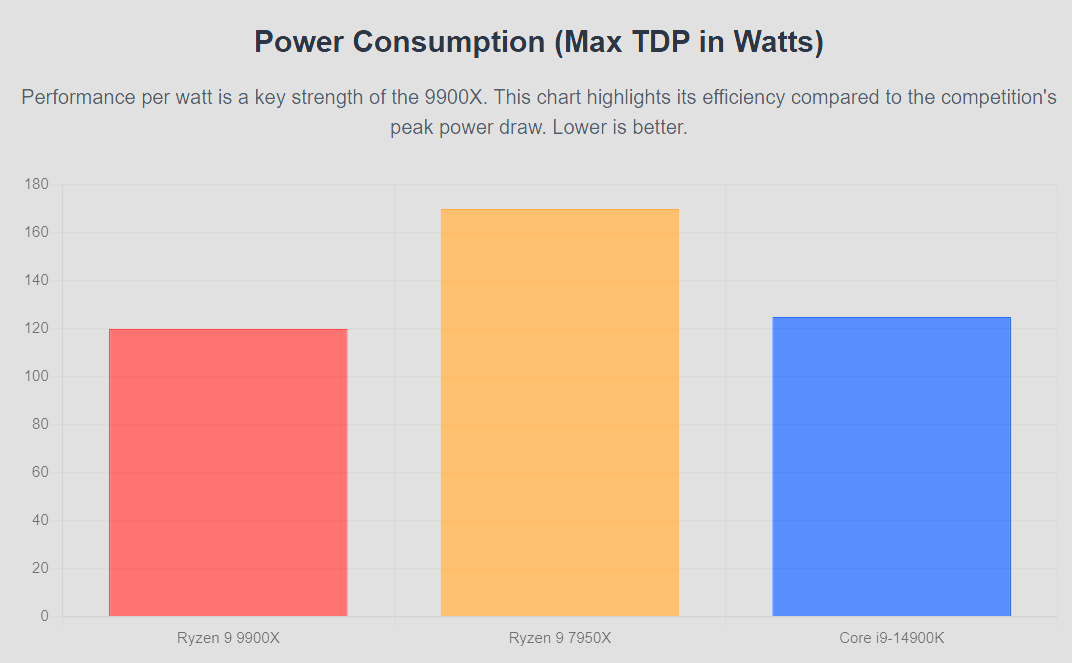
AMD has been pretty aggressive here—lowering the TDP to 120W compared to older high-end chips, yet pushing higher clocks thanks to IPC improvements with Zen 5. That makes this CPU surprisingly efficient for its core count. It’s not the kind of chip that needs exotic cooling, but it definitely benefits from a solid tower cooler or AIO if you want sustained boost performance.
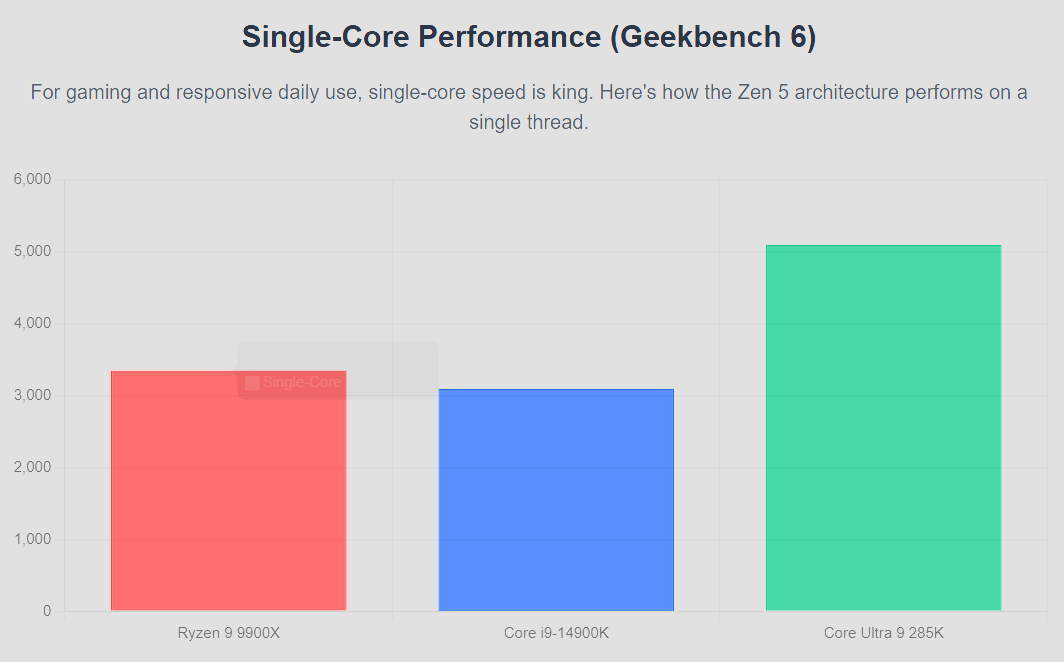
Synthetic Performance

Gaming Performance
When it comes to gaming, the Ryzen 9 9900X is a beast, but with a caveat: it’s not always the fastest gaming CPU on the market. Intel’s high-clock chips like the Core i9-14900K or the new Core Ultra desktop CPUs sometimes edge it out in lightly threaded games.
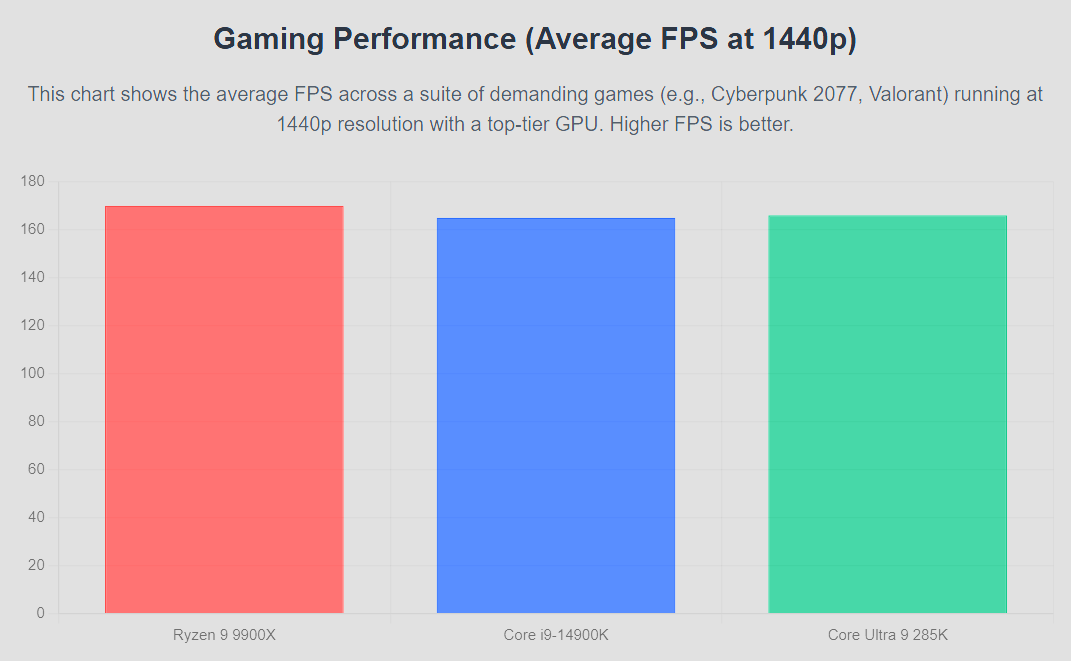
That said, real-world difference is minimal. You’re looking at maybe a 5–7% delta in certain esports titles at 1080p with an RTX 5090. Once you shift to 1440p or 4K, the GPU becomes the bottleneck, and the 9900X performs on par with anything out there.
The big advantage? Consistency. AMD’s frame pacing is smoother, frametime dips are rare, and with the right DDR5 (6400–7600 MHz sweet spot), the 9900X can deliver ultra-stable performance across all genres—from Cyberpunk 2077 to competitive Valorant.
Productivity & Creator Workloads
This is where the 9900X really shines. With 12 Zen 5 cores, it slams through:
- Video editing (Premiere Pro, DaVinci Resolve): Faster exports, especially with GPU + CPU synergy.
- 3D rendering (Blender, V-Ray): Outperforms Intel’s 12-core equivalents while being more efficient.
- Software development / compiles: Shorter build times, smoother multitasking.
- Virtual machines / Docker: Plenty of threads to handle parallel workloads.
If you’re a power user who games on the side, the 9900X is better balanced than the 9950X. The flagship often wastes cores for gaming rigs, while the 9900X is leaner and more cost-effective.
Power Efficiency and Thermals
AMD has clearly optimized the power curve with Zen 5. At 120W TDP, you can cool the 9900X with a high-end air cooler (Noctua NH-D15, DeepCool Assassin IV) or a 240mm AIO. Under full sustained load, it’ll sit around 75–85°C depending on case airflow.
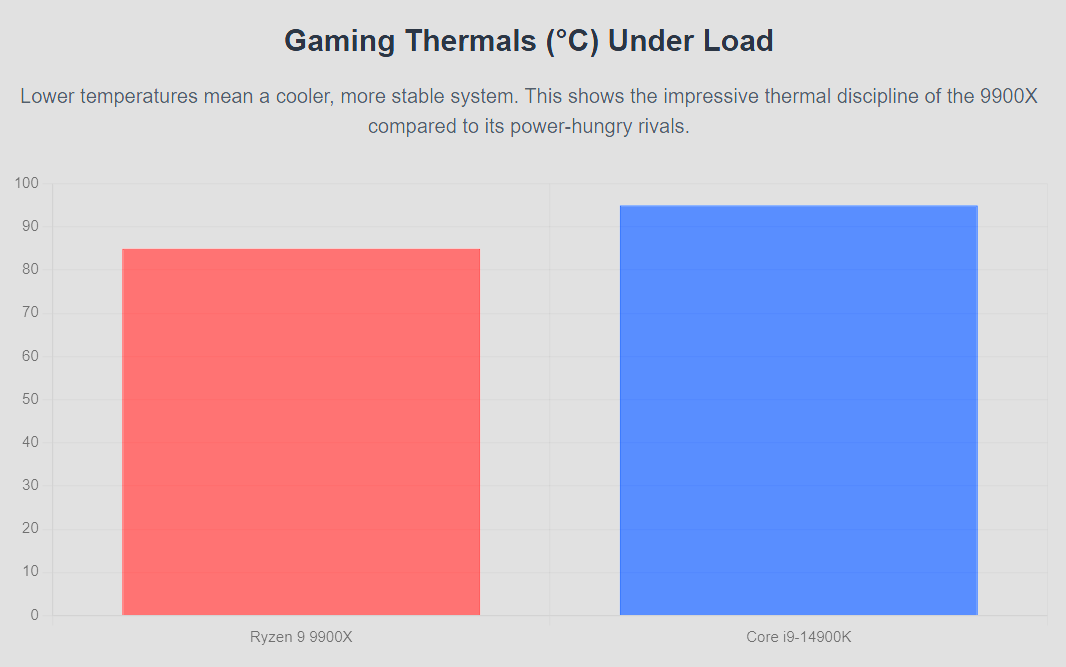
What’s impressive is how it balances performance per watt. In many workloads, the 9900X offers nearly the same performance as older 16-core CPUs like the 7950X but at 25–30% lower power draw. This is critical if you’re building a system that’s meant to run heavy workloads for hours.
Motherboard Pairings: X870, B850, B650, and More
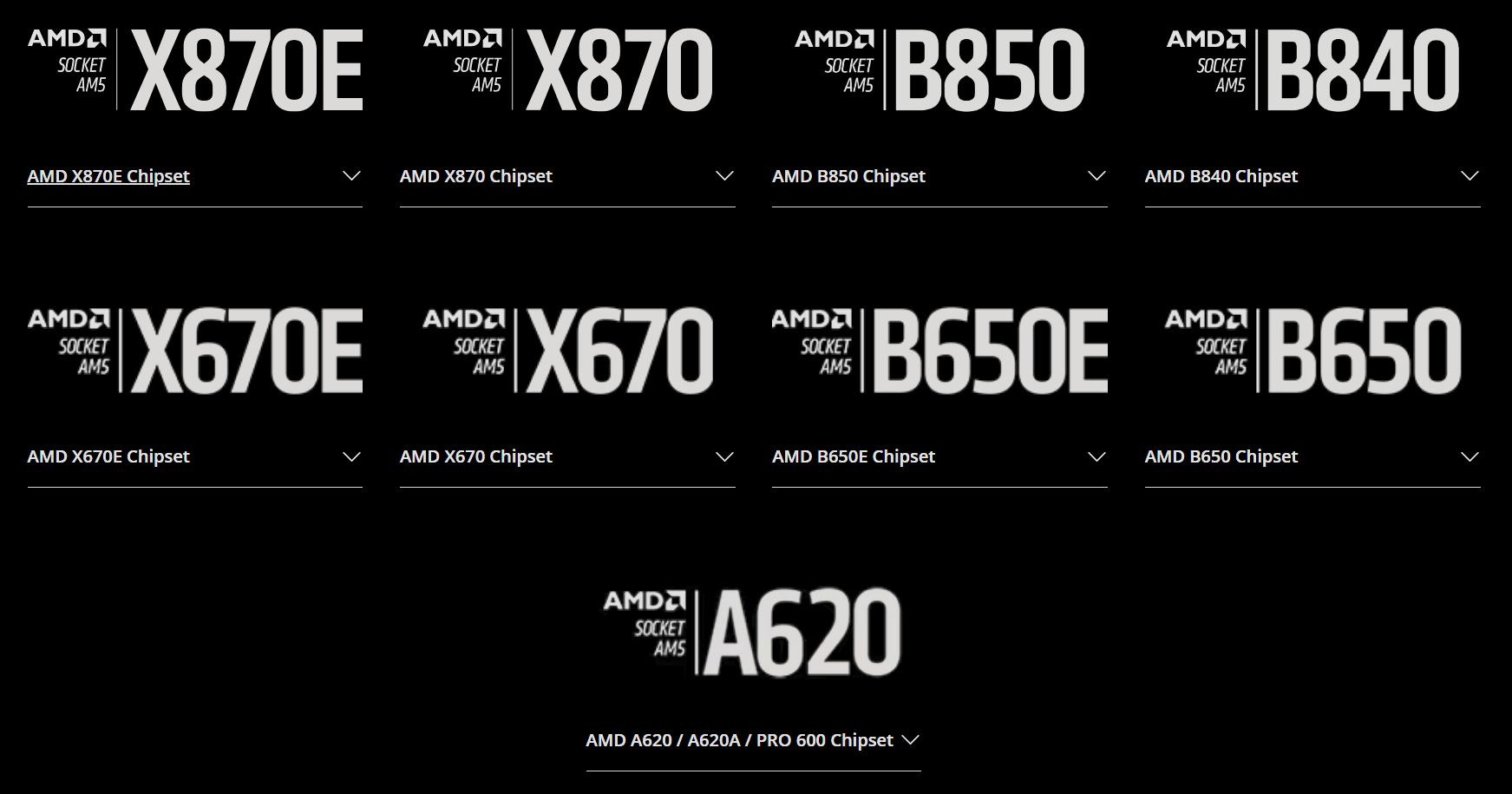
Choosing the right motherboard for the 9900X is arguably the most important part of the build. It’s a blessing and a curse, all at once, considering you have so many choices for what chipset you go for. It truly is overwhelming! Here’s a breakdown:
X870 & X870E (Next-Gen Flagship)
- Best for: Enthusiasts, overclockers, PCIe 5.0 across GPU + storage.
- Pros: Loaded with USB4, DDR5 EXPO support, futureproofed for next-gen Ryzen chips.
- Cons: Expensive (~₹40–70k boards in India).
B850
- Best for: High-performance builds without going extreme.
- Pros: PCIe 5.0 storage (usually), strong VRM design, affordable DDR5 tuning.
- Cons: Fewer USB4 ports compared to X870.
B650 / B650E
- Best for: Balanced gaming + productivity rigs.
- Pros: Good mix of features, PCIe 5.0 storage, cheaper boards available.
- Cons: Some models skimp on VRMs, so not all are great for 9900X.
X670 / X670E
- Best for: Proven stability, mature BIOS.
- Pros: Similar features to X870, plenty of choice now at discounted pricing.
- Cons: Older gen, but still fully compatible.
B840
- Best for: Budget-conscious builds.
- Pros: Cheapest entry point to AM5, fine if you don’t care about PCIe 5.0.
- Cons: Limited VRM power delivery—not ideal for 9900X.
A620
- Best for: Absolute budget users.
- Pros: Dirt cheap AM5 entry.
- Cons: Do not pair this with a 9900X. These boards are designed for Ryzen 5/7 at best.
👉 My pick for 9900X: A high-end B850 or X670E motherboard. The new X870 is exciting, but pricing will sting in India. Unless you’re future-proofing hard, X670E offers the sweet spot right now.
Memory Tuning for the 9900X
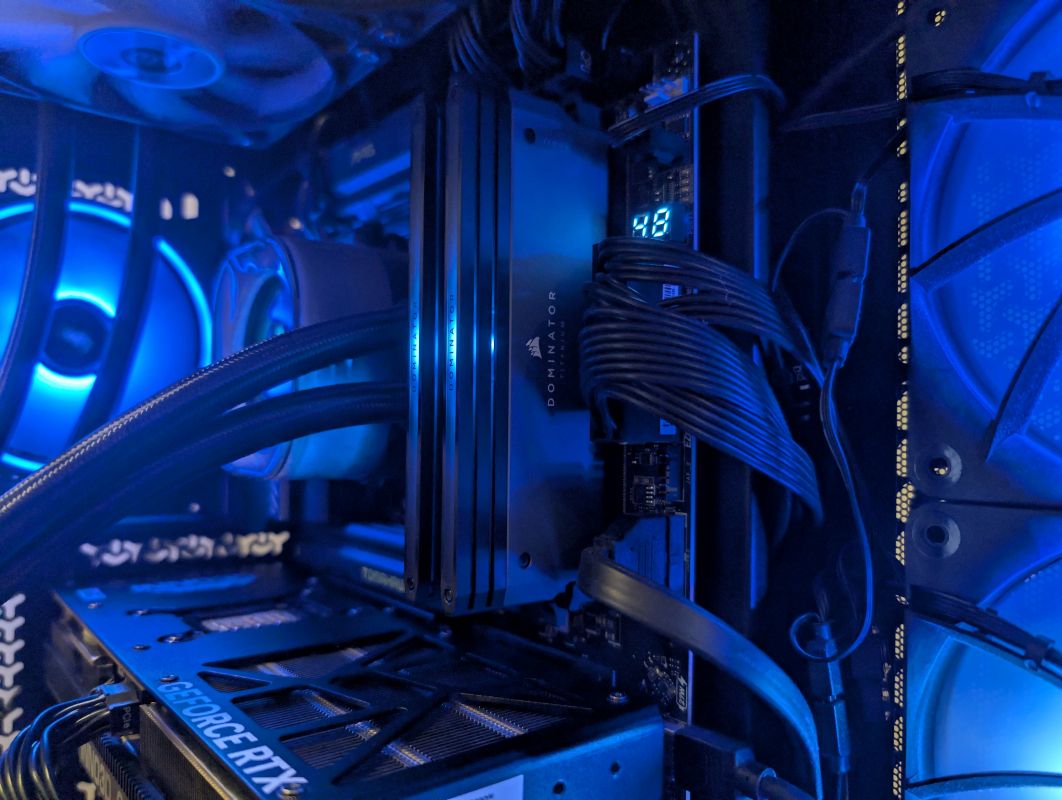
DDR5 is where Zen 5 chips really spread their wings.
- Sweet spot: DDR5-6400 to 7200 MHz (EXPO profiles).
- Latency impact: Lower CL timings still matter more than raw MHz.
- Capacity: 32GB is fine for gaming, but 64GB recommended for creators.
The Infinity Fabric scaling is smoother on Zen 5, so you don’t hit a steep wall beyond 6000 MHz like older Zen 4 chips.
Cooling Considerations
Don’t fall for the common internet opinion that a 360mm AIO is what your 9900X absolutely needs. Truth is, it doesnt. A decent aircooler can get the job done and manage to remain less noisy than AIO. Air Coolers are also easier to install into your cabinet. AMD’s “Eco Mode” lets you drop TDP to 105W or even 65W, which barely dents performance (~5–8%) but reduces temps drastically. Great for compact builds.
For sustained workloads, stick with:
- Air cooling: Noctua NH-D15, be quiet! Dark Rock Pro 5.
- Liquid cooling: 280mm or 360mm AIOs for headroom.
Overclocking & PBO (Precision Boost Overdrive)
The Ryzen 9 9900X isn’t a wild overclocker in the traditional sense. Manual OC usually caps out quickly, but AMD’s PBO + Curve Optimizer lets you undervolt per core and squeeze out extra efficiency or +100–200 MHz boosts.
For most users, it’s better to focus on undervolting rather than brute-force overclocking.
Platform Longevity (Why AM5 Matters)
One of the biggest reasons to consider the 9900X is AM5’s long-term support. AMD has promised support until at least 2027+, meaning future Zen 6 and Zen 7 CPUs will likely drop into your board with just a BIOS update. That’s peace of mind Intel can’t match.
Conclusion: Who Should Buy the Ryzen 9 9900X?
The Ryzen 9 9900X is a CPU for people who:
- Want high-end gaming + serious productivity in one machine.
- Don’t want the extreme pricing or wattage of the 9950X.
- Value efficiency + platform longevity over chasing the absolute peak gaming FPS.
It’s not the cheapest chip, and pairing it with the right motherboard and DDR5 kit isn’t going to be light on the wallet either. But as a balanced powerhouse, the 9900X nails it. For creators who game, for gamers who dabble in rendering, and for enthusiasts who want a system that will last—you can’t go wrong here.