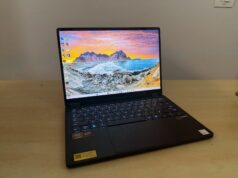
This is not a gaming review, and if you read it as one you will reach the wrong conclusion. The ROG Flow Z13-KJP is a 13-inch tablet with 128GB of unified memory, and that single specification lets it do work that the most expensive graphics card in my house cannot. It is also the most beautifully engineered machine I have handled in years. If you have the money and you understand what you are buying, this is the one to get, and it earns the iLLGaming Editor’s Choice.
What the ROG Flow Z13-KJP Actually Is
That reads like a footnote. It is the entire thesis. When your processor and graphics share 128GB, you can hand the graphics side more memory than any consumer graphics card ships with, from a machine you hold in one hand. Hold that idea. Everything that makes this tablet exceptional, and everything that holds it back, traces to it.
ASUS built this one in collaboration with Kojima Productions. Yoji Shinkawa, the artist behind Metal Gear and Death Stranding, drew the chassis. Every unit ships as a collector’s object as much as a computer, and I will judge it as both.
ROG Flow Z13-KJP Design and Build
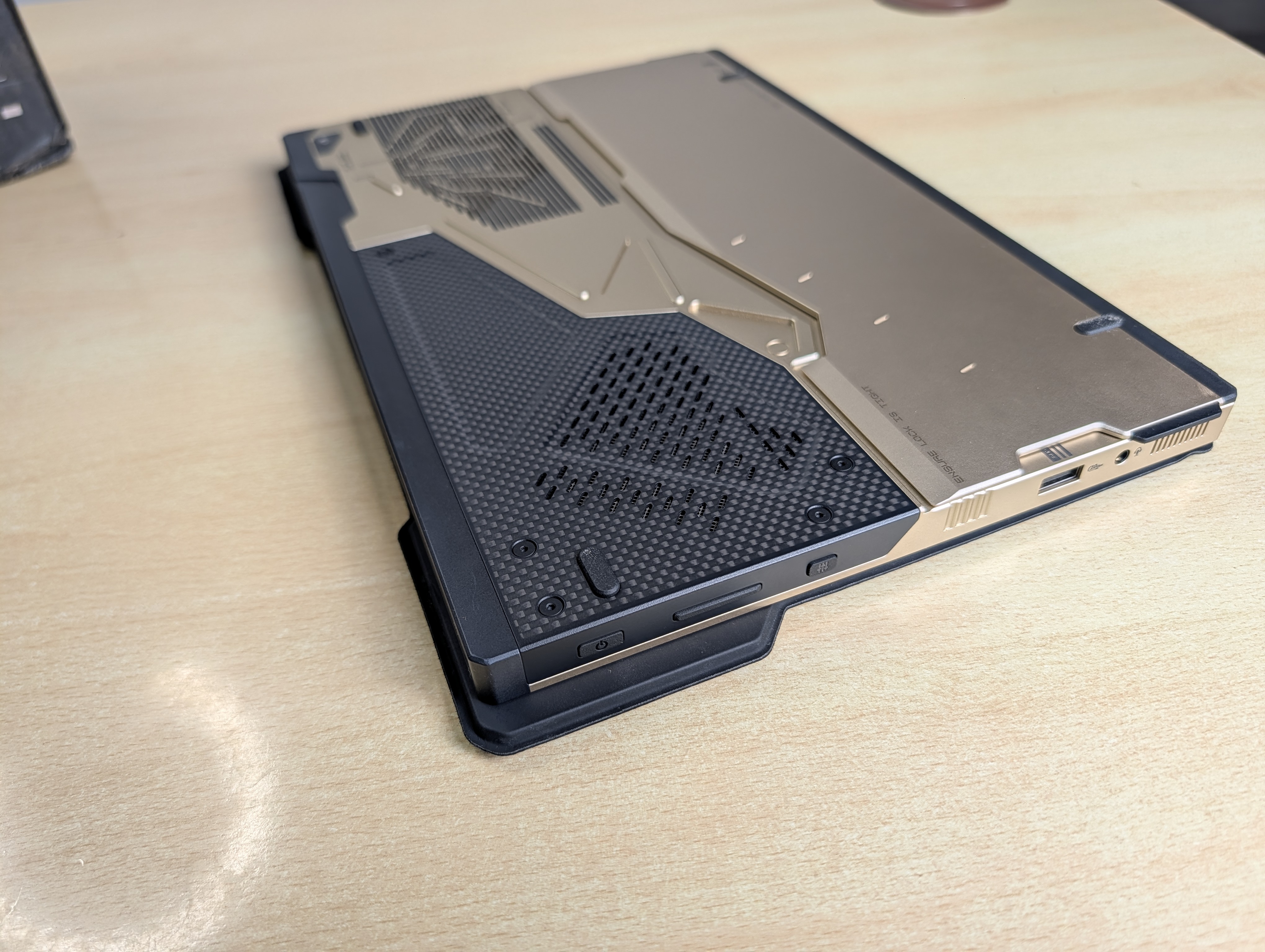
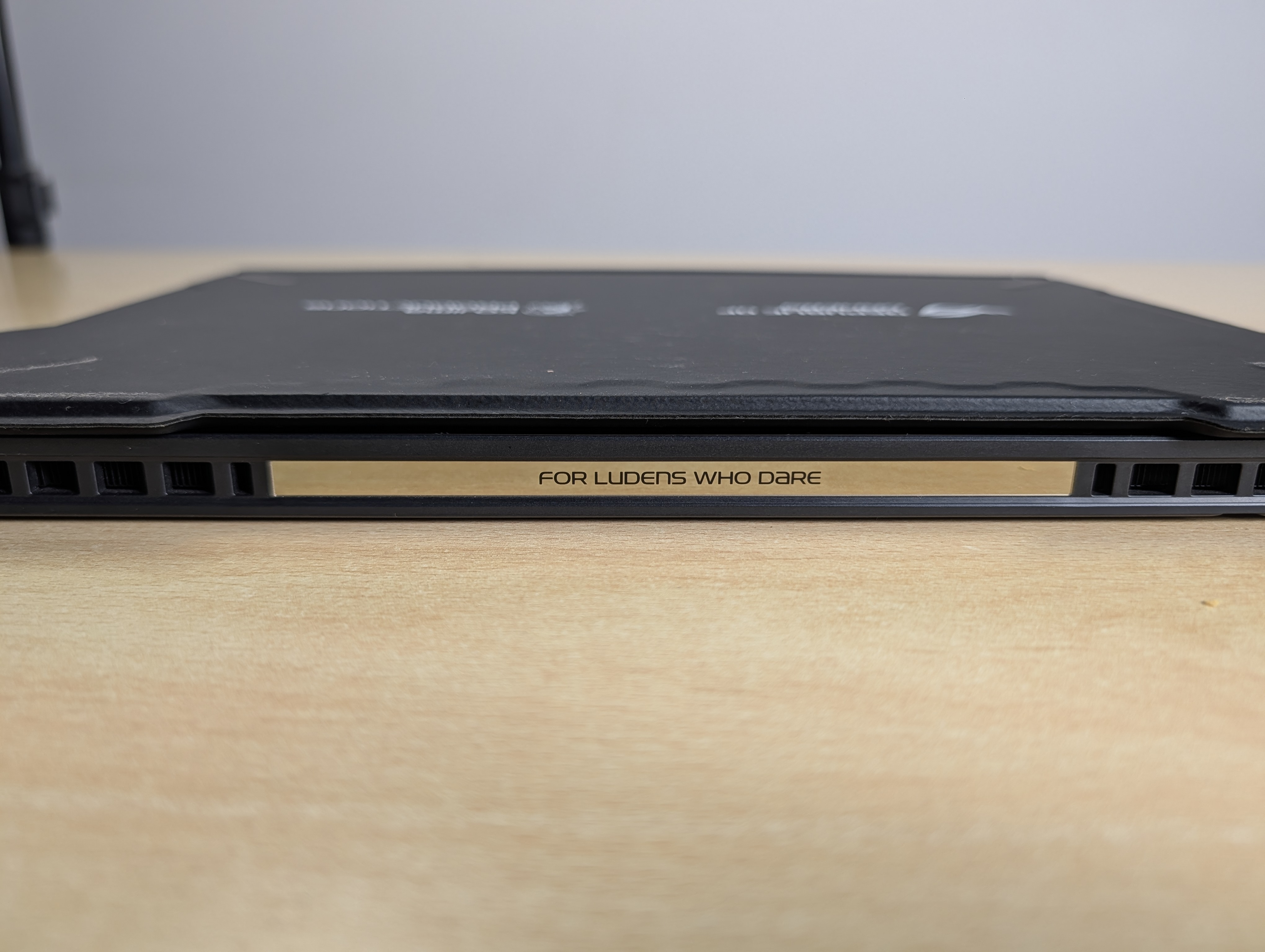
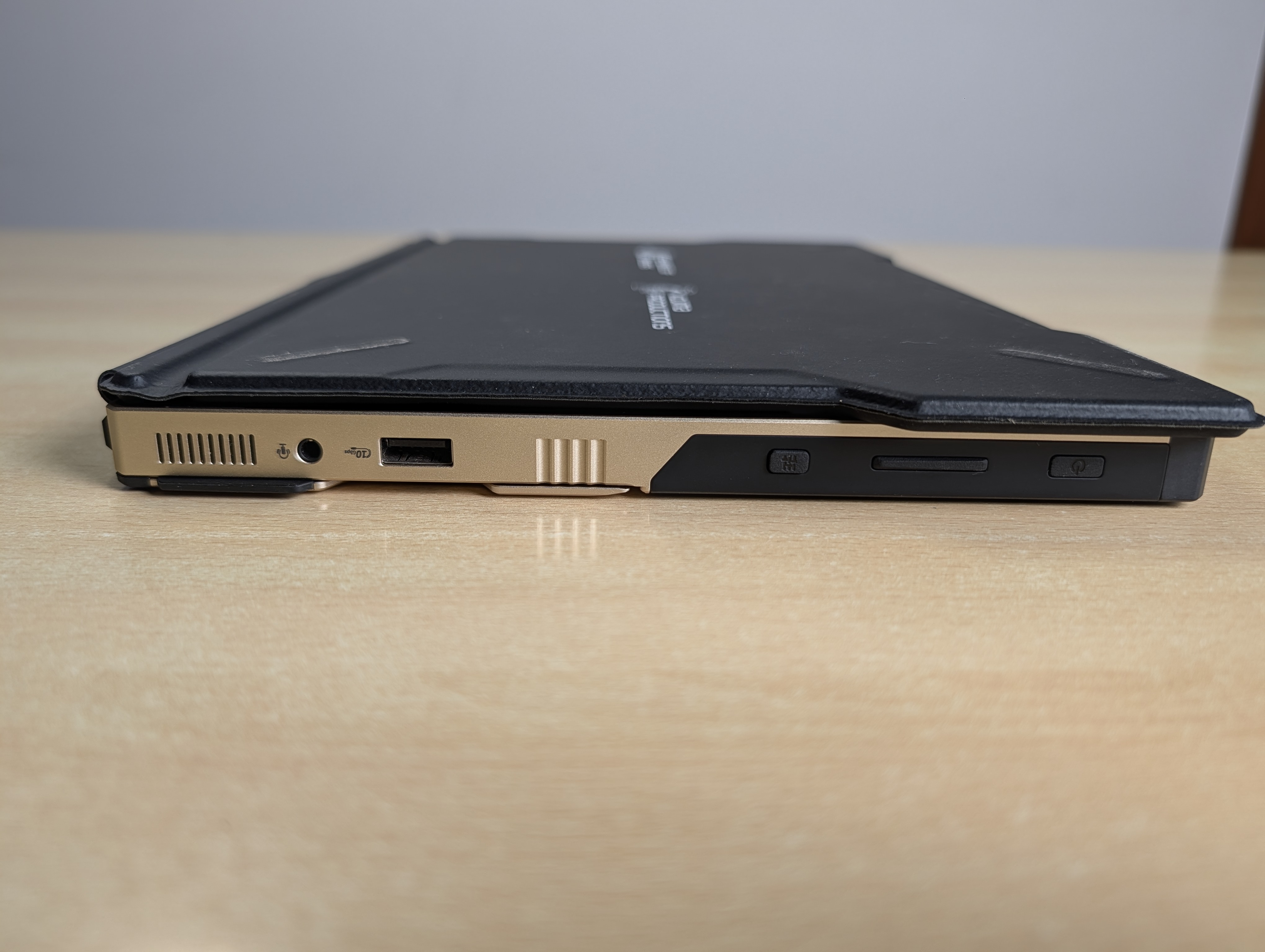
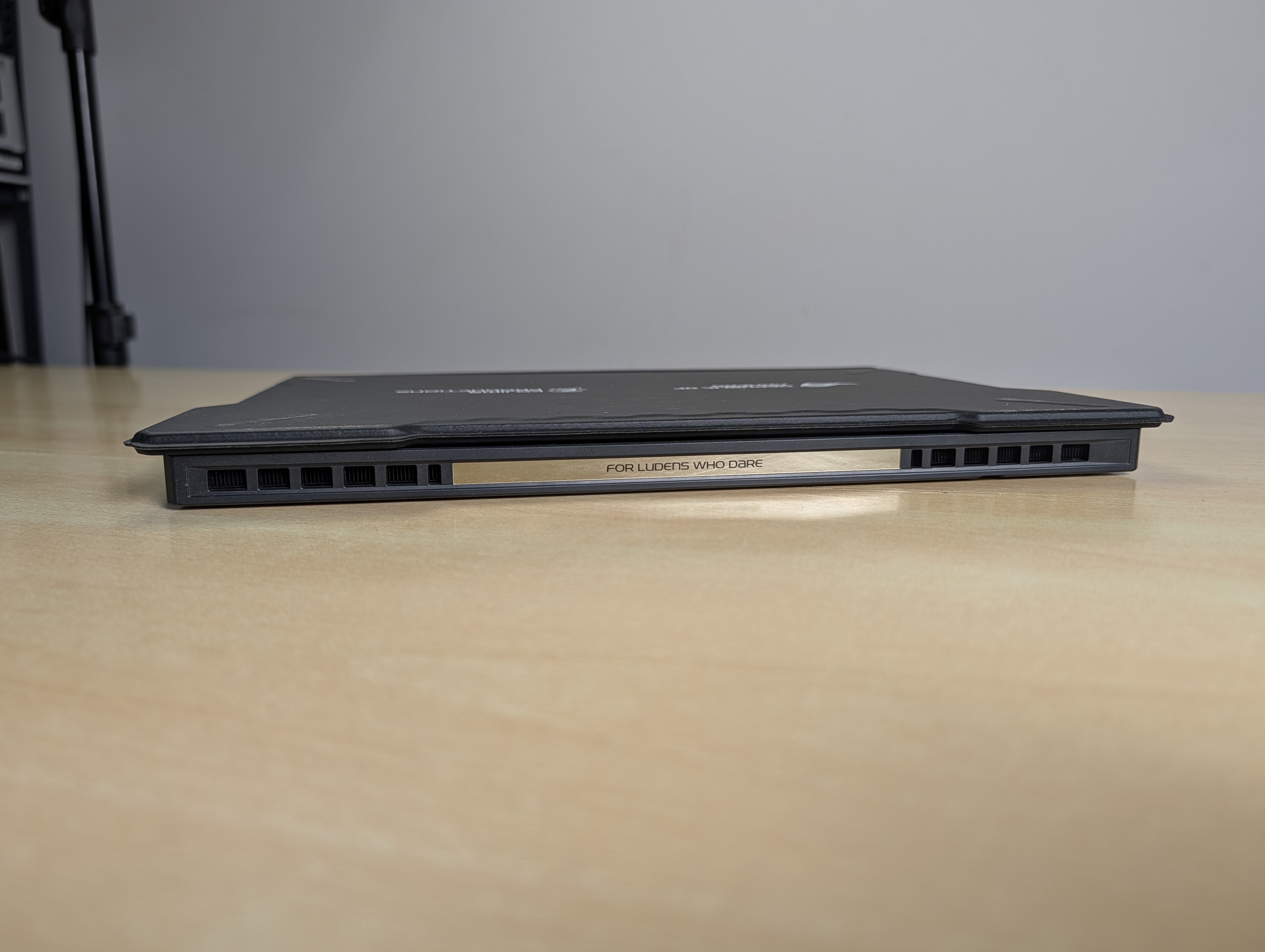
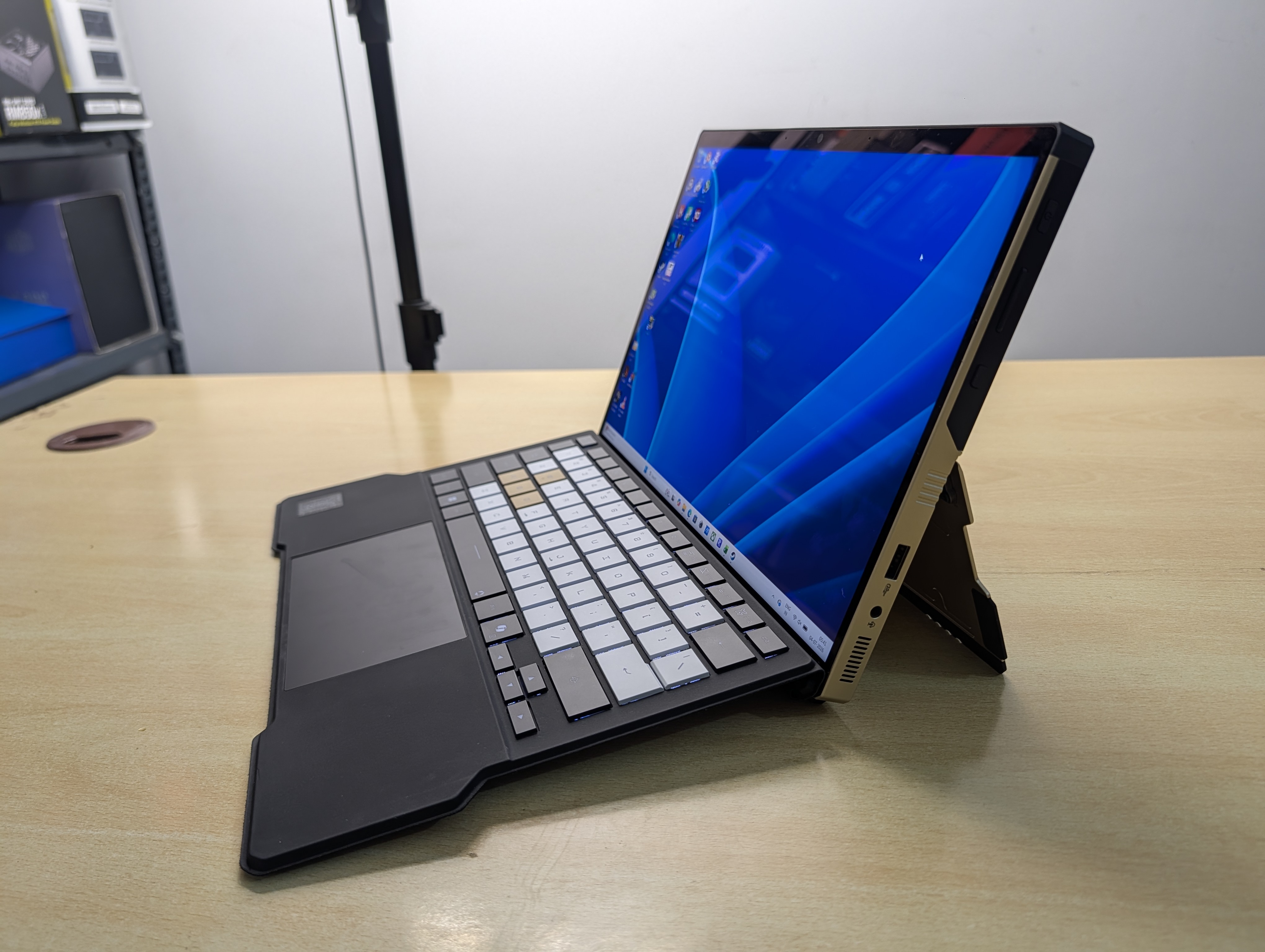
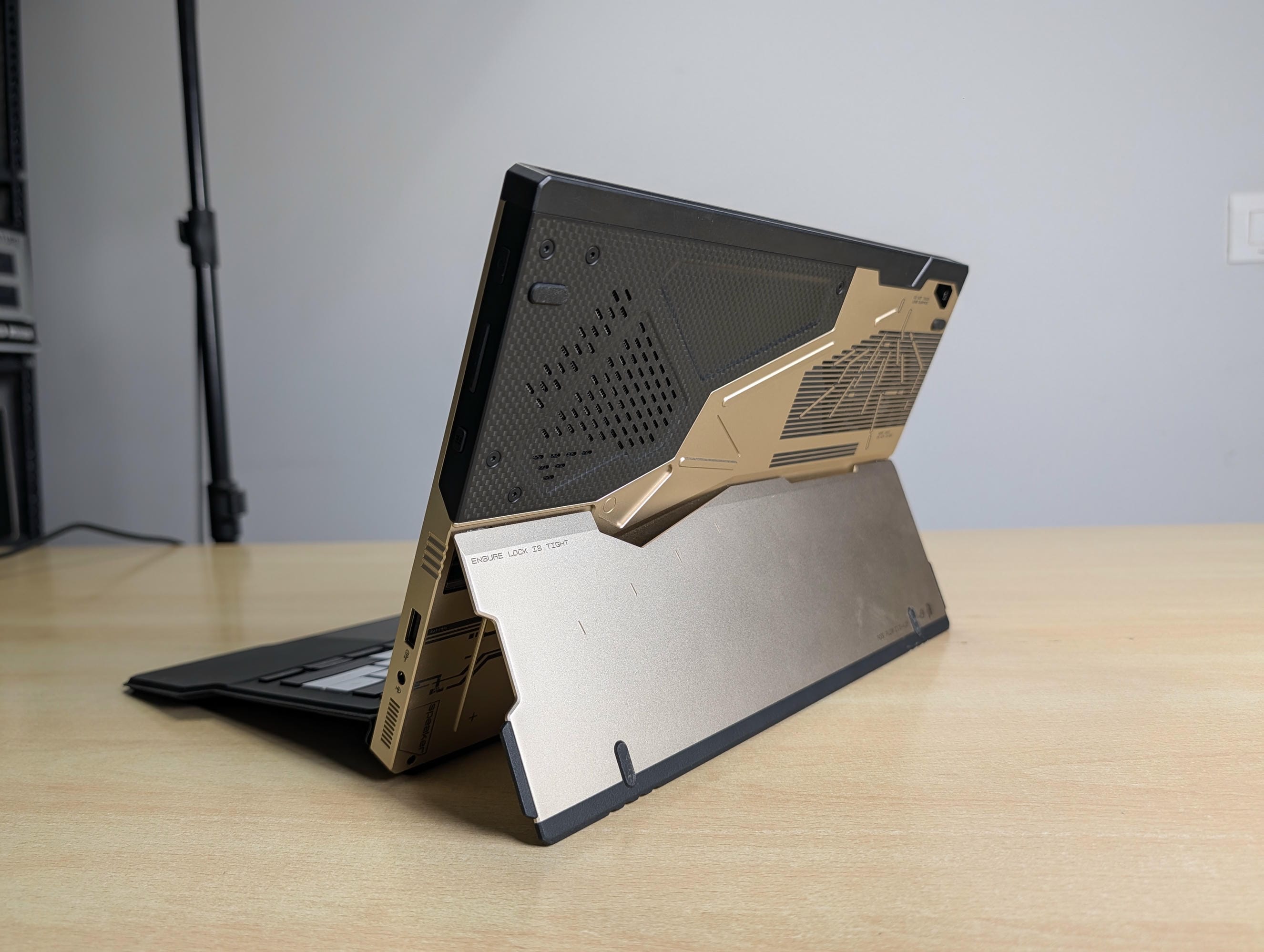
ASUS could have wrapped a Kojima badge around a stock shell and charged for the name. They did the opposite, and the difference is in your hands the moment you pick it up.
The angular cutouts on the rear are CNC-milled directly into the aluminium, not printed over a moulded panel. Run a fingernail along the edges and you feel real machined channels. Carbon fibre sits under the gold accents, the vents carry laser etching, and the phrase FROM SAPIENS TO LUDENS is cut into the body in a bespoke typeface. The whole design language pulls from Ludens, the studio’s extra-vehicular activity mascot, and the original brief was to make a device that character would carry into zero gravity. It shows. This looks like flight hardware, not a gaming gadget, and there is not a single RGB light fighting for your attention. Gold, carbon, and restraint. That is the entire aesthetic, and it is a masterclass.
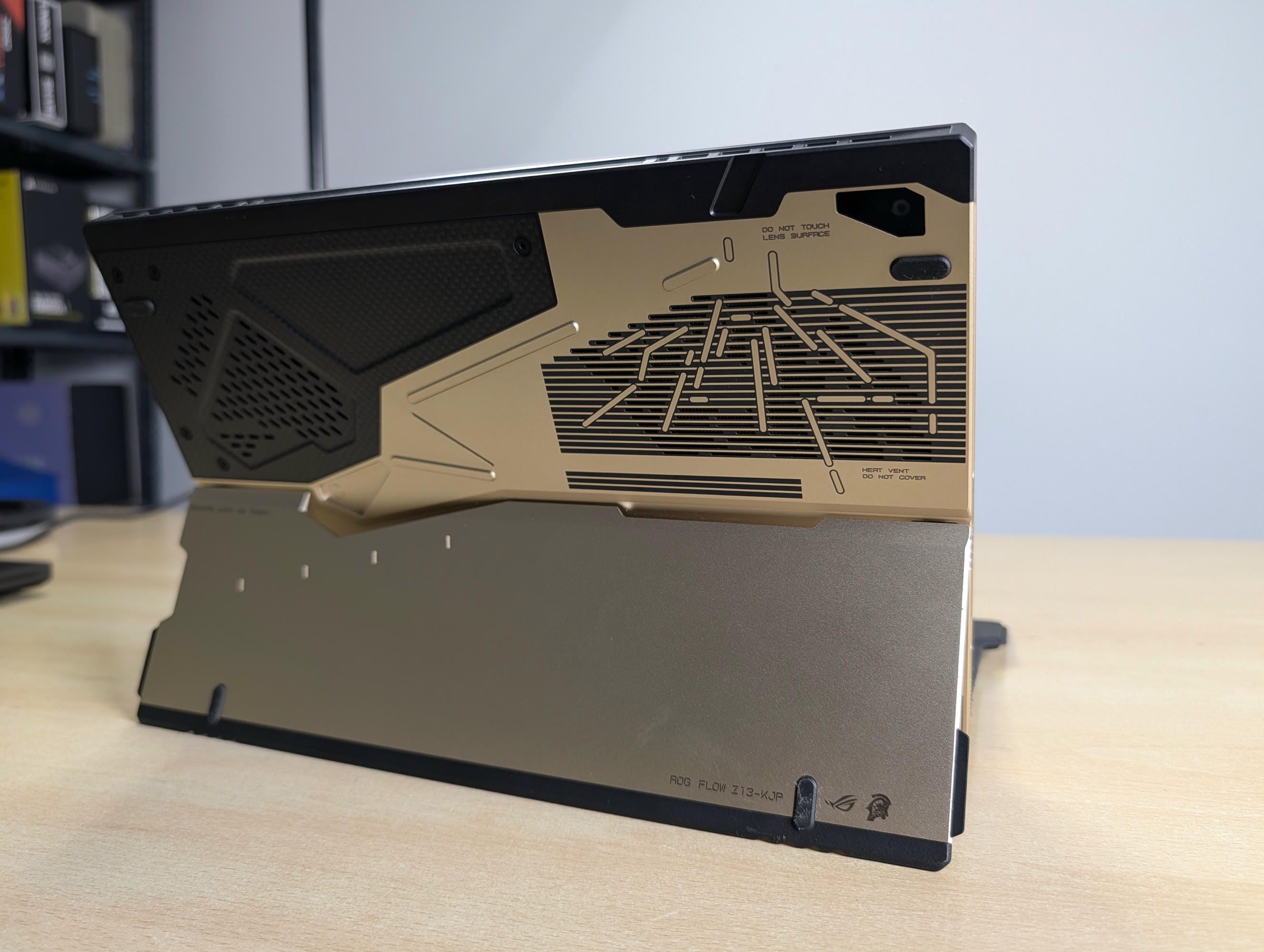
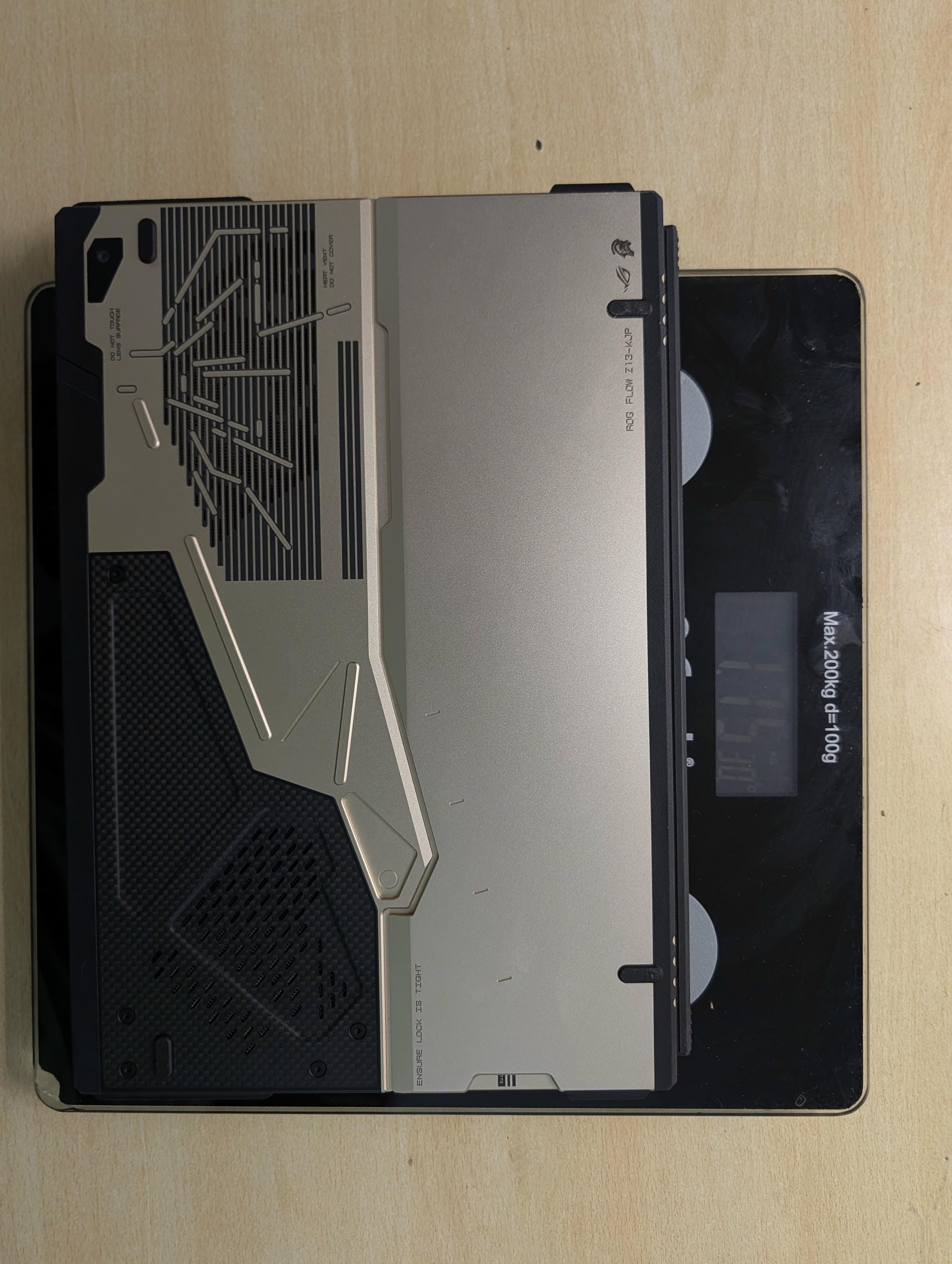
It is built like a tank, and it is built to be handled. At roughly 1.2kg for the tablet and about 15mm thin, it is heavy for a tablet and light for a machine carrying this much silicon, which is the exact trade you accept for the form factor. With the keyboard cover it sits near 1.7kg. Every unit ships with an EVA-inspired hardshell carry case, a custom 200W adapter with Ludens laser art, a flight tag, an exclusive sticker set, a thank-you card printed with Shinkawa’s early sketches, a bespoke Armoury Crate theme, and a Death Stranding 2 code. The carry case alone is a conversation starter every time it comes out of a bag.
The detachable keyboard and trackpad earn a specific callout, because I have just come off the Zephyrus G14, and that machine’s trackpad was the single thing that let it down. The Z13-KJP does not repeat that mistake. The keyboard has proper 1.7mm travel, N-key rollover, and single-zone Aura Sync lighting, the trackpad is accurate and calm under the finger, and the cover-and-kickstand act is smoother than a convertible has any right to be. After a week I stopped noticing the transitions, which is the highest compliment I give a 2-in-1.
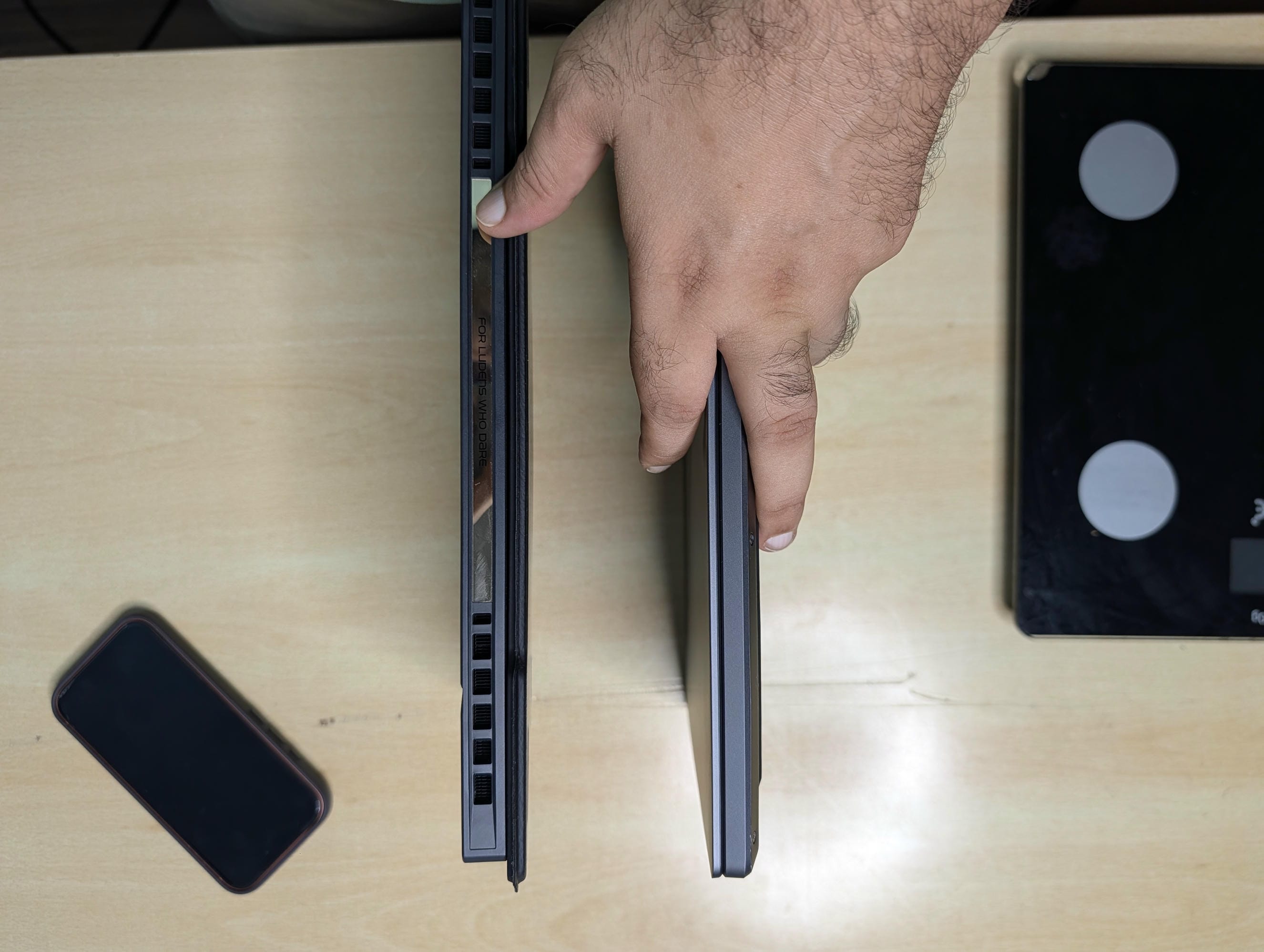
The cooling hardware deserves a mention here rather than buried in a thermals table, because it is part of why this machine feels so resolved. Under the shell sits a stainless steel and copper vapour chamber with liquid metal on the die, second-generation Arc Flow fans, and roughly 27 percent more fin area than the previous design, with an airflow channel routed under the screen to keep the touch surface comfortable. In tablet form the heat-generating components stand proud of whatever surface the machine rests on, so they breathe better than a laptop lying flat. The results back the engineering, and we will get to them.
ROG Flow Z13-KJP Display: IPS vs OLED
The panel is a 13.4-inch, 2.5K (2560×1600), 16:10 ROG Nebula display. 180Hz, 3ms, 500 nits, 100 percent DCI-P3, Pantone validated, Dolby Vision, glare-resistant Gorilla Glass DXC, with touch and stylus support. It is an IPS-class panel, not OLED. And on this machine, IPS is the correct decision, not a compromise.
Start with the fundamentals, because a display is more than its panel type. Viewing angles here are excellent, as they should be on a good IPS, holding colour and brightness well off-axis. That matters more than usual on a device you hand across a desk, sketch on at an angle, or prop on a tray table. Colour is the real strength. Full DCI-P3 coverage with Pantone validation means the panel arrives calibrated and trustworthy for creative work, not just punchy for marketing screenshots. At 500 nits with genuinely effective anti-glare glass, it stays readable in a bright room and even outdoors, and because it is IPS there is no automatic brightness limiting, so a full-white editing canvas holds its brightness instead of dimming the way large bright scenes do on OLED.
Now the honest weakness. IPS black levels are grey next to OLED’s true black, and in a dark room, for film, OLED wins that comparison and it is not close. If your primary use is watching movies with the lights off, factor that in. But there are two IPS advantages that rarely make a spec sheet and matter enormously over a working day: no burn-in risk, and no PWM flicker. For a machine you stare at for eight hours, that is real eye comfort, and it is the sort of thing you only appreciate after living with a panel rather than glancing at it in a store.
Then there is motion. The near-identical creator machine built, the ProArt, on this exact chip pairs a gorgeous 3K OLED with a 60Hz refresh ceiling. This panel runs at 180Hz. For gaming, for scrolling, for anything that moves, a fast IPS beats a slow OLED every time you actually use the machine. OLED wins the dark-room movie. IPS wins the working day. On a device this versatile, the working day is the point.
Local AI on the ROG Flow Z13-KJP: Running 70B models offline
This is the section that justifies the machine, so I am going to be precise about the architecture rather than wave at a buzzword.
The reason a tablet can do this comes down to one design choice. Strix Halo puts 128GB of LPDDR5X-8000 on a 256-bit bus, delivering around 256 GB/s of theoretical bandwidth, and shares that single pool across the CPU, the 40-CU RDNA 3.5 graphics, and the NPU with no PCIe hop between them. Through AMD’s Variable Graphics Memory, up to 96GB of that pool can be handed to the graphics side. On my unit I set 64GB, and every application I opened saw it.
Here is what that unlocks, and why it is not marketing. A discrete consumer graphics card tops out at 24GB on most models and 32GB on the very best. Ask it to load a model larger than its memory and it spills weights into slow system RAM and falls off a cliff, or it simply refuses. My RTX 5090 holds 32GB. A 70-billion-parameter model wants north of 40GB just to load. So the single most powerful graphics card in my house cannot run it, and this tablet can, because 70B sits comfortably inside a 64GB graphics allocation with room to spare. I loaded DeepSeek R1 70B in LM Studio, fully offline, and it ran. Then I loaded a 120-billion-parameter model, and that ran too.
Let me be exact about performance, because this is where reviews mislead people. This is not fast. Token generation streams the entire model through memory for every token produced, so on large models it is bound by that 256 GB/s bandwidth, and a discrete card is comfortably quicker at anything that actually fits its VRAM. The Z13 does not win a speed contest. It wins a possibility contest. Below roughly 32 billion parameters, buy the discrete GPU. Above it, the discrete GPU is not slower, it is absent, and this machine is still working. Slow and possible beats fast and impossible.
| Local AI (128GB unified, 64GB allocated to graphics) | Result |
| DeepSeek R1 70B via LM Studio | Ran fully offline (iLLGaming confirmed) |
| 120B open-weight model | Ran fully offline (iLLGaming confirmed) |
| Same models on a 32GB discrete GPU | Will not load (exceeds VRAM) |
| Token-generation speed | 77.06 (Ollama L3.2) |
| Test | Flow Z13-KJP | Zephyrus G14 |
| Geekbench AI, GPU (DirectML, Quantized) | 19,151 | 14,845 |
| Geekbench AI, CPU (ONNX, Quantized) | 10,925 | 8,243 |
| Geekbench AI, NPU (OpenVINO, Quantized) | Not available* | 55,845 |
| Ollama, Llama 3.2 3B (tokens/sec) | 77.06 | 108.83 |
There is more headroom in the architecture than a single number suggests. Mixture-of-experts models, the design most new open-weight releases are moving toward, activate only a fraction of their weights per token, so a 120B MoE model can generate faster than a dense 70B despite being larger on paper. Because the memory is unified and shared, you can also run workloads concurrently that a 24GB card cannot hold at once: a large language model, an image-generation model, and a live transcription endpoint, all resident together. Add room for long context windows and large retrieval indexes, and the practical picture is a portable, private, offline AI workstation.
And to kill a misconception before it spreads: you are not running ChatGPT on this, and you are not running Claude on this. Those are cloud products and always will be. What you are running is the same class of large open-weight model, entirely on your own machine, with nothing leaving the room. For anyone who values privacy, offline capability, or simply not paying a monthly bill to think, that distinction is the whole point. The synthetic AI numbers back the architecture story cleanly. On Geekbench AI’s quantized workload, the one that matters for the INT8 and INT4 models edge devices actually run, the Z13 outscores the discrete-GPU G14 on both the graphics path (19,151 to 14,845) and the processor path (10,925 to 8,243). The integrated 8060S beating a discrete RTX 5070 on AI throughput is not a typo. And on a small Llama 3.2 3B model that fits both machines, the G14’s discrete card generates faster, 108.83 tokens per second against 77.06, exactly as you would expect. That is the whole picture in two numbers: the discrete GPU is quicker on anything that fits, and the Z13 runs what nothing else at this price can hold. That is the story, and it does not need embellishment.
ROG Flow Z13-KJP Benchmarks
Everything in this section is my own testing on this unit, in Turbo mode, at the panel’s native 2560×1600, on driver 26.6.1. I confirmed the power mode against the platform’s own limits: the machine held an 86W package draw under a sustained CPU load, which is its Turbo ceiling exactly.
Synthetic
On the processor, sixteen Zen 5 cores do genuine workstation-class work. This is the kind of multi-core output you expect from a chunky 16-inch machine, coming out of a tablet.
| CPU & system test | Result (Turbo) |
| Cinebench 2026 — multi / single-core / single-thread | 6328 / 591 / 461 (MP 13.73x, 30-min stability) |
| Geekbench 6.7.1 — single / multi | 2976 / 19222 |
| PCMark 10 — overall | 9829 (Essentials 10361 / Productivity 14969 / Content 16615) |
| WebXPRT 5 — overall | 124 (Chrome 149) |
On graphics, the 8060S is the strongest integrated GPU I have tested, full stop. These are not discrete-laptop-GPU numbers and they are not trying to be, but for an integrated part they sit in a class of their own. I am keeping the three runs in a table rather than one chart, because they sit on different scales and stacking them on a single axis would mislead you.
| 3DMark run (Radeon 8060S) | Score (Turbo) |
| Time Spy | 10321 (Graphics 10197 / CPU 11088) |
| Time Spy Extreme | 5020 (Graphics 4661 / CPU 8913) |
| Steel Nomad | 2034 (20.35 fps graphics) |
Storage on my unit is a WD PC SN5000S, and it is quick. Worth flagging that retail units can ship with different drives depending on batch, so treat these as representative of a good PCIe 4.0 result rather than a guarantee of the exact model in your box.
| CrystalDiskMark — WD PC SN5000S 1TB | Read / Write (MB/s) |
| Sequential Q8T1 | 6392 / 5486 |
| Sequential Q1T1 | 4550 / 4039 |
| Random 4K Q1T1 | 73.87 / 155.19 |
For the local AI results, here is the capability summary in one place. Numbers I did not measure are stated as unmeasured, not estimated.
Gaming
I ran Cyberpunk 2077 at the panel’s native 2560×1600 across four different setting stacks, so you can see exactly what the 8060S produces on its own and exactly what upscaling and frame generation add on top. Every configuration is spelled out. This is the honest picture, not a headline pulled loose from its settings.
Read that chart carefully, because the top bar is the trap most coverage falls into. Native raster at High is 41fps. Enable ray tracing at native and it collapses to 13, which is exactly what you would expect from an integrated GPU asked to compute path-traced lighting. The 113fps figure is real, but it is FSR Quality upscaling and FSR frame generation stacked together, not raw output, which is why I have coloured it differently so you never mistake it for native. It is a legitimate way to play. It is not the same thing as native performance, and anyone quoting you 113 without that context is selling you something.
The verdict on gaming is simple and I will not dress it up. At native resolution this is a good-enough-after-work gaming machine, and a genuinely smooth one once you enable upscaling and frame generation. If pure frames per rupee are your only priority, a discrete-GPU laptop at this price will hand you more, and the Zephyrus G14 I reviewed is one example of that trade. But raw gaming was never the reason to buy this machine, and the verdict explains why that is fine.
I also logged a full Black Myth Wukong session, but for thermals only, not a framerate capture. I am not going to publish a Wukong number I did not properly record. Its thermal behaviour is in the section below.
ROG Flow Z13-KJP Thermals and Fan Noise
Two findings here, and both are genuinely strong. The first is that this tablet never throttled. Across every load I logged, a 30-minute Cinebench stability run, Time Spy, and a full Wukong session, it recorded zero thermal throttling events. Not one. For a chassis this thin pushing this much silicon, that is real engineering, and it validates the vapour chamber and fan design I described earlier.
| Load | CPU avg / peak | GPU avg / peak | Throttle |
| Cinebench 2026, 30-min stability | 81 / 89°C | 73 / 75°C | None |
| 3DMark Time Spy | 82 / 88°C | 81 / 86°C | None |
| Black Myth Wukong (gameplay) | 83 / 88°C | 83 / 85°C | None |
Under load the CPU settles around 81 to 83 degrees and peaks at 89, while the graphics side runs into the mid-80s under gaming, all comfortably inside the limits. On power, the APU holds roughly 60W sustained and peaks near 85W, which lines up with its Turbo ceiling. Because the processor and graphics share one power budget, gaming pushes the graphics temperature up while the CPU sits lower, exactly as the unified design predicts.
The second finding is noise, and this is where I did work most reviews skip. I measured sound with a meter held at ear level, seated and facing the machine the way you actually work on it, against a 31 dB room floor. I measured every profile, idle and under load, and I put the Z13 head to head with the G14. I also recorded what Armoury Crate reports on screen, because the gap between the two matters.
The pattern is worth understanding before you pick a mode. At idle in Silent and Performance, both machines are effectively silent, sitting at the room floor with the fans off. Under load, the Z13 runs a couple of decibels louder than the G14 in those two everyday modes, which is simply physics: a tablet has less internal volume to move air through. But at maximum load in Turbo, the picture flips. The Z13 measures 52.4 dB against the G14’s 54.7, so the tablet is the quieter machine when both are pushed hardest, because its larger fans and vapour chamber handle peak heat with more headroom.
The practical takeaway corrects a common assumption. Silent is the genuinely quiet mode here, at 44.6 dB under load. Performance and Turbo land at 50.5 and 52.4, close enough to each other that stepping down from Turbo to Performance buys you almost nothing in noise while costing you performance. If you want quiet, go to Silent. If you want maximum output, Turbo is barely louder than Performance and, at the top end, quieter than the discrete-GPU competition.
| Z13-KJP, under load | Measured at ear | Armoury Crate reads | Gap |
| Silent | 44.6 dB | 37.1 dB | 7.5 dB |
| Performance | 50.5 dB | 43.6 dB | 6.9 dB |
| Turbo | 52.4 dB | 43.5 dB | 8.9 dB |
One more thing readers should know. Armoury Crate’s on-screen noise readout consistently under-reports what you actually hear by roughly 7 to 9 dB, because it is not measuring at your ears. Trust the meter, or trust your own ears. Do not trust the number in the app.
ROG Flow Z13-KJP Battery Life
Nobody buys this to run a 70B model unplugged all afternoon, and it will not. For real-world use, my controlled local video loop in Silent mode settled at 7 hours 4 minutes, and the machine’s own logged active-use estimate over the same window came in at 7 hours 4 minutes as well. Two independent sources landing on the same figure is as confident as a battery claim gets. On lighter days the estimate climbed to 8 and 9 hours.
| Z13-KJP, under load | Measured at ear | Armoury Crate reads | Gap |
| Silent | 44.6 dB | 37.1 dB | 7.5 dB |
| Performance | 50.5 dB | 43.6 dB | 6.9 dB |
| Turbo | 52.4 dB | 43.5 dB | 8.9 dB |
Put that in context, because it is a platform story more than a machine story. The plain non-KJP Flow Z13 carries the identical 70Wh pack and the same silicon, so expect the same runtime from it. The OLED creator sibling on the same chip lands in the same territory, a little over seven hours in a video loop by published testing. This is the Strix Halo tax. The APU is a powerhouse, and powerhouses are thirsty, so the whole family clusters around seven hours in light use regardless of chassis. If all-day unplugged endurance is your top priority, this class of machine is not built for that, and you should know it going in.
One honest note on my specific unit: it is a review loan that has been through other hands, and it reported 93.6 percent battery health, so a fresh retail unit should do slightly better. Charging is quick. The bundled adapter is 200W, and USB-C Power Delivery tops out at 100W, enough to reach 50 percent in about half an hour when you are moving.
Speakers, microphone, and webcam
The speakers genuinely caught me off guard. Four Smart Amp drivers with Dolby Atmos, and they are good. Not good-for-a-tablet good. Just good. There is real volume, clean mids, and enough body that I never reached for headphones during testing, which for a 13-inch machine is rare. I game on speakers, and these held up to it.
The microphone array is a three-mic setup with AI noise cancellation, and it does the job for calls and voice work. It captures clearly, and the noise cancellation is effective enough to hold up in a room that is not silent. It is a communication mic, not a recording instrument, but for meetings and quick voice notes it is more than adequate.
The webcam is the weak link of the trio, as front cameras on these machines usually are. There is a 5MP front-facing camera with infrared for Windows Hello and a 13MP rear camera, and the IR sign-in is fast and reliable. Image quality is serviceable for video calls in good light and unremarkable in poor light. Nobody buys a machine like this for its webcam, and this one will not change that, but it clears the bar for professional calls.
Connectivity and expansion
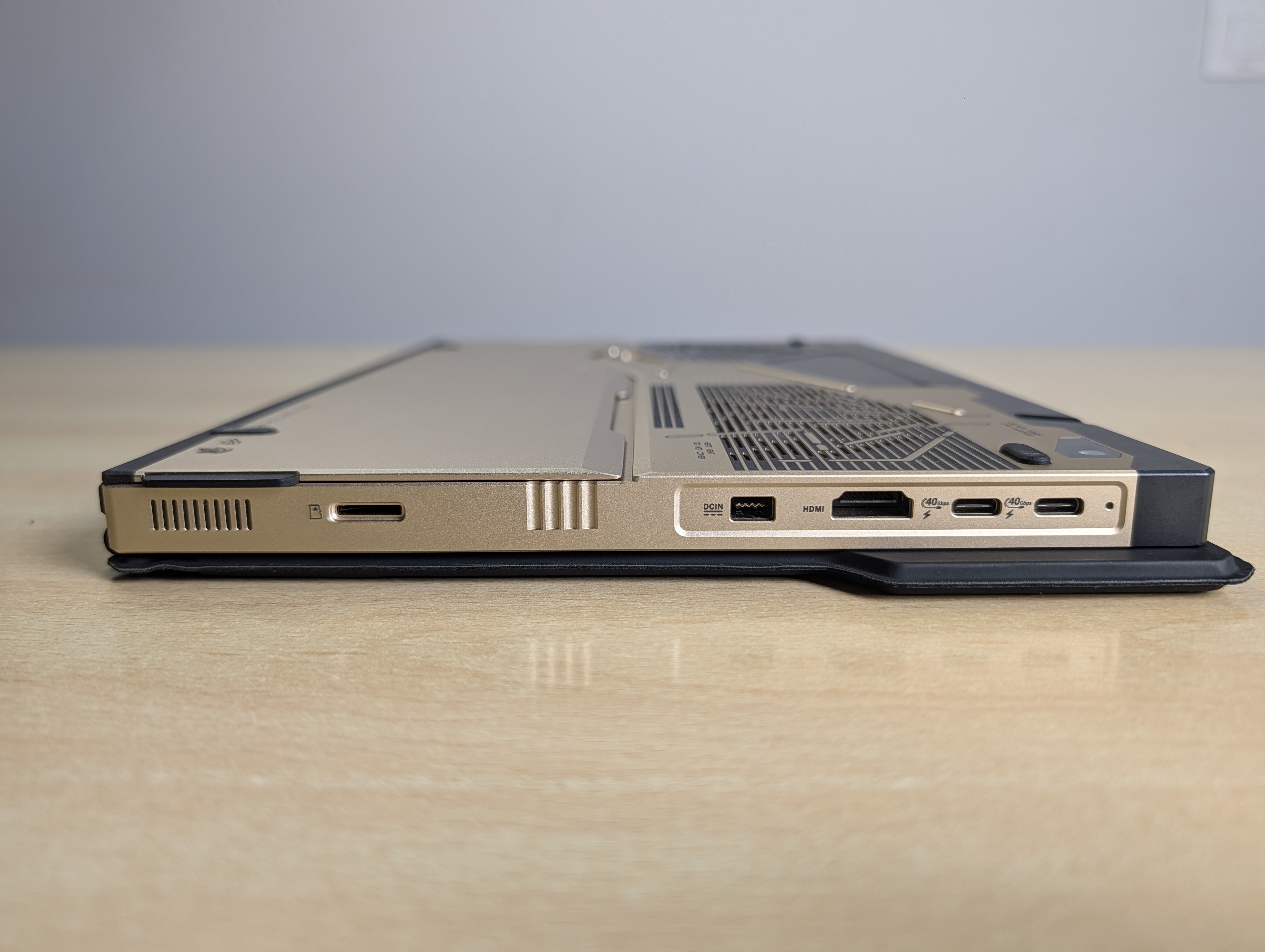
For a 13-inch tablet, the port selection is generous and free of dongle life. Two USB4 ports carry DisplayPort 2.1 and 100W Power Delivery, alongside a full-size USB-A, HDMI 2.1, a combo audio jack, and a microSD reader tucked under the kickstand. Wireless is Wi-Fi 7 and Bluetooth 5.4. Both USB4 ports accept a Thunderbolt eGPU, and if you ever want desktop-class graphics from this thing, the ROG XG Mobile with a mobile RTX 5070 Ti connects over a single cable and turns the tablet into a proper gaming rig at a desk. That is the whole pitch of this form factor: one machine that reshapes around the job in front of it.
ROG Flow Z13-KJP vs ProArt PX13 vs non-KJP: Which To Buy
Here is the thing worth knowing before you spend, and it is the kind of context most reviews leave out. The exact same silicon, the 395 with 128GB, appears in three different ASUS machines at very different prices. The Kojima premium is the design and the bundle, not the hardware.
| Machine | Display | Silicon | Price (India) |
| ROG Flow Z13-KJP | 13.4″ IPS, 180Hz | 395 / 8060S / 128GB | ₹3,79,990 |
| ROG Flow Z13 (non-KJP), top config | 13.4″ IPS, 180Hz | 395 / 8060S / 128GB | Below KJP, no bundle |
| ROG Flow Z13 (non-KJP), base | 13.4″ IPS, 180Hz | 390 / 8050S / 32GB | ₹1,99,990 |
| ProArt PX13 (creator sibling) | 13.3″ 3K OLED, 60Hz | 395 / 8060S / 128GB | ₹3,34,990 |
Read that table closely. The non-KJP Flow Z13 starts around two lakh, but that entry price is the lower Ryzen AI Max 390 with 32GB, not the same chip. The non-KJP configuration that actually matches the KJP internally, the 395 with 128GB, sits above that base and below the KJP. So if you want this exact performance and you do not care about the Kojima design, the packaging, and the Death Stranding 2 code, the plain Z13 delivers identical guts for less money. That is the honest buying advice, and I would rather you hear it from me than discover it after.
The OLED creator sibling is the other machine to weigh. Same 395, same 128GB, a stunning 3K OLED, and it costs less than the KJP. But that OLED runs at 60Hz, and it is a clamshell creator convertible rather than a detachable tablet. If you are a colour-critical creator who never games, look hard at it. If you want speed, versatility, and a 180Hz panel, the Z13 form factor is the more flexible machine. And against a discrete-GPU gaming laptop at the same money, the maths is straightforward: that machine wins raw gaming, the Z13 wins everything else, and on local AI it is not a contest.
ROG Flow Z13-KJP: frequently asked questions
ROG Flow Z13-KJP Review: Verdict
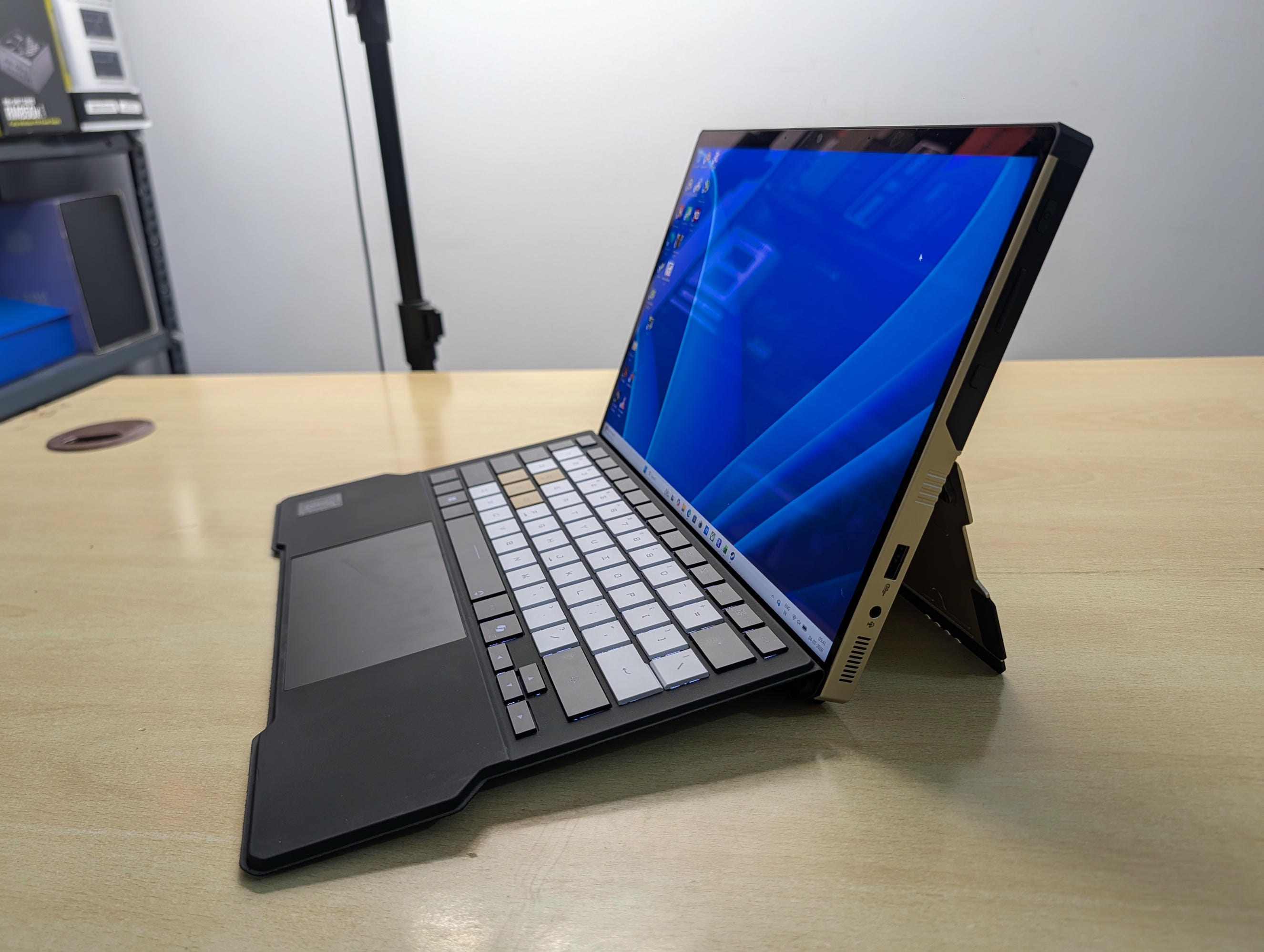
The ROG Flow Z13-KJP is a one-of-a-kind machine, and I mean that literally. There are other laptops with this silicon. There is even a plain version of this exact tablet. But a machine like the KJP does not come along often. It is built like a tank, it stands out in every possible way, the IPS panel works in its favour, the speakers punch far above a tablet’s weight, the keyboard and trackpad are a genuinely premium experience, and the cooling held firm under everything I threw at it without a single throttle, while running quieter at full tilt than the discrete-GPU competition.
Then there is the thing nothing else at this price can touch. It runs a 70-billion-parameter AI model, fully offline, that my RTX 5090 cannot fit in memory. For a founder, a developer, or anyone who wants a serious private AI workstation in a bag, that is not a gimmick. That is leverage.
So who is it for? Not the buyer chasing maximum gaming frames per rupee, who should buy a discrete-GPU laptop and enjoy it. This is for the person who wants desktop-class capability, a portable local AI workstation, and a genuinely beautiful object, all in one 13-inch package, and who can absorb the premium for the Kojima craftsmanship. If that is you, and you can afford it, I would buy this without hesitation. It earns the iLLGaming Editor’s Choice.
Disclosure
This unit was provided by ASUS India as a review loan and has since been returned. Every benchmark was run by me on that unit, and every opinion and the final call are entirely my own. Nothing in this review was seen or approved by ASUS before publishing.