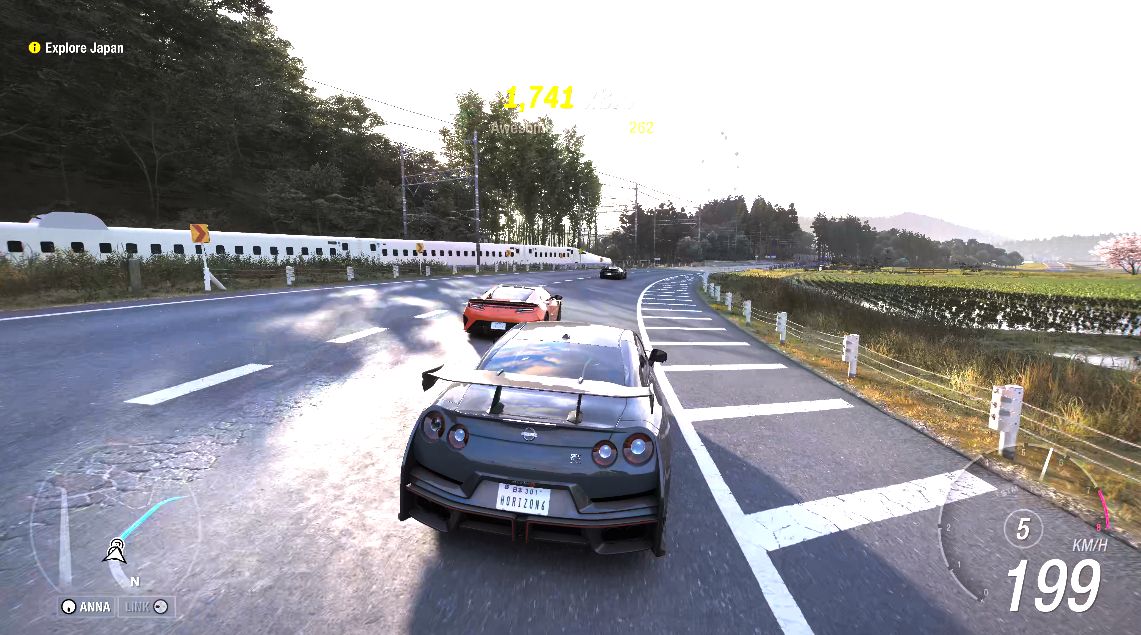
Okay, let me be honest with you. When I first loaded up Forza Horizon 6 on my RTX 5090 rig and just cranked everything to Extreme, I thought I was done. Looked gorgeous. Felt smooth. Job done, right?
Then I started actually looking at the numbers. And things got interesting.
FH6 is one of the most GPU-demanding games I have benchmarked in recent memory, and its settings menu is genuinely confusing if you do not know what each toggle actually does. The difference between a good config and a bad one is massive, and I am not just talking about frame rates. I am talking about stutter counts going from zero to 51 (yes, 51) just by switching one setting. More on that in a bit.
I ran five configs on both my RTX 5080 rig (Core Ultra 285K) and the RTX 5090 rig (Ryzen 9 9800X3D). Both at 4K Extreme. This guide is everything I learned, and what you should actually be doing with your own setup.
First, Let’s Talk About Ray Tracing
Because this is where most people either go wrong or give up entirely.
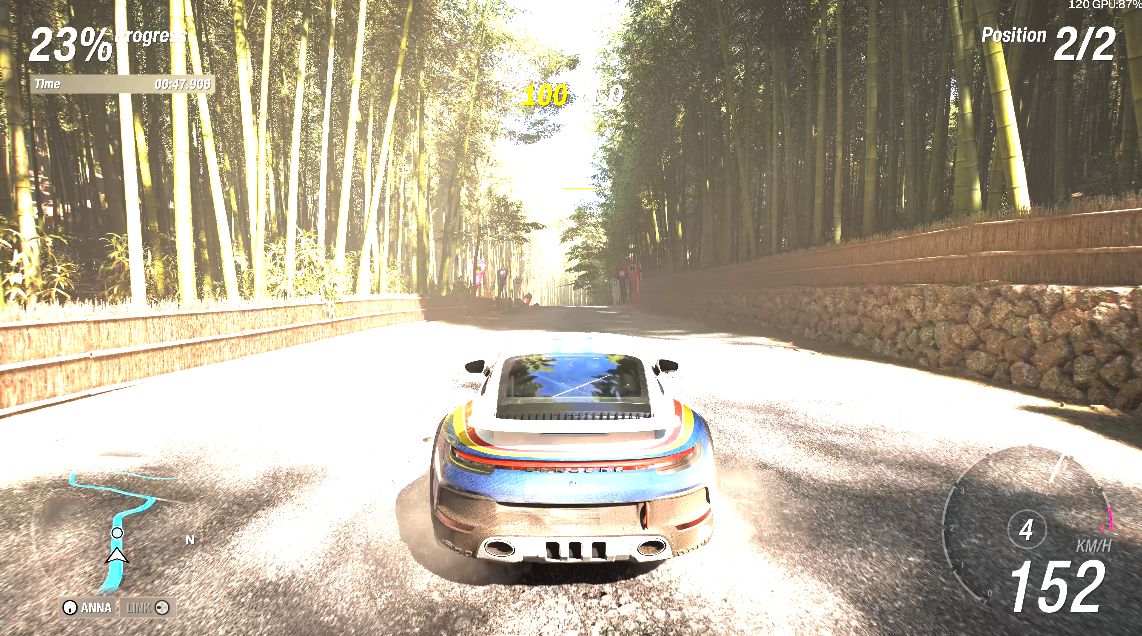
FH6 has two RT effects: Raytraced Global Illumination and Raytraced Reflections. Both max out at High. When you turn them on, the game calculates how light bounces through the environment in real time. Tunnels, garages, the way sunlight hits the road at dusk, the way water on tarmac disperses light, it is all cutting edge and beautiful to look at. However, considering the nature of FH6, a fast-paced racing game, most effects won’t be noticeable when you’re in the middle of a race. You’re immersed too heavily to stop and smell the roses.
The cost though. My RTX 5080 dropped from 96fps to 47fps the moment I flipped RT on. That is a 51% hit. From one toggle. At 4K.
If you are on anything below an RTX 4080 class GPU, I would honestly just leave RT off at 4K and enjoy the game at a smooth frame rate. FH6 still looks stunning in rasterisation. At 1440p or 1080p, the RT question is more interesting, and I’ll get to that in the settings recommendations.
TAA vs DLAA vs DLSS Quality: Stop Guessing
This is the one that confuses people the most, including some people who should know better. Let me break it down simply.
TAA renders everything at your native resolution and uses a temporal algorithm to clean up the edges. Solid, predictable, no surprises. Full pixel cost.
DLAA also renders at native resolution, but uses Nvidia’s neural network for the anti-aliasing instead of traditional TAA. Marginally cleaner image, virtually identical performance. It is the better-looking version of TAA, not a cheaper one.
DLSS Quality is where things actually get interesting. It renders the game at roughly 67% of your target resolution and reconstructs a full-resolution image using AI. At 4K the upscaling is genuinely hard to spot in motion. And the performance gain is massive.
Here is what that looks like in actual numbers, on the 5080 at 4K with RT on:
- TAA: 47.5fps
- DLAA: 46.4fps
- DLSS Quality: 70.9fps
TAA and DLAA are basically the same. I was actually surprised by how close they were, especially with RT on. RT is so demanding that the difference between the two AA modes just… disappears. The GPU is completely slammed either way.
DLSS Quality, on the other hand, gives you 53% more frames over TAA in the same scenario. For a visual difference that, at 4K, I genuinely struggle to point out in screenshots. That is a no-brainer.
Frame Generation: The Part Everyone Gets Wrong
Frame Gen is probably the most debated feature in PC gaming right now, and I think both camps miss the point.
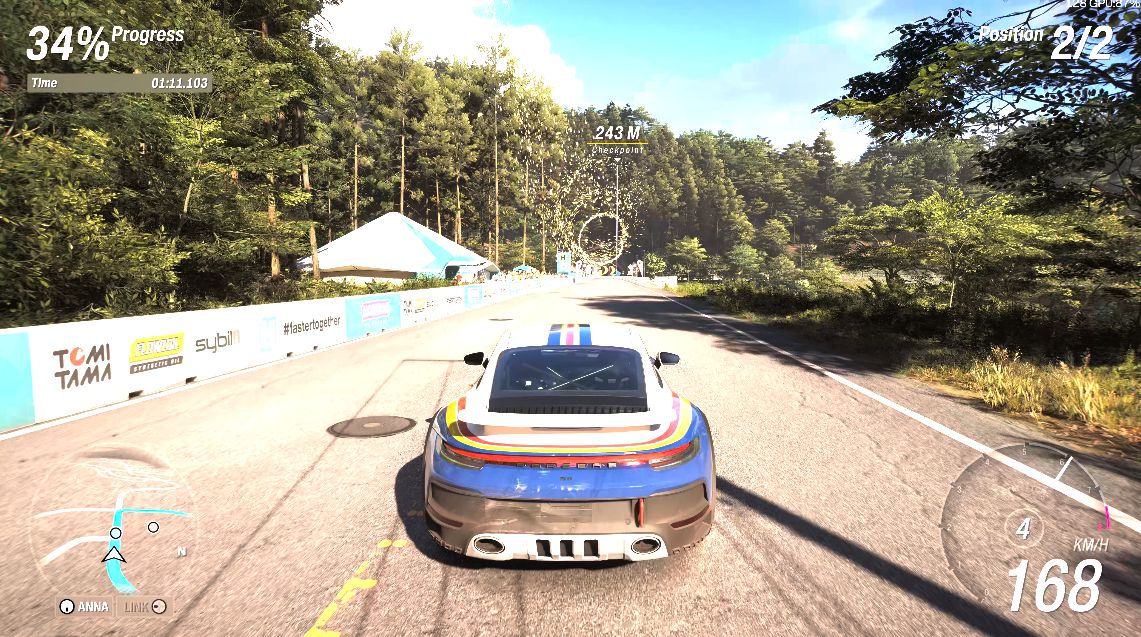
Here is what it actually does: Nvidia’s AI looks at two consecutive rendered frames and generates an intermediate frame between them. With FG 2x, every alternate frame on your screen is AI-generated. Your GPU does not render it. The GPU renders at the same rate as before, the AI fills in the gaps, and your delivered frame rate doubles.
The results on my 5080 were genuinely wild:
- DLSS Quality, RT on, no FG: 71fps, GPU 100% limited
- DLSS Quality, RT on, FG 2x: 118fps delivered, GPU only 20.3% limited
118fps. On an RTX 5080. At 4K. With full ray tracing. And GPU utilisation drops to 20%. That is how much headroom FG creates.
Now here is the thing that surprised me about latency. The common complaint about Frame Gen is that it adds input lag because you are displaying frames the GPU did not actually render at that moment. This is true. But Nvidia pairs FG with Reflex Low Latency to compensate, and in my testing the average latency actually went down from 43.6ms (DLSS Quality RT no FG) to 30.6ms (DLSS Quality RT with FG 2x and Reflex on). In a racing game where you want responsive input, that matters.
The Part Nobody Warns You About
Here is where my 5090 results threw me a bit.
When I ran DLSS Quality with RT on and no FG on the 5090, I got 96fps. Sounds great. But the stutter count was 51. Fifty-one. That is a terrible number, and it was completely unexpected given the hardware involved.
Switch to DLAA instead of DLSS Quality, same config, same rig: 73fps, zero stutters.
What is happening here? DLSS Quality combined with ray tracing at very high frame rates creates frame pacing issues on the 5090. The 5080 does not show this problem because it runs slower, and at lower frame rates the frame timing is more forgiving. The 5090 is essentially running fast enough that any inconsistency gets flagged.
Enabling FG actually cleans this up. DLSS Quality, RT on, FG 2x on the 5090: 163fps delivered, stutter count drops to 13. Still not zero, but dramatically better.
The takeaway: if you are on a high-end GPU running DLSS Quality with RT, keep an eye on your stutter numbers. DLAA is the cleaner choice if you have the headroom.
The Full Benchmark Table
Both rigs, five configs, same Extreme preset.
RTX 5080 + Core Ultra 285K | 4K 60Hz
GPU FPS at 4K Extreme
No RT
No FG
RT
No FG
RT
No FG
RT
No FG
RT
FG 2x ✦
✦ FG 2x shows delivered (AI-generated) frame rate. 5090 on 165Hz HDR, 5080 on 60Hz.
Stutter Count at 4K Extreme
Lower is better
No RT
No FG
RT
No FG
RT
No FG
RT
No FG
RT
FG 2x
The 5090’s 51 stutter spike on DLSS Quality + RT is a frame pacing issue at high fps on a 165Hz display, not a GPU defect.
Average Latency (ms) at 4K Extreme
Lower is better
No RT · No FG
RT · No FG
RT · FG 2x ✦
✦ FG 2x latency on the 5080 benefits from Reflex Low Latency being active.
| Config | GPU fps | Low 1% | Stutter | Latency |
|---|---|---|---|---|
| TAA, No RT, No FG | 96.4 | 85.1 | 1 | 32.4ms |
| TAA, RT Max, No FG | 47.5 | 42.6 | 0 | 64.6ms |
| DLAA, RT Max, No FG | 46.4 | 41.3 | 0 | 66.0ms |
| DLSS Quality, RT Max, No FG | 70.9 | 62.9 | 0 | 43.6ms |
| DLSS Quality, RT Max, FG 2x | 118 delivered | 63.0 | 0 | 30.6ms |
RTX 5090 + Ryzen 9 9800X3D | 4K 165Hz HDR
| Config | GPU fps | Low 1% | Stutter | Latency |
|---|---|---|---|---|
| TAA, No RT, No FG | 147.0 | 128.2 | 11 | 21.2ms |
| TAA, RT Max, No FG | 74.0 | 70.9 | 3 | — |
| DLAA, RT Max, No FG | 73.3 | 65.7 | 0 | 41.7ms |
| DLSS Quality, RT Max, No FG | 96.0 | — | 51 | — |
| DLSS Quality, RT Max, FG 2x | 163 delivered | 92.0 | 13 | — |
The 5090 stutter numbers on the no-FG DLSS Quality run genuinely caught me off guard. Hardware that costs Rs. 4.8 lakh should not be producing 51 stutters in any config. The lesson there is that frame pacing on a 165Hz HDR display at near-100fps is a stricter environment than a 60Hz panel at 70fps. Same settings, very different experience depending on your display.
What You Should Actually Run
RTX 5080, RTX 4090, RTX 5070 Ti and above
Go with: DLSS Quality, RT Max, Frame Gen 2x, Reflex on
This is the config I landed on and stuck with. 118fps at 4K with full RT and zero stutters on the 5080. It is the complete package. If you are chasing the absolute best image quality and you are on a 60Hz panel, switch to DLAA and drop FG. You will sit around 46fps which is fine at 60Hz, honestly. But if you want to feel the game properly, FG is the move.
RTX 4080, RTX 5070, RX 7900 XTX
Go with: DLSS Quality, RT Max, Frame Gen 2x
Without FG you are looking at somewhere around 35 to 45fps with RT on at 4K on these cards. With FG, you should be in the 80 to 90fps delivered range. Totally different experience. On AMD, FSR Quality plus FSR FG is your equivalent path.
RTX 4070 Ti Super, RTX 5060 Ti
Go with: DLSS Quality, No RT, Frame Gen 2x at 4K
RT at 4K on these cards will put you below playable territory. Just turn it off. DLSS Quality with FG 2x and no RT will still feel excellent, and FH6’s rasterisation lighting is genuinely impressive. Alternatively, drop to 1440p and then you can consider adding RT back.
1080p players
At 1080p almost everything changes. Cards that struggle at 4K RT become very capable at 1080p RT. If you are on an RTX 4070 Super or above, DLSS Quality with RT on at 1080p is very doable. The same hierarchy applies, just with a lot more headroom to play with.
The Settings That Are Actually Worth Changing
A few quick ones before I wrap this up:
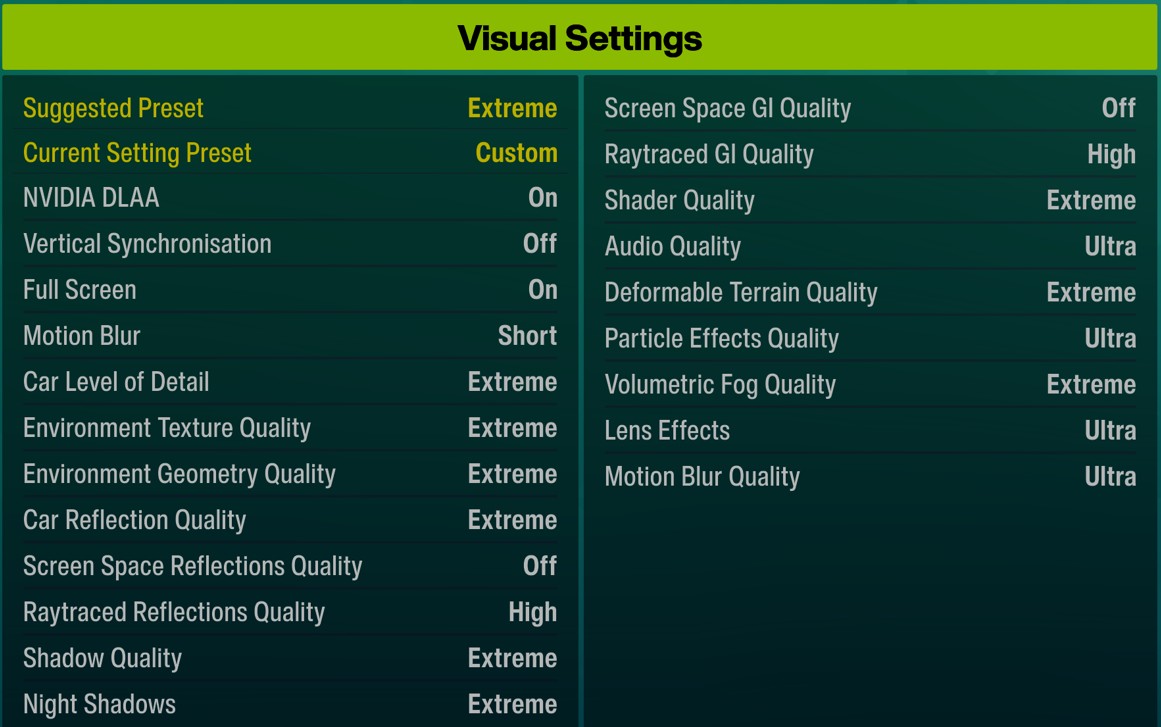
Screen Space GI and Screen Space Reflections: Turn both off if you have RT enabled. They are raster approximations of the same effects RT is doing properly. Running both simultaneously is just wasting performance.
Volumetric Fog: Keep it at Extreme. The atmospheric depth it adds to the world is one of FH6’s best visual features and the performance cost is minimal.
Car Reflection Quality: Extreme. It shows up a lot in replays and cockpit view and the cost is low.
Motion Blur: I run Short. Ultra is a bit much for a fast-paced racing game. Personal preference.
Deformable Terrain: Keep it at Extreme. Looks great, barely costs anything.
So What’s the Best Config?
Honestly? DLSS Quality, RT Max, Frame Gen 2x.
It is not perfect. Nothing is. But 118fps at 4K with full ray tracing and zero stutters on a Rs. 1.2 lakh GPU is a result I did not expect going in. The Nvidia AI stack in FH6 is doing a lot of heavy lifting, and when you set it up correctly it genuinely transforms what the game looks and feels like.
Get the three core toggles right: DLSS Quality over TAA, RT on if your GPU can handle it with FG, and Frame Gen 2x always on if your card supports it. Everything else is just fine-tuning.
Test systems: RTX 5080 with Core Ultra 9 285K, ROG Maximus Z890 Extreme, 4K 60Hz display. RTX 5090 with Ryzen 9 9800X3D, MSI X870E Edge Ti WiFi, 4K 165Hz HDR display. FH6 game version 360259, driver 32.0.15.9649, Extreme preset on both rigs.