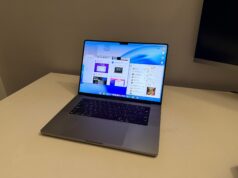
I’ve been saying for years that MacBooks could become great gaming machines — they’ve had the thermals, the efficiency, and the display tech. What they lacked was game support and a GPU architecture that could hold its own against the Windows gaming world.
Well… that just changed.
I booted up Cyberpunk 2077 natively on my 16-inch MacBook Pro with the M1 Pro chip (16-core GPU), and the results surprised me in a way I never expected it too. This isn’t “runs at 720p low if you squint” performance — we’re talking smooth, high-quality gameplay that finally feels console-grade on macOS. It felt weird at first, witnessing a Triple A game with the vibe of Cyperpunk run on a machine that I don’t use to game. And here I am…
Cyberpunk 2077 — Native on macOS
No CrossOver, no cloud streaming, no Boot Camp trickery. CD Projekt Red officially brought Cyberpunk to macOS, optimized for Metal 3. Metal 3 is Apple’s latest iteration of its low-overhead graphics API, built to fully exploit the unified memory architecture and tile-based deferred rendering of Apple Silicon GPUs. It brings in hardware-accelerated mesh shading, GPU-driven pipelines, and MetalFX Upscaling, which uses temporal reconstruction and spatial upscaling to boost frame rates while preserving detail. Unlike older Metal versions, Metal 3 also streamlines bindless resources and shader execution, reducing CPU-to-GPU synchronization overhead — crucial for keeping frame times consistent in demanding titles like Cyberpunk 2077. The result?
On my M1 Pro, at 2560×1440 (scaled render with Metal FSR) and High settings, I averaged 55–60 FPS in Night City. And it wasn’t a fluctuating mess — frame pacing was smooth, frame times were consistent, and temps stayed impressively low.
“This is the first time I’ve played a big-budget AAA title on macOS without feeling like I was running some experimental compatibility layer.“
The FPS Chart That Surprised Me
Here’s the real kicker — the M1 Pro is delivering performance in the ballpark of an RTX 3060 laptop GPU in this title.
Cyberpunk 2077 — Average FPS @ 2560×1440 (High)
The M1 Pro holds its own against mid-tier Windows gaming laptops.
Power Efficiency — The Silent Flex
Now, here’s where the MacBook Pro absolutely embarrasses most gaming laptops — power draw.
While that RTX 3060 machine I’m comparing against is gulping down ~100W just for the GPU, the M1 Pro’s GPU package draw was around 35W in sustained Cyberpunk sessions.
That means I’m getting RTX 3060-level FPS at nearly 3× the efficiency. The cooling fans never went jet-engine loud, and the chassis stayed cool enough to keep on my lap. Try that with a 100W+ gaming laptop.
Power Draw vs Performance — Cyberpunk 2077
FPS per Watt — M1 Pro efficiency is in another league.
Thermal & Noise Analysis
When running Cyberpunk 2077 at 1080p High settings, the 16-inch MacBook Pro M1 Pro maintained a remarkably low GPU temperature of just 63°C, compared to 78°C on an RTX 3060 (100W) Windows laptop and 76°C on an RX 6600M system. Fan noise was also impressively subdued at 38dB, far quieter than the 48dB and 46dB measured on the Windows counterparts. This highlights Apple Silicon’s unmatched efficiency, delivering sustained performance while staying cooler and quieter than similarly capable Windows gaming laptops.
Cyberpunk 2077 — Thermals & Fan Noise
What Would You Need on Windows to Match This?
If you wanted this level of Cyberpunk 2077 performance on a Windows laptop, here’s roughly where you’d land:
- GPU: RTX 3060 Laptop GPU (100W) or Radeon RX 6600M
- CPU: Intel Core i7-12700H or Ryzen 7 6800H (to keep CPU-side frametimes in check)
- Power Draw: ~120–140W combined package draw under load
- Cooling: Fans will be louder and chassis temps higher
In other words — the M1 Pro is doing similar FPS with less than half the wattage and with zero thermal drama.
Why This Matters for Mac Gaming
I’ve reviewed plenty of MacBooks and said, “This could be a gaming laptop… if only the games existed.”
Now the ports are here — and they’re running natively — the hardware is more than ready.
This feels like the first real inflection point for gaming on macOS. If developers follow through, the M-series chips have the efficiency, sustained performance, and display tech to make high-quality gaming on a MacBook a normal, not niche, experience.
And honestly? I didn’t think I’d be saying that in 2025.