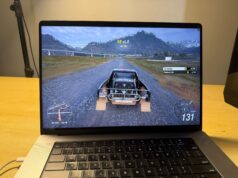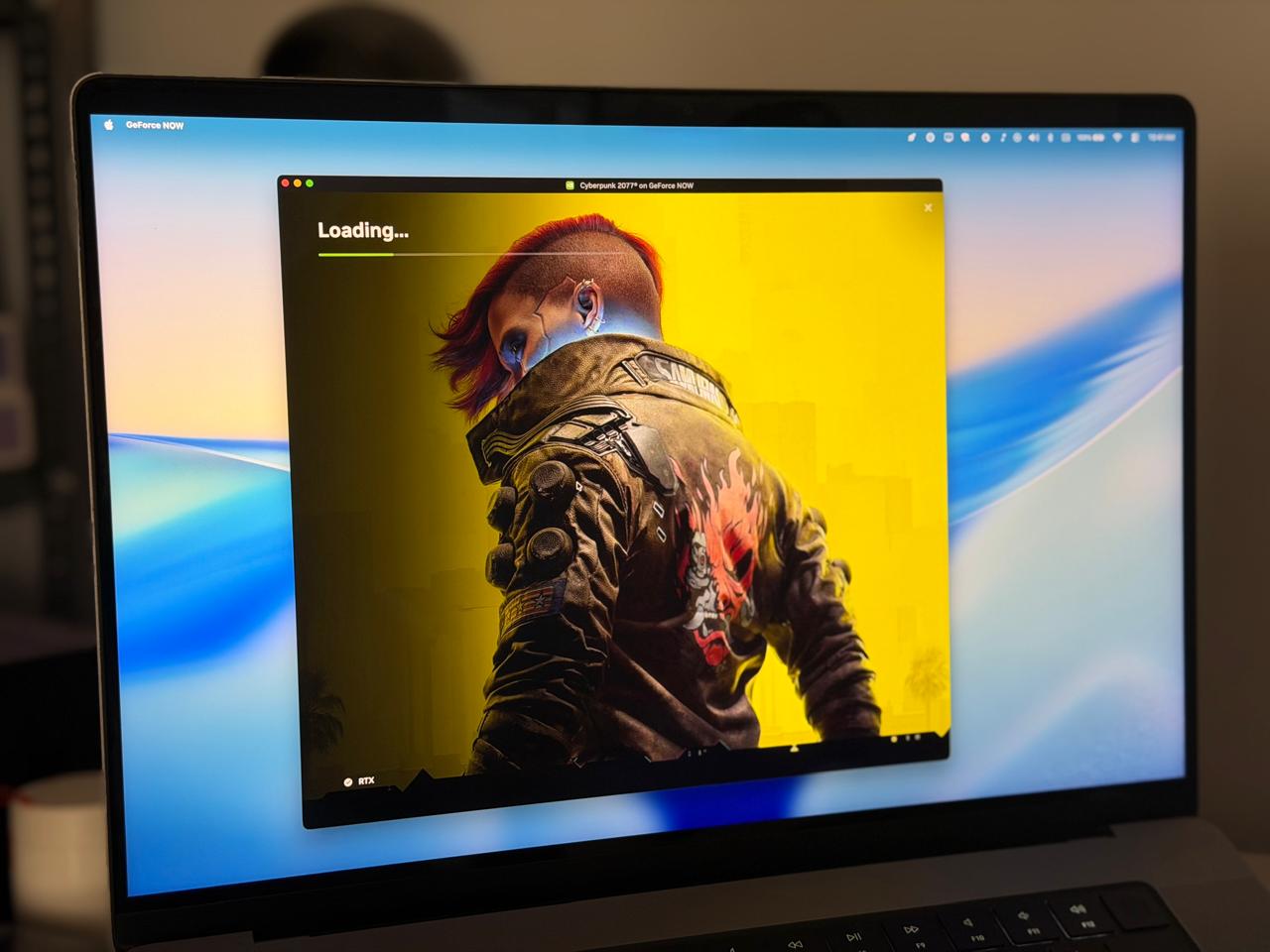
GeForce NOW just launched in early access in India today, April 16, 2026, powered by NVIDIA’s Blackwell RTX architecture right out of the gate. Not a watered-down regional build. RTX 5080-class SuperPODs, DLSS 4 Multi-Frame Generation, up to 5K at 120fps, sub-30ms click-to-pixel latency. The full thing, on day one, in India.
I have been running it on my M1 MacBook Pro, and I want to make the case for something that sounds counterintuitive: the MacBook Pro might genuinely be the best device to experience GFN India on. Not despite being a Mac. Because of it. The MacBook Pro and GeForce NOW are, without exaggeration, a marriage made in heaven. Here is why, plus a complete guide for Mac users so you do not hit the one frustrating bug that can wreck the experience if you are not prepared for it.
One more thing worth saying upfront: GeForce NOW is NVIDIA’s first native app on macOS. And this India launch is significant beyond just gaming. This is NVIDIA’s first product offered directly to Indian consumers. GPUs and chips have always come through dealers and distributors — never a direct NVIDIA service sold to you. That matters. NVIDIA knows it matters. They have no interest in screwing this up.
What India Is Getting (And Why It Matters)
The press release does not bury the lede: India’s GFN launch runs on NVIDIA’s RTX 5080 SuperPODs built on the Blackwell architecture. These deliver 62 teraflops of compute performance and a 48GB frame buffer, and they outperform the PlayStation 5 by more than 3x. This is not infrastructure on loan from another region. India gets dedicated servers.
The pricing is genuinely accessible for what you are getting:
- Performance 90-day pass: ₹999
- Ultimate 90-day pass: ₹1,999
- 200GB persistent cloud storage add-on: ₹299
Ultimate is the tier that matters. That is where you get 5K streaming, 120fps, HDR, DLSS 4 with Multi-Frame Generation, Cinematic Quality Streaming mode, and access to RTX 5080-class hardware in the cloud. At ₹1,999 for 90 days, roughly ₹666 per month, this is significantly cheaper than the global $19.99/month pricing. That introductory rate is unlikely to last, so sign up early.
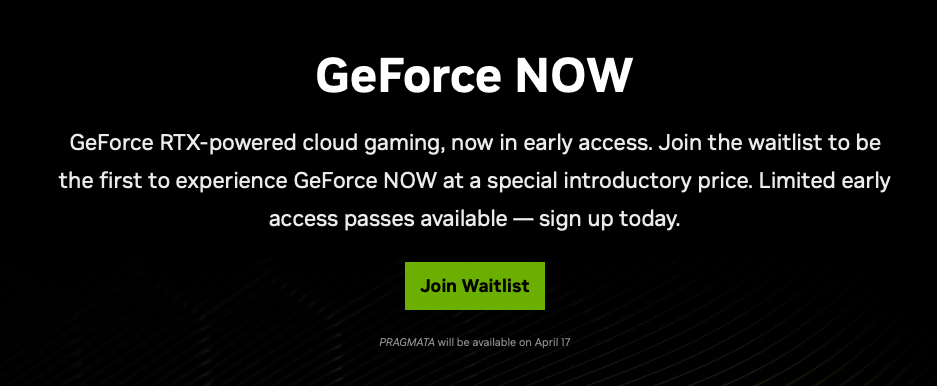
To get in, head to the GeForce NOW website and join the waitlist. Invitations are going out on a first-come, first-served basis with a limited window to secure an early-access pass.
NVIDIA has also confirmed a free tier coming in the weeks ahead. It will almost certainly run on older RTX 3060-class cloud servers, and expect queue times before sessions start. It is a good way to test the service, but if you want the experience this article is actually about, you want Ultimate.
GFN vs Xbox Cloud Gaming: The Key Difference
Before getting into the Mac specifics, it is worth addressing this comparison because it comes up constantly.
Xbox Cloud Gaming and GeForce NOW solve different problems in fundamentally different ways.
With Xbox Cloud, you are accessing Microsoft’s own library of games, primarily through Game Pass. The games are theirs to stream and you pay for access. That model is convenient but it means you are limited to what Xbox decides to put on the service.
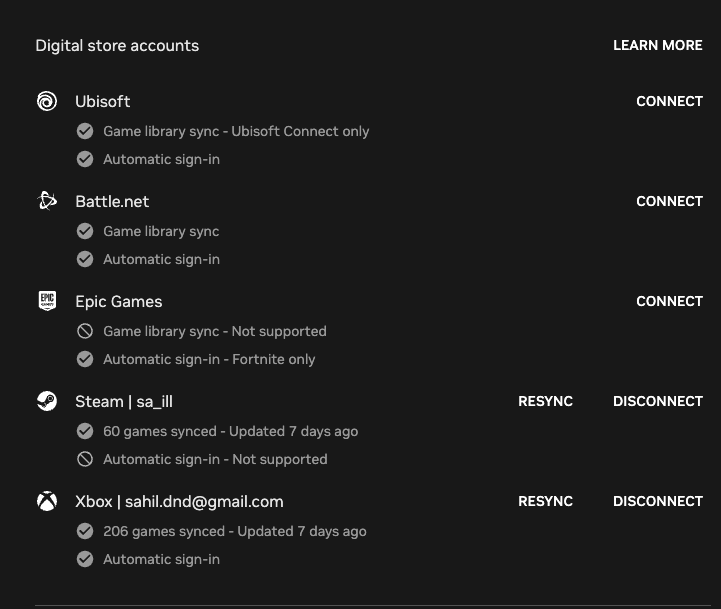
With GeForce NOW, you connect your own game libraries. Steam, GOG, Ubisoft Connect, Epic Games Store, Xbox Game Pass, you link them to your GFN account, and GFN streams those games from NVIDIA’s cloud hardware. You already own the games. GFN just runs them on an RTX rig you would never buy yourself. If a game you bought on Steam is supported on GFN, you stream it. Simple. There is a caveat though, not all games support GFN streaming at the moment. I really wanted to play Elden Ring, a game I am currently hooked to, on my MacBook, but alas, it is unsupported.
The other difference is visual fidelity, and this is not a small gap. Xbox Cloud Gaming does not offer 4K. It does not offer 120fps. It does not offer 10-bit HDR colour. GFN Ultimate gives you all three, plus path tracing, DLSS 4, and ray tracing via hardware that physically cannot be replicated on any console. The two services are not really comparable on quality once you have seen what GFN Ultimate looks like on a good display.
Why the MacBook Pro Is the Right Machine for This
People have been telling Mac users for years that they are second-class gaming citizens. GFN changes that narrative entirely, and the MacBook Pro’s specific hardware makes it an exceptional client. This is the marriage made in heaven part.
The marriage was always meant to happen. It just took GFN reaching India.
The display
The MacBook Pro’s Liquid Retina XDR panel, mini-LED, up to 1,600 nits peak brightness, ProMotion 120Hz, outstanding contrast, is one of the best screens available on any portable device at any price. GFN Ultimate streams at 120fps, and ProMotion handles it natively. NVIDIA’s own documentation specifically calls out MacBook Pros with ProMotion as ideal targets for 120fps streaming.
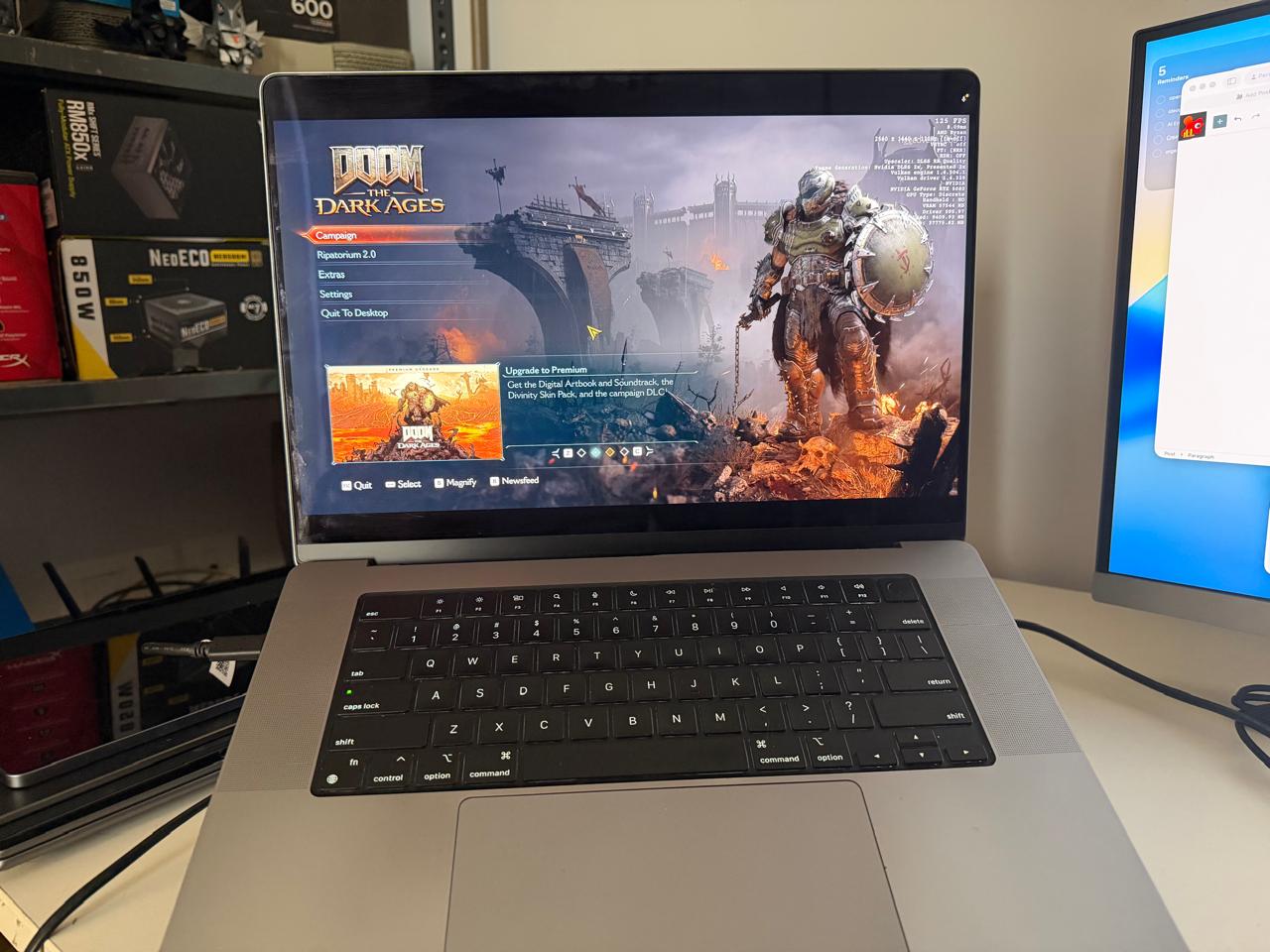
When you run Cyberpunk 2077 with full path tracing streamed from an RTX 5080 cloud rig onto this display, the lighting in Night City looks physically correct in a way that stops you mid-session just to look around. I have written before about how surprised I was running Cyberpunk natively on the M1 Pro, and that was without path tracing. GFN with the cloud GPU is a different level entirely.
The speakers
The MacBook Pro’s six-speaker system with spatial audio is, frankly, absurd for a laptop. For gaming over GFN, this becomes a genuine advantage. Running Doom: The Dark Ages, id Software’s medieval prequel that launched on GFN at day one globally for Premium members, the bass on the Slayer’s shield bash, the crack of combat through stone corridors, the positional audio that tells you where threats are before you see them: the MacBook’s speakers turn all of that into something you feel. Budget laptop speakers flatten it into noise.
The GPU inside your Mac no longer matters for gaming
This is the point that changes everything. The cloud RTX 5080 handles all rendering. Your MacBook’s job in this setup is display, audio, network, and input, and at those four things, it is elite regardless of whether you are on an M1 Pro or an M4 Max. I have argued that the M5 Pro is not a necessary upgrade from M1 Pro for most workflows, and GFN only strengthens that case. With the cloud GPU doing the work, every MacBook Pro becomes the same gaming machine.
Battery life
Here is something nobody is talking about. Because your MacBook is not rendering anything locally, it is decoding a video stream, the power draw while gaming over GFN is dramatically lower than native gaming. Expect 6 to 7 hours of GFN gaming on a single charge, considering you’re peaking out brightness, using the speakers, and your laptop is consistently streaming data at above 50mbps levels. On a MacBook Pro. Gaming. At 4K. 120fps. With path tracing. That is not a typo. When your laptop is not pushing polygons, it is essentially playing a very demanding video, and Apple Silicon is extraordinarily efficient at exactly that. As I found when finishing Cyberpunk natively on the M1 Pro, the MacBook’s battery advantage over Windows gaming laptops is significant even under local load. Over GFN, it is absurd. Add to that, no fan noise.
My Real-World Numbers on Airtel 300Mbps (Over Wi-Fi)
Theory is useful, real numbers are better. Here is what I actually measured.
Setup: M1 MacBook Pro 16, Airtel 300Mbps broadband, connected over 5GHz Wi-Fi. GFN Ultimate tier.
- Ping: 30 to 40ms consistently, never exceeded 40ms
- Bandwidth: set to 100Mbps in GFN settings, occasionally bursting to 120Mbps during heavy scenes
- Streaming: 4K, 120fps, HDR
- DLSS: fully available including DLSS 4.5 Multi-Frame Generation and Ray Reconstruction
Resident Evil Requiem
Settings: maxed out, full Ray Reconstruction, DLSS set to Quality, MFG set to 2x. The server was rendering at 166fps average. My MacBook was receiving and displaying at a smooth 120fps, locked to the ProMotion ceiling. The game looks extraordinary. Path tracing on the RE Engine does things with light that consoles simply cannot do, and on the MacBook Pro’s XDR display, it is genuinely uncomfortable in the best way a horror game can be.
Doom: The Dark Ages
Settings: everything on Ultra Nightmare, DLSS set to Quality, MFG set to 2x. Server fps and my MacBook fps were in sync at an average of 100fps. Doom: The Dark Ages is idTech8 doing native ray tracing for both gameplay and visuals simultaneously. Getting a sustained 100fps average on Ultra Nightmare settings, on a MacBook, over Wi-Fi, with no local GPU doing any of the work, this is what GFN is for.
I tend to keep MFG at 2x rather than pushing it higher. At 2x you get the frame rate benefit without the input latency creep that comes at higher multipliers. For single-player games this is the sweet spot.
30 to 40ms latency is genuinely playable for everything except the most twitchy competitive titles. For these kinds of games, it is completely transparent.
One important note: Macs do not have ethernet ports. You are on Wi-Fi no matter what. Always connect via 5GHz, not 2.4GHz. The 2.4GHz band is slower and far more congested in dense environments. 5GHz gives you the bandwidth ceiling and lower latency that GFN needs. If your router supports Wi-Fi 6 or 6E, even better.
The macOS AWDL Bug, Fix This Before You Even Open GFN
This is the thing nobody warns Mac users about, and it will make GFN look broken when the actual problem is a background macOS feature. I was experiencing a persistent stutter that just wouldn’t go. A simple Google search made me find out that I’m not the only one, and most macOS users are experiencing this.
macOS runs something called AWDL, Apple Wireless Direct Link. It powers AirDrop, Handoff, and AirPlay. The problem is that your Mac has one Wi-Fi radio, and AWDL periodically hops it off your regular Wi-Fi channel to scan for nearby Apple devices. While that happens, your network traffic, including your GFN stream, gets briefly stalled.
The result looks completely random: your speed test is fine, your Wi-Fi looks connected, but your GFN stream hitches and stutters in regular bursts. Latency spikes from a clean 30ms into 100 to 300ms during these interruptions. It looks like an NVIDIA problem or an internet problem. It is neither. It is a long-standing macOS bug with no official fix from Apple.
The solution is to disable the awdl0 interface while gaming, and use a watchdog script to suppress it again if macOS silently re-enables it. Here is the exact setup for GeForce NOW.
Step 1: Add a sudoers rule
The script needs to run sudo commands without prompting for your password mid-session. Open Terminal and run:
EDITOR=nano sudo visudoEnter your password. Find this block:
root            ALL = (ALL) ALL
%admin          ALL = (ALL) ALL
Add this line directly after it, replacing <your-user-name> with your actual macOS username:
<your-user-name> ALL=(root) NOPASSWD: /sbin/ifconfig awdl0 down, /sbin/ifconfig awdl0 upSave with Control+O, confirm with Enter, exit with Control+X.
Step 2: Create the GFN launcher script
Open Script Editor via Spotlight. Create a new script and paste this in:
property shouldMonitor : false
property isShuttingDown : false
property awdlWasDisabled : false

on set_awdl0(state)
    try
        do shell script "sudo -n /sbin/ifconfig awdl0 " & state
        return true
    on error errMsg
        if not isShuttingDown then
            display notification ("Failed to set awdl0 " & state & ": " & errMsg) with title "GeForce NOW"
        end if
        return false
    end try
end set_awdl0

on gfn_is_running()
    try
        do shell script "/usr/bin/pgrep -x 'GeForce NOW' >/dev/null"
        return true
    on error
        return false
    end try
end gfn_is_running

on awdl0_is_active()
    try
        set awdl0Status to do shell script "/sbin/ifconfig awdl0"
        return awdl0Status contains "status: active"
    on error
        return false
    end try
end awdl0_is_active

on begin_shutdown()
    set isShuttingDown to true
    set shouldMonitor to false
    quit
end begin_shutdown

on run
    if set_awdl0("down") then
        set awdlWasDisabled to true
        set shouldMonitor to true
        display notification "AWDL disabled. GFN latency optimised." with title "GeForce NOW"
        tell application "GeForce NOW"
            activate
        end tell
    else
        display notification "Could not disable AWDL." with title "GeForce NOW"
        set isShuttingDown to true
        quit
    end if
end run

on idle
    if isShuttingDown then return 60
    if not shouldMonitor then return 1

    if not gfn_is_running() then
        begin_shutdown()
        return 60
    end if

    if awdl0_is_active() then
        if set_awdl0("down") then
            display notification "AWDL re-enabled by macOS. Suppressing again." with title "GeForce NOW"
        end if
    end if

    return 1
end idle

on quit
    set isShuttingDown to true
    set shouldMonitor to false

    if awdlWasDisabled then
        set_awdl0("up")
        set awdlWasDisabled to false
    end if

    continue quit
end quit
Step 3: Save as an app
In Script Editor, go to File > Export. Name it GFN Launcher. Set File Format to Application. Enable “Stay open after run handler.” Save to your Applications folder.
From now on, always open GFN through this launcher. It disables AWDL when GFN starts, watches for macOS to silently re-enable it (and kills it again if it does), then restores AWDL cleanly when you close GFN. AirDrop and Handoff work perfectly when you are not gaming. This one fix is the difference between a stuttery mess and a clean 30ms stream.
GFN Settings to Use on Mac
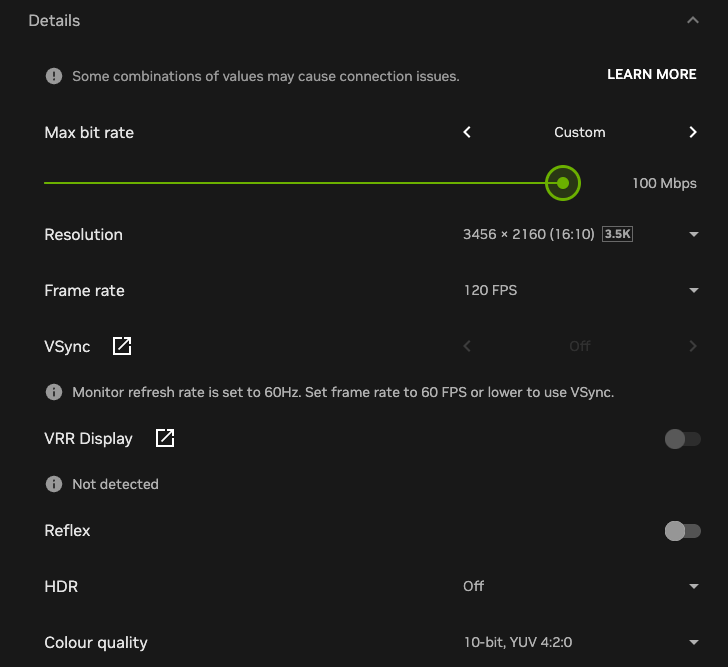
Once you are in and the AWDL fix is running, configure the stream manually rather than leaving it on Balanced. Go to Settings > Streaming Quality > Custom Mode.
- Max bitrate: 100Mbps – GFN will burst slightly above this on demanding scenes, which is normal
- Resolution: 4K (or your display’s native resolution)
- Frame rate: 120fps, ProMotion handles this natively
- HDR: On – the Liquid Retina XDR panel fully supports it
Close anything doing background syncing before you start: iCloud uploads, Dropbox, large downloads. You want the full pipe going to GFN.
What to Play First
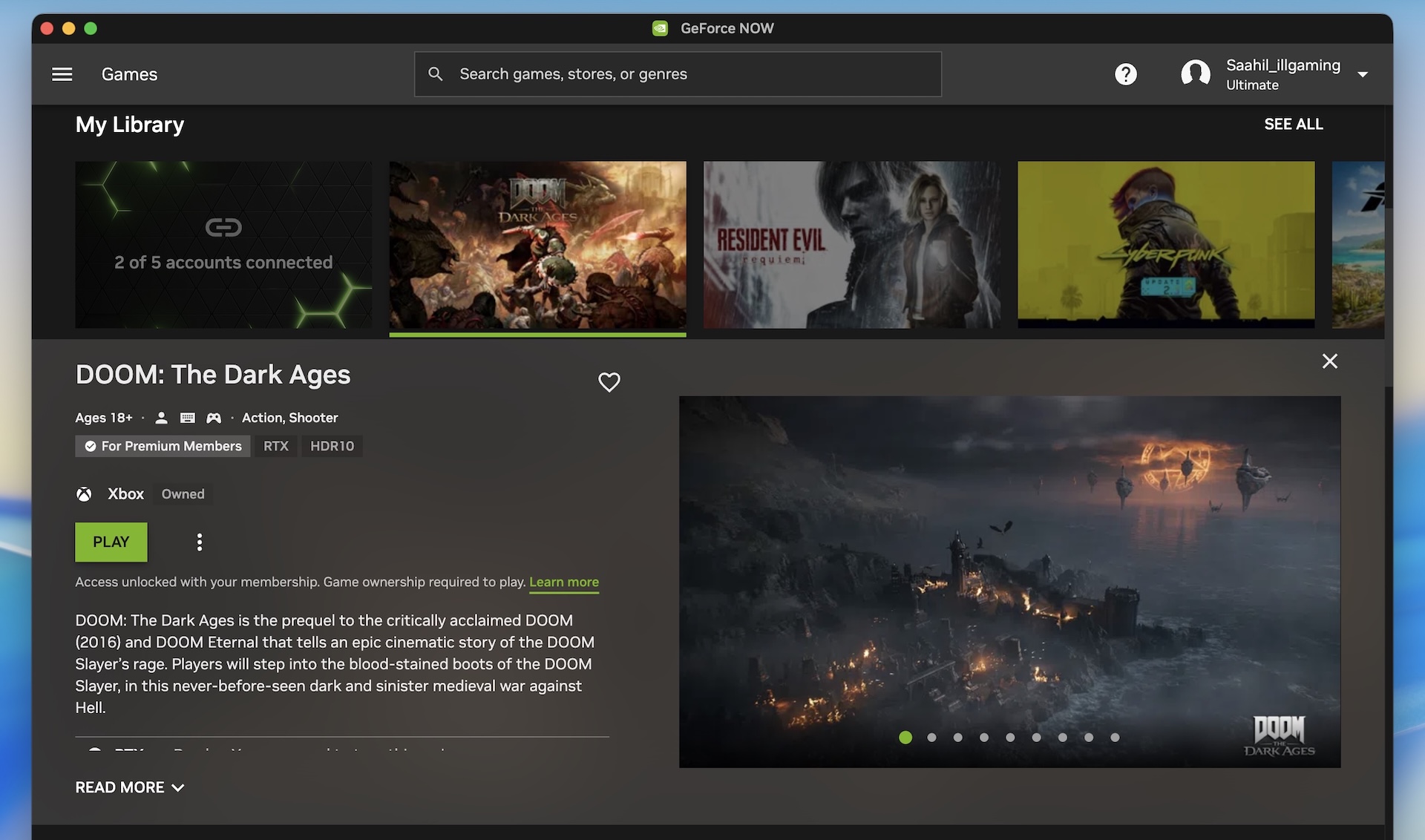
The GFN India library launches with over 4,500 titles. Three picks that show what this setup actually does on a MacBook Pro:
Cyberpunk 2077 remains the best showcase for path tracing. Night City on a MacBook Pro display with full RTX lighting from the cloud looks different from anything you have seen on consoles. Significantly different. If you have played it natively on an M1 Pro or M4 and thought it looked good, the GFN version with path tracing enabled will catch you off guard.
Doom: The Dark Ages launched on GFN day one for Premium members globally. The sound design on this game is extraordinary, and the MacBook Pro’s six-speaker system delivers every bit of it. Play it loud.
Resident Evil Requiem launched on GFN with full path tracing via RTX 5080-class hardware. The RE Engine’s lighting is already remarkable, and path tracing takes it further. Horror games depend on atmosphere. The MacBook Pro does not let any of it escape.
The Full Picture for Indian Mac Users
For years the knock on Macs for gaming has been real: limited ports, no native ray tracing, a smaller library than Windows. We have been finding workarounds, CrossOver for CS2 on the MacBook Air, native Cyberpunk performance deep dives, tracking every GPU improvement Apple makes generation over generation. GFN makes all of that irrelevant for the biggest titles.
The cloud RTX 5080 handles everything the Mac was never designed to do. The MacBook Pro handles the rest: a display and speaker system that most gaming setups cannot match, an Apple Silicon chip that decodes a 100Mbps stream for 6 to 7 hours on battery without breaking a sweat, and ProMotion 120Hz that makes GFN Ultimate feel exactly as smooth as NVIDIA intended.
Join the waitlist today. Run the AWDL fix. Set your stream to 100Mbps and 120fps. Then open Night City on that Liquid Retina XDR display.
The marriage was always meant to happen. It just took GFN reaching India.